SHARE

AI Receptionist For Contractors in Calgary: How Missed Calls Can Lead to Lost Business in 2026
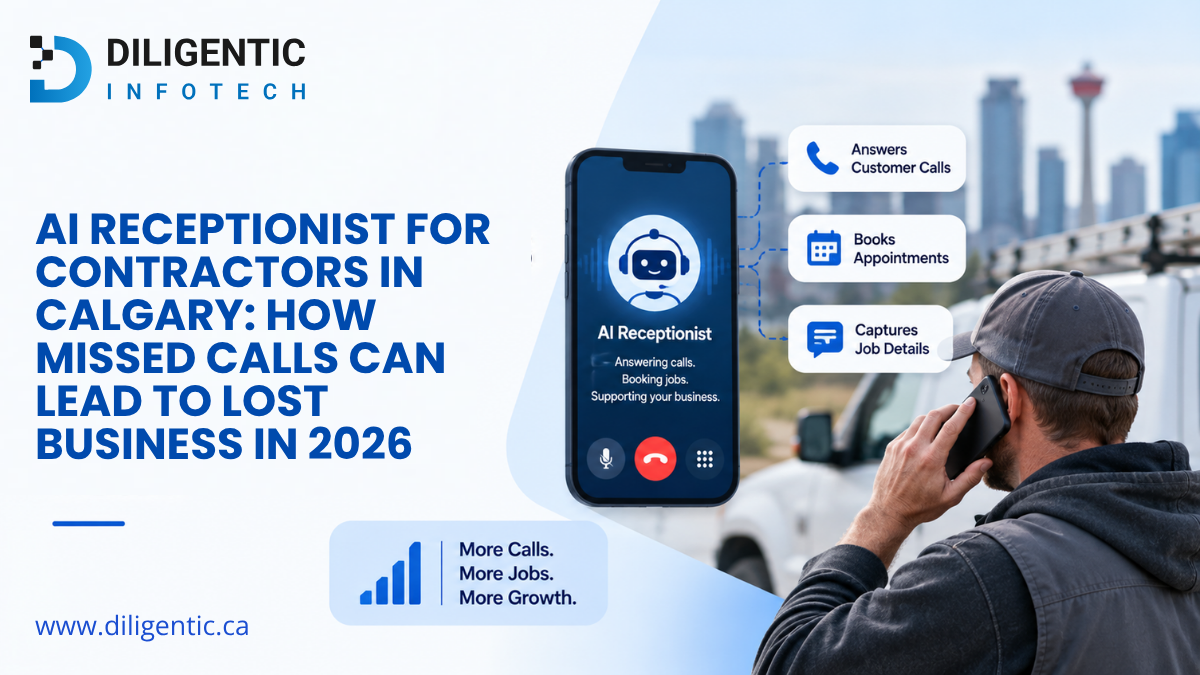
Calgary contractors can lose customer opportunities when calls arrive while office staff are busy, unavailable, or already dealing with other work. An AI Receptionist For Contractors can answer configured calls, collect predefined caller and job information, handle approved routine enquiries, and pass that information into the next workflow based on the contractor’s setup.
The goal is not to replace the contractor’s phone system or employees. It is to make sure an incoming enquiry has a clear path from the first call to the person who needs to act.
Table of Contents
Why Missed Calls Are a Business Problem for Contractors
Contractors do not spend the entire day sitting beside a phone.
Owners, estimators, dispatchers, technicians, and office employees may be:
- On job sites
- Driving between jobs
- Meeting customers
- Preparing estimates
- Coordinating crews
- Dealing with suppliers
- Handling existing customer issues
Incoming calls continue while that work is happening.
One unanswered call does not automatically equal one lost customer. But it creates a risk. A caller may contact another contractor, leave an incomplete voicemail, or decide not to leave a message at all.
Even when the caller waits for a response, the missed call creates another administrative process for the contractor.
What Happens When a Customer Call Goes Unanswered?
Consider a simple example.
A potential customer calls a Calgary contractor while the office employee is already speaking with another customer.
The caller reaches voicemail.
They may leave their name and phone number but forget to mention the address, type of service required, or urgency. Or they may hang up without leaving a message.
Later, somebody in the office must work out:
- Who called?
- What service do they need?
- Where is the job?
- How urgent is the request?
- Who should handle it?
- What should happen next?
The employee then has to call the customer back, collect the missing information, create or update the lead, and pass it to the right person.
The workflow becomes:
Incoming call → nobody available → voicemail → later review → missing information → callback → manual entry → routing → next action
That is why missed calls are not simply a phone problem. They can become a lead-intake and administrative problem.
Voicemail vs. Human Receptionist vs. AI Receptionist
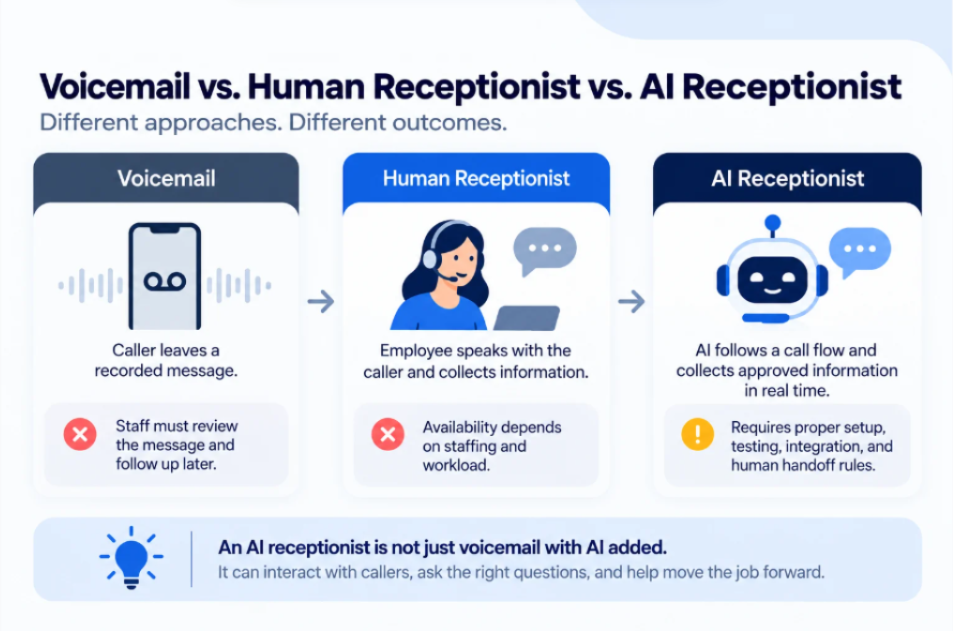
| Approach | How it works | Limitation |
|---|---|---|
| Voicemail | Caller leaves a recorded message | Staff must review the message and follow up later |
| Human receptionist | Employee speaks with the caller and collects information | Availability depends on staffing and workload |
| AI receptionist | AI follows a configured call flow and collects approved information | Requires proper setup, testing, integration, and human handoff rules |
An AI receptionist is not simply voicemail with AI added.
Voicemail waits for the customer to decide what information to provide. An AI receptionist can interact with the caller in real time and ask the predefined questions required for the next step.
A human receptionist still has an important advantage when judgment, empathy, context, or an unusual situation is involved.
What an AI Receptionist For Contractors Can Do
Diligentic’s AI Receptionist for Contractors is designed around routine, missed, overflow, and after-hours call intake.
The exact capabilities depend on the approved workflow and the systems available for integration.
Answer Incoming Calls
The AI receptionist can answer calls during the configured coverage period and follow an approved greeting and call flow.
This can help when employees are already on another call, working in the field, or unavailable after regular office hours.
Collect Caller and Job Information
The workflow can ask predefined questions and collect information such as:
- Caller name
- Phone or contact details
- Service address
- Reason for calling
- Stated urgency
- Preferred timing
- Relevant notes
The contractor decides which information is required.
The AI should not collect information simply because it can. The questions should support a real next step in the business workflow.
Handle Approved Routine Enquiries
A contractor AI receptionist can handle routine questions or repeatable call paths that have been approved during configuration.
It should not invent an answer when the caller asks something outside that approved information.
Prepare a Structured Handoff
Instead of leaving employees with an unstructured voicemail, the workflow can organize the information collected during the call.
Where connected systems support it, the information may then be used to create or update a lead, prepare a call summary, notify an employee, or flag the request for follow-up.
Support Booking and Dispatch Intake
The AI can collect information needed for an appointment or service request.
However, technician availability, job duration, travel time, emergency priorities, and unusual scheduling conflicts can require human judgment. The AI should support that process rather than make every scheduling decision independently.
Answering the Call Is Only the First Step
There is an important difference between answering calls and automating contractor lead handling.
Basic call answering looks like this:
Call → Answer → Message
A connected workflow can look like this:
Call → Answer → Collect information → Organize request → Create or update lead → Route → Notify staff → Human next action
The second workflow can provide more operational value because the information continues into the business process.
If an employee still has to listen to the call summary, open the CRM, enter the customer manually, message the dispatcher, and create another task, much of the administrative work remains.
The better question is not simply:
Can AI answer our phone?
It is:
What should happen to the caller’s information after the conversation ends?
Diligentic’s AI Workflow Assessment helps businesses map the current process, identify repetitive work, review where AI or automation may be appropriate, and determine what should remain under human control.
For contractors dealing with repeated missed-call follow-ups, that workflow review should happen before another standalone tool is added.
A Practical AI Receptionist Workflow for Calgary Contractors
A contractor call-handling workflow could operate like this.
Step 1: The Customer Calls
The AI receptionist answers according to the configured coverage period, greeting, and call rules.
Step 2: The AI Collects Required Information
The caller answers the predefined intake questions.
The goal is to collect only the information required for the next step.
Step 3: The Enquiry Is Organized
Configured rules can help organize the request.
For example, the workflow may distinguish between:
- New service requests
- Estimate enquiries
- Appointment questions
- Existing customer follow-ups
- General enquiries
- Requests the caller describes as urgent
The AI should not make a technical diagnosis or decide whether a situation is safe.
Step 4: Relevant Information Is Recorded
Where technical access allows it, collected information can move into the appropriate CRM, field-service application, or other approved business system.
That reduces the need for an employee to recreate the same information manually.
Step 5: The Appropriate Employee Receives the Handoff
The next step may be an office review, dispatcher notification, estimator follow-up, scheduling task, or another configured action.
Step 6: A Human Takes Over When Needed
Complex, sensitive, unusual, or high-risk requests should move to a person.
That handoff is part of a properly designed AI workflow, not a failure of the system.
AI Receptionist + Existing Contractor Software
A contractor does not automatically need to replace its existing CRM, scheduling system, field-service software, customer-management tools, or phone setup.
A more practical contractor software integration may look like this:
Customer call → AI intake → structured information → existing CRM or field-service system → employee notification → human next step
Diligentic’s System Integrations & Reporting service focuses on connecting business systems so information can move between the tools already being used.
The exact integration still needs to be reviewed.
Compatibility can depend on the phone system, business applications, available APIs or connectors, user permissions, and the information that needs to move between systems.
This is the same principle discussed in Diligentic’s guide to field service management software. If the contractor already has useful software, connecting those systems may make more sense than replacing everything simply to improve call handling.
What AI Should Not Handle Without Human Oversight
An AI receptionist should not independently make high-risk business, technical, contractual, or safety decisions.
People should remain responsible for areas such as:
- Pricing and final quotes
- Contract terms
- Insurance-related decisions
- Technical diagnosis
- Safety decisions
- Serious complaints
- Customer disputes
- Unusual service requests
- Exceptions requiring professional judgment
For example, if a homeowner says they smell gas, see exposed electrical wiring, or believe a structure is unsafe, the AI should follow the approved escalation instructions. It should not diagnose the situation.
The AI receptionist supports communication. It does not replace the contractor’s professional expertise.
Privacy also needs to be considered because calls may contain names, phone numbers, addresses, and details about a customer’s property or service request.
Alberta’s Personal Information Protection Act governs how covered private-sector organizations collect, use, disclose, and protect personal information.
The Government of Alberta also states that organizations subject to PIPA must take reasonable measures to protect personal information against risks such as unauthorized access, collection, use, disclosure, copying, modification, or destruction.
The Office of the Privacy Commissioner of Canada also emphasizes that organizations remain accountable for privacy obligations when they deploy generative AI.
If a particular AI receptionist implementation records or transcribes calls, the contractor should review how those records are collected, accessed, retained, and protected.
When Does an AI Receptionist Make Sense for a Contractor?
An AI receptionist may be worth considering when:
- Calls are frequently missed while employees are busy.
- Field employees receive customer calls while working.
- Voicemails require repeated manual review.
- Staff spend time calling customers back just to collect basic information.
- Customer enquiries arrive outside normal office hours.
- Office employees manually write down caller details.
- Staff re-enter call information into a CRM or field-service system.
- Different employees use different intake processes.
- Routine questions repeatedly interrupt office work.
- Important call information is not consistently recorded.
An AI receptionist may not be necessary when call volume is low and the existing process already works well.
Adding AI where there is no meaningful workflow problem simply creates another system to manage.
AI Receptionist vs. Hiring Another Receptionist
| Option | Strength | Limitation |
|---|---|---|
| Existing staff | Strong human judgment and customer context | Availability depends on existing workload |
| Additional receptionist | Adds more human call-handling capacity | Requires additional staffing |
| AI receptionist | Can handle configured intake workflows consistently | Requires configuration, monitoring, and human escalation |
This should not automatically be framed as AI replacing an employee.
A contractor may still need office staff for scheduling decisions, estimates, billing questions, complaints, customer relationships, and unusual situations.
AI makes more sense when the problem is repeatable call intake rather than a lack of human judgment.
For a trade-specific example, Diligentic’s article on HVAC missed-call automation explains how after-hours calls can move into a defined intake and follow-up process instead of remaining only in voicemail.
Improving Contractor Call Handling With Diligentic Infotech
Diligentic Infotech approaches an AI receptionist as part of the contractor’s larger workflow, not as another phone platform that every company needs to replace its current setup with.
The practical workflow is:
Incoming call → information collection → business system → employee handoff → next action
Diligentic’s current AI Receptionist for Contractors solution supports configured call intake, collection of caller and job information, structured records, human handoff rules, and connections with supported business systems.
A useful implementation starts by reviewing the contractor’s actual call process.
Which calls are being missed?
What information does the office need?
Which questions can follow predefined rules?
Which requests must go directly to a person?
Where should the caller information be recorded?
Who needs to receive the next task or notification?
Those questions determine whether an AI receptionist will actually reduce administrative friction.
If missed calls are becoming voicemail reviews, repeated callbacks, incomplete lead records, and manual routing, Calgary contractors can talk to Diligentic Infotech about their current phone, CRM, field-service, scheduling, and lead-handling workflow.
The objective is not to add AI for its own sake. It is to determine whether call intake can be connected to the systems and people that already run the business.
FAQ’s
What is an AI Receptionist For Contractors?
An AI Receptionist For Contractors is a configured voice workflow that can answer approved inbound calls, collect predefined caller and job information, and pass that information to the appropriate business workflow or employee.
How can an AI receptionist help Calgary contractors?
An AI receptionist can handle configured call intake when employees are busy or unavailable, collect customer information consistently, and prepare the enquiry for the next human or system step.
Can an AI receptionist answer contractor calls when staff are busy?
Yes, when the contractor’s phone setup and configured call workflow support it. Human handoff rules should remain available for callers who require an employee.
Can an AI receptionist collect information from potential customers?
Yes. It can collect predefined information such as a caller’s name, contact details, service address, reason for calling, stated urgency, preferred timing, and other information required for the approved workflow.
Can an AI receptionist work with an existing contractor CRM?
Potentially. Contractor CRM automation depends on the CRM’s available APIs or connectors, permissions, and the information the contractor needs to exchange, so compatibility should be reviewed before implementation.
Does an AI receptionist replace a human receptionist?
Not necessarily. AI is better suited to repeatable call-intake tasks, while employees should remain responsible for judgment, sensitive conversations, technical decisions, pricing, safety issues, and unusual exceptions.
Can an AI receptionist schedule contractor appointments?
It can collect booking information and support an appointment workflow where the connected systems and approved rules allow it. Human staff should remain responsible when technician availability, travel time, job duration, urgency, or unusual circumstances require judgment.
What happens when an AI receptionist receives a complex customer request?
The configured workflow should route, flag, or hand the request to the appropriate employee. Complex, sensitive, unusual, or high-risk requests should not be handled independently by the AI.
About the author
Ajay Kumar
Founder and Director
About the author
Ajay Kumar is the founder and director of Diligentic Infotech, a Calgary AI automation company. He has 9+ years of hands-on technical experience and now focuses on helping small and medium businesses connect their existing tools and cut down manual work through practical AI automation. He leads with a clear focus on real, working solutions over one-time demos.

Posted on 27 Oct 2026
Why Calgary Contractors Struggle With Customer Email Management and Finding the Right Information Before Replying
Calgary contractors struggle with customer email management when job details, schedules, and previous conversations sit in separate tools. Before replying, employees must identify the correct job, check the latest information, and resolve gaps or conflicting records. An AI customer support email assistant can help retrieve permitted information and prepare a draft, while an employee verifies the answer and sends it.
Posted on 22 Oct 2026
AI Email Assistant in Calgary: How Contractors Can Evaluate Costs, Providers & Implementation
Choosing the right AI email assistant in Calgary starts with understanding how it fits your business. HVAC, plumbing, electrical, and roofing contractors should evaluate customer record access, system integration, human review, and implementation costs before investing.
Posted on 15 Oct 2026
AI Tender Assistant for Contractors: What to Check Before Choosing a Provider
An AI tender assistant for contractors helps businesses find relevant tender opportunities, organize shortlists, and prepare proposal drafts for human review. Before choosing a provider, check which tender sources the assistant supports, how it matches opportunities to your business, and which decisions remain with your team.