SHARE

Why Calgary Contractors Struggle With Customer Email Management and Finding the Right Information Before Replying

Calgary contractors struggle with customer email management when job details, schedules, and previous conversations sit in separate tools. Before replying, employees must identify the correct job, check the latest information, and resolve gaps or conflicting records. An AI customer support email assistant can help retrieve permitted information and prepare a draft, while an employee verifies the answer and sends it.
A customer asking, “When can the work start?” may need only a short reply. Preparing that reply can require checking an approved estimate, the current schedule, and a project coordinator’s latest update.
The first improvement is to make those facts reliable and accessible. Adding a drafting tool comes after that.
Table of Contents
One customer question can lead to several record checks
Before answering an email, the employee needs to connect the request to a specific property, job, and stage of work. A familiar name may belong to a homeowner with two active requests or a property manager responsible for several buildings.
Each question calls for a different check:
Next steps: Identify the outstanding action, its owner, and the agreed customer update.
Work start date: Verify estimate approval and the confirmed schedule. A customer’s preferred date is not a booking.
Previous visit: Check the service report for the correct address and visit date. Share only appropriate details.
Parts availability: Review the latest purchasing record. An expected delivery does not confirm that parts have arrived.
Skipping these checks can turn an incomplete answer into a promise that dispatch or the project team must later correct.
Where customer information gets separated
Different tools serve different purposes. Problems arise when employees cannot tell which record to trust or who is responsible for updating it.
Job records and email threads tell different stories
A customer might approve an estimate by email before the approval reaches the job system. Another employee sees “awaiting approval” and sends an unnecessary reminder.
Decide where approval must be recorded and who records it. Keep the supporting email attached or linked to the job so another employee can verify the change.
The latest update stays with one person
A technician may tell a coordinator that a return visit needs another part. If that update stays in a personal message, the inbox team may still see the previous plan.
Define which updates belong in the job record and when they must be entered. The assistant cannot find an update that nobody recorded.
A customer has more than one active job
An email address may identify a customer without identifying the right property or project. Guessing can produce the wrong answer or expose another job’s details.
Use a job reference or service address where available. If multiple records still match, ask an employee to select the job or request clarification from the customer.
For a hypothetical Calgary contractor accepting selected jobs in Airdrie, a customer’s Calgary billing address would not establish the service location. Check the actual job address and the business’s approved coverage before discussing a visit.
Improve customer email management with your current tools
Create a simple information map before introducing AI. For each common question, identify where the answer belongs, who updates it, and who handles uncertainty.
| Information | Agreed record | Responsible role |
|---|---|---|
| Estimate approval | Approval field with supporting customer confirmation | Estimator or project coordinator |
| Appointment or start date | Current scheduling record | Dispatcher or scheduler |
| Work completed | Reviewed service or inspection report | Technician and designated reviewer |
| Next customer update | Assigned follow-up task linked to the job | Named employee handling the request |
This is an example map. Adapt it to your existing tools and responsibilities.
Include the job reference in email subjects where practical, link conversations to the related record, and record promises made to customers. Avoid copying entire histories into several places; duplicated records need updating and can disagree.
If a shared inbox, clearer records, and assigned follow-ups solve the problem, keep that approach. AI becomes worth evaluating when employees still repeat substantial searching and drafting despite reliable records.
How an AI Customer Support Email Assistant Finds Relevant Information
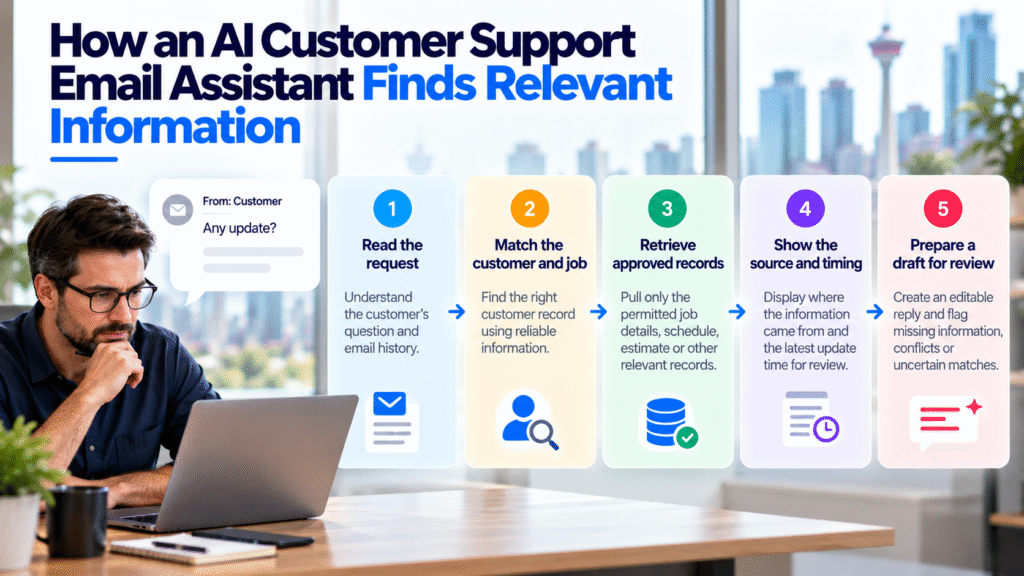
An AI customer support email assistant needs configured access to approved sources. It does not automatically know the business’s current job status or gain access to every tool.
A proposed contractor workflow should:
- Read the incoming question and relevant conversation history.
- Match the customer and job using reliable identifiers.
- Retrieve only the permitted records needed for that request.
- Present the source and available update time so the employee can check the facts.
- Flag missing information, conflicting records, or uncertain matches.
- Prepare a draft for employee review and manual sending.
Each behaviour needs to be specified and tested. Source references, timestamp displays, and exception alerts are implementation requirements to assess, rather than capabilities to assume every assistant provides.
Diligentic’s AI Customer Support Email Assistant prepares editable drafts and leaves final review and sending to an employee. Its recorded demonstration shows a workflow, not a measured contractor result.
When information sits in separate tools, system integration can connect supported sources. Feasibility depends on available connections, access permissions, and the quality of the underlying records.
Worked example: finding the facts before a roofing update
Hypothetical scenario, not a client result. A Calgary roofing customer emails:
Hi, can you let me know when we can move forward with the work?
It is Wednesday morning. After matching the service address and job reference, the employee finds these records:
| Record | What it shows |
|---|---|
| Estimate approval | Customer approval recorded on Monday |
| Scheduling record | No confirmed start date |
| Earlier email | Customer asked whether Thursday might be possible |
| Coordinator note | Scheduling review pending; coordinator owns the next update |
Thursday is a requested date. In this example, the scheduling record controls confirmed start dates; the earlier email records the customer’s preference. Treating that preference as a confirmed start would create an unsupported promise.
In this example company’s process, the coordinator must update the customer by Wednesday afternoon, even if scheduling is still unresolved. The deadline belongs to this hypothetical policy; a real contractor must use a commitment its team has approved and can meet.
The assistant could prepare:
Hi Morgan,
Your estimate approval is recorded. A start date hasn’t been confirmed yet, including the Thursday date you asked about.
The project coordinator is reviewing the schedule and will update you by Wednesday afternoon. If a date is still pending, the coordinator will confirm that status and tell you when to expect another update.
Thanks,
Alex
Before sending, Alex checks the approval, current schedule, and coordinator’s commitment. The follow-up is recorded as an assigned task. Writing a promise into a draft does not create that task unless task creation has been separately configured.
If the scheduling record instead showed Thursday confirmed while a newer coordinator note said the date had changed, the assistant should flag the conflict. A newer note does not automatically override a confirmed schedule. The scheduler must resolve the disagreement and update the record before Alex confirms a date.
The employee can check where each fact came from before sending the reply, and a named person owns the next step.
Handle missing, outdated, and restricted information
A successful lookup does not prove that the information is current or suitable for a customer reply. Define checks for both.
Missing records: If no reliable job match exists, pause the job-specific draft and ask for clarification. Avoid guessing from the customer’s name alone.
Outdated details: Check when the record was last updated and whether a later change exists. Decide which sources take priority for each fact. A timestamp helps investigation but does not make a record authoritative by itself.
Conflicting records: Route the disagreement to the person who owns that information. The assistant should not silently select whichever answer appears easiest to use.
Restricted notes: Separate information employees may retrieve from information they may share. Internal commercial notes or unrelated personal details should not enter a customer-facing reply.
Give the drafting process only the access it needs. Review provider storage, retention, and permissions before using customer messages. Test with sample or appropriately redacted information first.
If a connection fails, show the failure and return the request to an employee. Do not present an older retrieved value as a fresh status check. Incoming email instructions must also never override access rules or permit retrieval of another customer’s records.
Keep decisions and sending with employees
Diligentic’s assistant saves drafts. An employee checks the facts, makes edits, and sends the response.
Pricing exceptions, warranty decisions, disputes, technical judgments, and unconfirmed schedules need the responsible person’s decision before they become customer commitments. A drafting workflow can help explain an approved decision; it cannot supply an approval that does not exist.
Assign a reviewer and a backup. Both should know where to check sources, how to escalate a conflict, and how to pause the process when something goes wrong.
Test whether connected information actually improves replies
Pilot one recurring question, such as roofing start-date updates. Compare the same email type before and during the pilot using a consistent checklist.
Track correct job matches, missing facts, unresolved conflicts, factual corrections, and customer clarification emails. Measure active employee searching, drafting, and review time separately from AI generation time and waiting for another person.
Include difficult cases: two open jobs, an approval in an email but missing from the job record, a changed schedule, restricted notes, and an unavailable connection. Pause the pilot and investigate any invented commitment or disclosure of another customer’s information before resuming.
Keep the pilot only if it improves the whole response process. Faster draft generation provides little value when verification takes longer or answers become less dependable.
FAQs
Can an AI assistant find information across every contractor tool?
Only sources with configured, permitted connections are available to the workflow. Confirm access and retrieval behaviour for each required tool before relying on it.
What if a customer has several jobs or properties?
The workflow needs a reliable way to identify the correct job, such as a job reference and service address. Uncertain matches should go to an employee or trigger a clarification request.
Can AI resolve conflicting job records?
An assistant can be configured to flag disagreements, but the person responsible for the information must resolve them. Customer replies should reflect the verified decision.
Does Diligentic’s email assistant send automatically?
No. It prepares an editable draft, and an employee reviews and sends the final message.
Start with the question that takes longest to answer
Choose one recurring customer question and trace the records employees open before replying. Identify the missing updates, unclear ownership, and repeated lookups first.
If reliable information still takes too much manual work to retrieve, Diligentic can assess whether connected drafting fits the process. Book a qualifying call about your customer email workflow. If there is a fit, Ajay arranges an in-person workflow audit in Calgary after qualification.
About the author
Ajay Kumar
Founder and Director
About the author
Ajay Kumar is the founder and director of Diligentic Infotech, a Calgary AI automation company. He has 9+ years of hands-on technical experience and now focuses on helping small and medium businesses connect their existing tools and cut down manual work through practical AI automation. He leads with a clear focus on real, working solutions over one-time demos.
Posted on 23 Oct 2026
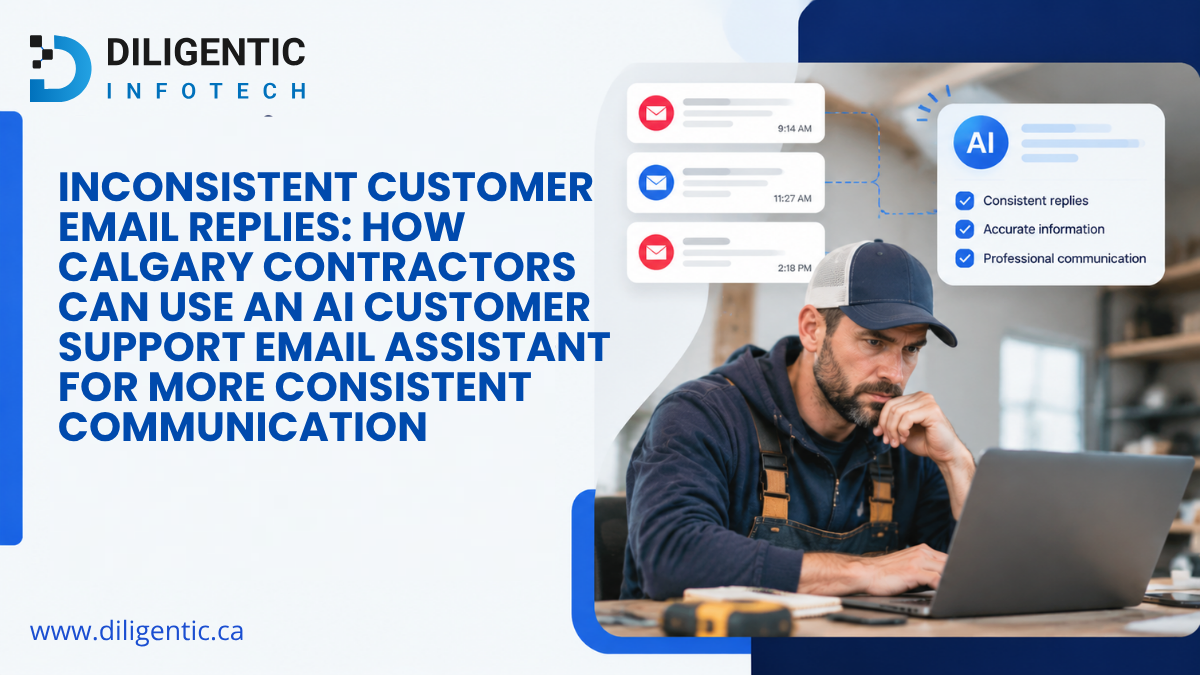
Inconsistent Customer Email Replies: How Calgary Contractors Can Use an AI Customer Support Email Assistant for More Consistent Communication
A customer emails a Calgary contracting company with a question about a service appointment.
One employee responds with a detailed explanation. Another gives a short answer. A third uses different wording and explains the next step differently.

Posted on 22 Oct 2026
AI Email Assistant in Calgary: How Contractors Can Evaluate Costs, Providers & Implementation
Choosing the right AI email assistant in Calgary starts with understanding how it fits your business. HVAC, plumbing, electrical, and roofing contractors should evaluate customer record access, system integration, human review, and implementation costs before investing.
Posted on 19 Oct 2026
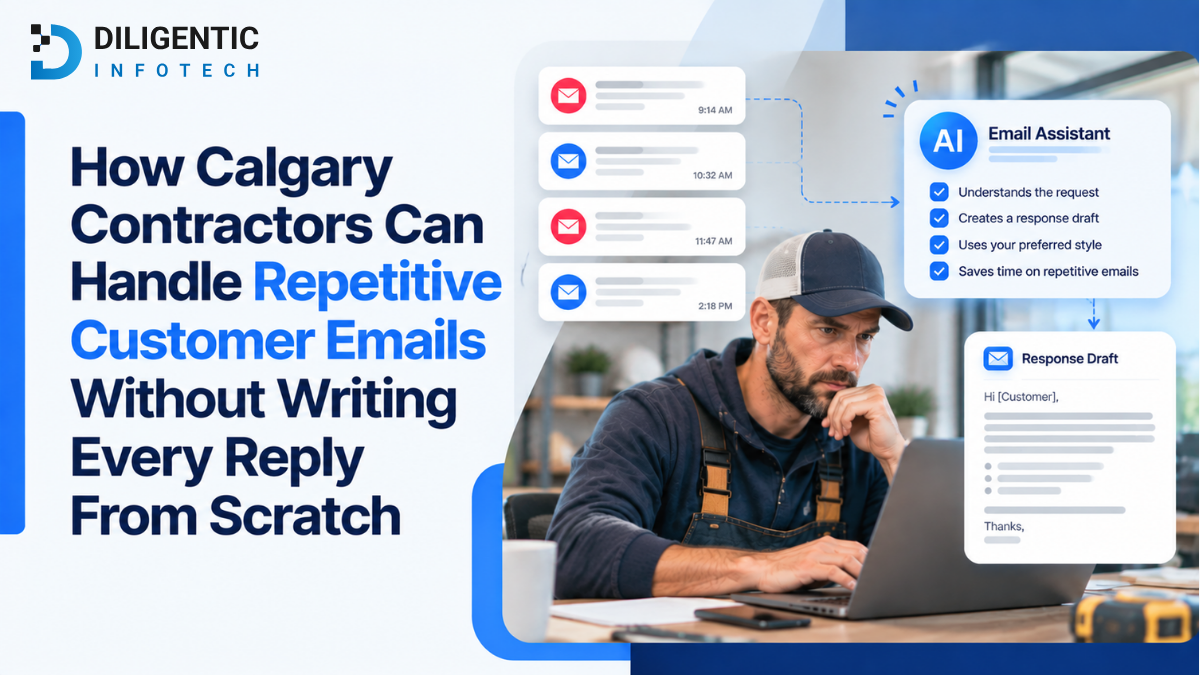
How Calgary Contractors Can Handle Repetitive Customer Emails Without Writing Every Reply From Scratch
Repetitive customer emails for contractors often create the same office work under different subject lines. A question may look new because the wording changes, while the appropriate reply follows an established business rule. If employees repeatedly build those replies from scratch, start by identifying the pattern before deciding whether templates or AI-assisted drafts will help.