SHARE

Why Calgary Contractors Struggle With Manual Call Intake and How an AI Receptionist For Contractors Can Improve Customer Information Collection
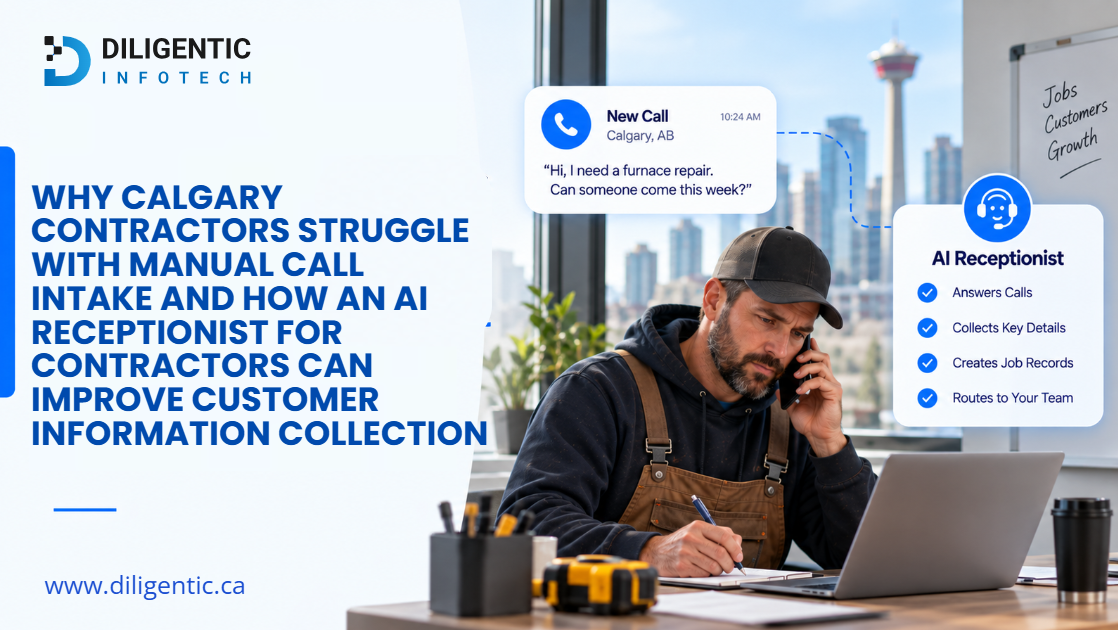
Answering a customer call is only the first step.
For many Calgary contractors, the bigger operational challenge starts during the conversation. An employee needs to collect the right customer information, record it clearly, and make sure those details reach the right person or business system.
A typical call may involve a customer’s name, contact details, service address, reason for calling, urgency, and relevant job information. After the call, those details may need to be entered into a CRM, field-service system, scheduling workflow, spreadsheet, or another business tool.
When all of this is handled manually, the process depends on employees asking the appropriate questions, recording the answers correctly, and transferring the information into the next stage of the workflow.
The issue is not necessarily employee performance. It is process consistency.
An AI Receptionist for Contractors can support defined parts of customer information collection by following approved intake questions, capturing relevant details, organizing the information into a structured record, and passing it into supported workflows.
Table of Contents
What Is Manual Call Intake?
Manual call intake is the process of having an employee personally collect, record, organize, and transfer customer information during or after a phone call.
A contractor’s process may look like this:
Customer call → employee asks questions → information is recorded → notes are reviewed → information is transferred → next workflow step
The employee may need to:
- Answer the customer’s questions
- Collect contact details
- Confirm the service address
- Understand the reason for the call
- Capture basic job information
- Record urgency when relevant
- Create or update notes
- Pass information to another employee or system
This process is common across HVAC, plumbing, electrical, roofing, and other trade businesses.
The exact information required depends on the type of work. An HVAC company may need details about a furnace or air-conditioning problem. A plumber may need information about a leak or drainage issue. An electrician may need to understand the requested service. A roofing company may need the property address and a basic description of the customer’s request.
Manual call intake is flexible. The challenge is making sure the information collected is consistent enough for the next person or system to use.
Why Calgary Contractors Can Struggle With Manual Customer Information Collection
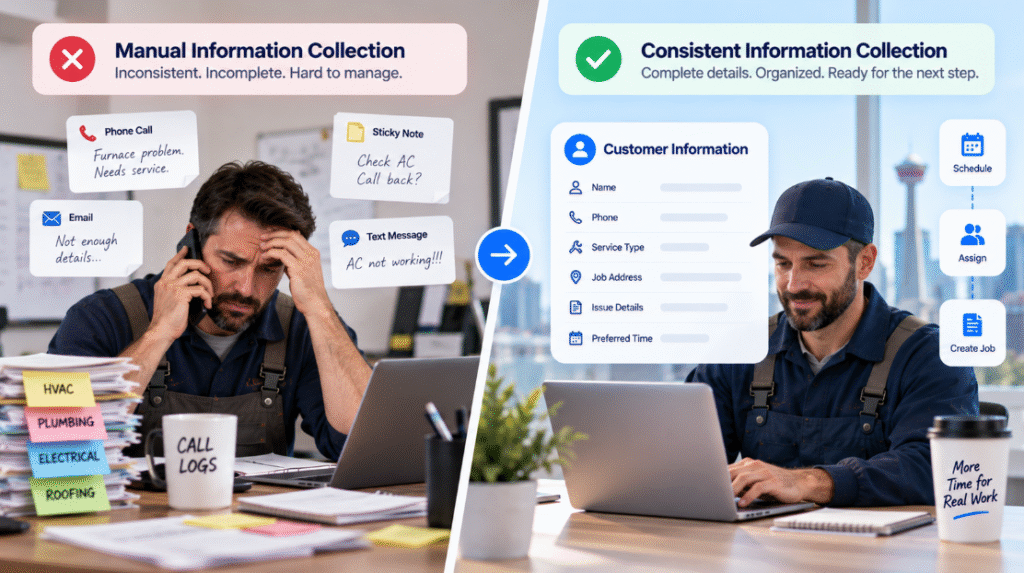
The problem with manual customer information collection is often not one major error.
It is variation.
One employee may record a detailed description of a customer’s problem. Another may write a short note. One may confirm information that another employee assumes is already available.
Common issues include:
- Different employees asking different questions
- Customer information recorded in different formats
- Important details being left out
- Notes that are difficult for another employee to interpret
- Information stored in different places
- Manual transfer between systems
- Duplicate entry
- Additional verification before the next step
For example, an HVAC call could be recorded as:
“Furnace problem. Needs service.”
That may be enough context for the employee who took the call. It may not provide the same level of information to the person responsible for the next step.
The same issue can happen with plumbing, electrical, or roofing calls.
Better call intake is therefore not about asking employees to work harder. It is about defining what information needs to be collected and creating a consistent process for capturing it.
What Information Should Contractors Collect During a Customer Call?
There is no universal call-intake script for every contractor.
The right information depends on the company’s services and what needs to happen after the call.
Customer Details
The process may capture:
- Customer name
- Contact details
- Existing customer information when applicable
Service Location
The service address can be important for identifying the correct customer or job record and preparing the next workflow step.
Job Details
Depending on the trade and service, the intake process may capture:
- Type of service requested
- Basic description of the issue
- Relevant equipment or property information
- Existing job information when applicable
Urgency
Some requests also need an urgency level.
An AI Receptionist for Contractors can capture stated urgency and flag urgent jobs according to the workflow configured for the business.
The important principle is to collect information that has a purpose.
A contractor should not ask customers a long list of questions simply because automation makes it possible. The intake process should focus on the information the team actually needs to continue the request.
What Happens When Call Information Is Incomplete or Inconsistent?
Incomplete information can create additional workflow steps.
Consider a plumbing customer calling about a leak.
The employee records the customer’s name and writes:
“Leak under sink.”
Later, another employee needs to confirm the service address and understand whether more information is required before the request can move forward.
The workflow can become:
Incomplete information → clarification needed → information updated → record reviewed → next action
The same situation can occur when:
- A service address is missing
- The reason for the call is unclear
- Contact details are incomplete
- Job notes are too vague
- Existing customer information is difficult to match
- Information has to be entered into another system
This does not mean the original employee made a serious mistake.
It means the workflow contains another dependency. Someone has to interpret, verify, or re-enter the information before the next step can continue.
For contractors using several business systems, those handoffs can become especially important because customer information may need to move between communication, CRM, field-service, scheduling, and dispatch processes.
How an AI Receptionist For Contractors Can Improve Call Intake
An AI Receptionist For Contractors can support defined and repeatable parts of customer information collection.
The workflow can use approved questions to guide the conversation rather than relying entirely on an employee to remember every required intake question.
Depending on the configured process, the AI Receptionist can:
- Collect the caller’s name and contact details
- Capture the service address
- Record the reason for calling
- Capture stated urgency
- Collect relevant caller and job details
- Organize the information into a structured record
- Flag requests that require human attention
- Pass information into supported connected systems
The AI Receptionist is not expected to create the contractor’s process by itself.
The business defines what information is required. The workflow is then configured around that process.
For example, an HVAC company may define the information required for a service request. A plumbing business may establish a different intake structure for repair calls. An electrical contractor may have separate requirements for different types of service.
This makes call intake automation more practical because the AI is supporting an existing business process rather than replacing it with a generic script.
Standardizing Customer Information Collection
One of the main differences between manual intake and standardized intake is consistency.
Manual employee-by-employee intake:
Customer call → questions vary → notes recorded → information interpreted → information transferred
Standardized intake:
Customer call → approved questions → defined information captured → structured record → next workflow step
Standardization does not mean every customer conversation has to sound identical.
It means the contractor has defined the information required for a particular request and created a consistent way to collect it.
That can make the information easier for another employee to review.
It can also make it easier to determine what information should move into the next system.
AI does not guarantee that every customer will provide complete or accurate information. Customers can give unclear answers or describe unusual situations. Human review remains important when information is incomplete or when the request requires judgment.
From Customer Call to Existing Business System
Call intake becomes more useful when the collected information can move into the systems the contractor already uses.
A connected workflow can look like:
Customer call → information collected → information structured → supported workflow → existing system → human review
Diligentic’s AI Receptionist can connect with business phone systems, CRM, field-service software, scheduling and dispatch, team notifications, sheets and tables, custom APIs, and email or messaging, depending on the required workflow and system support.
This does not mean every contractor software platform can automatically connect.
Compatibility, available APIs, permissions, data requirements, and the intended workflow need to be reviewed first.
That is why contractors do not necessarily need to replace their existing software to improve call intake.
The better approach may be to connect the relevant parts of the systems already in place.
Diligentic’s Tool Integration & Sync services are built around connecting existing business tools through appropriate integration methods. The process includes mapping data, selecting an integration method, building the connection, testing it, and documenting the workflow.
AI Receptionist Does Not Mean Removing Humans From the Process
An AI receptionist should support employees rather than make decisions that require contractor expertise or business judgment.
Human staff should remain involved with:
- Complex technical questions
- Pricing decisions
- Customer complaints
- Warranty decisions
- Contract issues
- Safety concerns
- Sensitive requests
- Unusual situations
- Exceptions requiring business judgment
A useful division of responsibility is:
AI collects and organizes defined information. People review the information and make decisions that require judgment.
This creates a clearer handoff between the customer conversation and the contractor’s internal process.
The AI Receptionist can prepare the information, while employees remain responsible for the decisions that matter.
A Documented AI Receptionist Workflow
Diligentic’s AI Receptionist workflow is designed around capturing caller and job information, organizing those details, and providing a structured record for the office or dispatch team.
The workflow can also support human handoffs when a request requires employee involvement.
That distinction matters.
A call can be answered successfully, but if the information from that conversation is still scattered across notes, messages, spreadsheets, and separate systems, the operational process is not finished.
The useful output is information that the next step can work with.
Signs Your Contractor Business Needs Better Call Intake
Your contractor business may benefit from reviewing its intake process if:
- Employees frequently need information that was not captured during the original call.
- Call notes vary between employees.
- Important customer details are sometimes missing.
- Staff manually transfer information after calls.
- The same customer information is entered into more than one system.
- Employees contact customers again to clarify basic details.
- Customer information exists across several systems.
- There is no defined process for collecting information from incoming calls.
A useful question is:
Can the next employee understand the customer’s request from the intake record without having to reconstruct the conversation?
If the answer is often no, the issue may be the information-collection process rather than the ability to answer the phone.
When Should Calgary Contractors Consider Call Intake Automation?
Call intake automation makes the most sense when the process contains predictable information requirements.
It may be worth reviewing when:
- The same information is collected regularly.
- Intake questions can be clearly defined.
- Employees manually record customer information.
- Information is transferred between systems.
- Existing software can support the required connection.
- The business wants a more consistent intake process.
Start with one well-defined workflow.
An HVAC company could begin with a specific service-call intake process. A plumbing company could start with common repair requests. An electrical contractor could select one service category.
The goal is to define what the AI should collect, where the information should go, and when a human should take over.
Once that process is understood, other workflows can be considered separately.
How Diligentic Helps Contractors Improve Call Intake
Diligentic Infotech approaches contractor automation by first understanding the existing workflow.
For a manual call-intake process, that can involve:
- Reviewing how customer calls are currently handled.
- Identifying the information employees need to collect.
- Mapping where that information goes after the call.
- Identifying manual handoffs and duplicate entry.
- Determining which intake steps are suitable for automation.
- Reviewing available system and API connections.
- Defining human handoffs for exceptions and decisions.
Diligentic’s AI Workflow Assessment can help map the current workflow, identify manual steps, assess where AI may fit, and review the technology environment before implementation.
Its Business Process Automation services can also be relevant when call intake is part of a larger workflow involving data entry, notifications, follow-ups, or system handoffs.
The approach is not to introduce a new contractor management platform by default.
It is to understand how the contractor’s current process works, determine which parts are suitable for automation, and connect supported systems where appropriate.
Improve the Information, Not Just the Call
For Calgary contractors, answering the phone is only one part of customer communication.
The more useful operational question is what information comes out of that conversation and what happens to it next.
If employees are still manually collecting, recording, interpreting, and transferring customer information, the workflow may contain unnecessary steps or inconsistencies.
An AI Receptionist For Contractors can support approved intake questions, capture defined customer and job information, organize those details into a structured record, and pass information into supported workflows while keeping people responsible for decisions and exceptions.
If manual call intake is creating repeated clarification, re-entry, or handoff problems, reviewing the current workflow is a practical place to start.
FAQ’s
What is manual call intake for contractors?
Manual call intake is the process of having an employee collect, record, organize, and transfer customer information during or after a phone call. It can include contact details, service address, reason for calling, urgency, and relevant job information.
Why is consistent customer information important during call intake?
Consistent information gives the next employee or system a clearer record to work from. It can also make handoffs easier because the information follows a defined structure.
How can an AI receptionist collect customer information?
An AI receptionist can follow approved intake questions and collect defined information such as the caller’s name, contact details, service address, reason for calling, urgency, and relevant job details.
What information can an AI receptionist collect from contractor customers?
The exact information depends on the configured workflow. Common categories include customer contact details, service address, reason for calling, urgency, and relevant caller or job information.
Can an AI receptionist send call information to existing business systems?
Yes, where the required connection is supported. An AI Receptionist workflow can connect with systems such as CRM, field-service, scheduling and dispatch tools, sheets and tables, custom APIs, and communication tools, depending on the technical requirements.
Does AI call intake replace contractor office staff?
No. AI can support defined information-collection tasks, while employees remain responsible for technical questions, pricing, complaints, exceptions, sensitive situations, and decisions requiring human judgment.
When should a contractor automate customer call intake?
Automation is worth considering when calls contain predictable information requirements and employees repeatedly collect, record, or transfer that information. Starting with one clearly defined call workflow can make the process easier to scope and manage.
About the author
Ajay Kumar
Founder and Director
About the author
Ajay Kumar is the founder and director of Diligentic Infotech, a Calgary AI automation company. He has 9+ years of hands-on technical experience and now focuses on helping small and medium businesses connect their existing tools and cut down manual work through practical AI automation. He leads with a clear focus on real, working solutions over one-time demos.
Posted on 12 Oct 2026
Customer Email Management for Calgary Contractors: Why Customer Requests Get Lost in Busy Inboxes
Customer email management for contractors means making every customer request visible, assigned, and ready for the right next action. A busy inbox becomes a problem when your team can read a message yet still lose track of the work it requires.
Posted on 22 Oct 2026
AI Email Assistant in Calgary: How Contractors Can Evaluate Costs, Providers & Implementation
Choosing the right AI email assistant in Calgary starts with understanding how it fits your business. HVAC, plumbing, electrical, and roofing contractors should evaluate customer record access, system integration, human review, and implementation costs before investing.
Posted on 29 Oct 2026
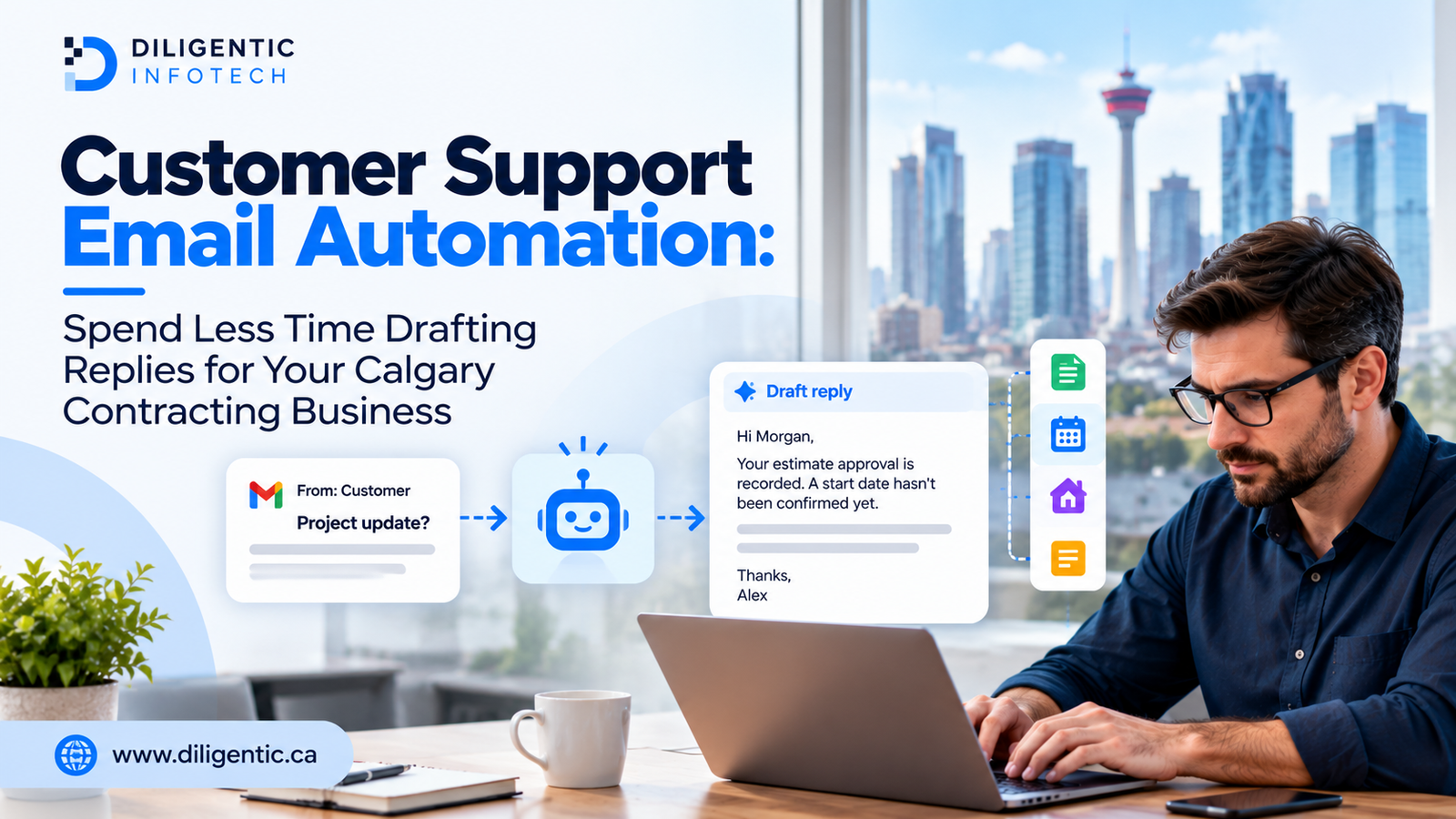
Customer Support Email Automation: Spend Less Time Drafting Replies for Your Calgary Contracting Business
For a Calgary contractor, customer support email automation can turn a booking question and the corresponding job details into a reply ready for an office employee to check. The AI customer support email assistant handles the initial wording; the employee confirms the appointment information, corrects the message, and sends it. Begin with a common request that your office can answer from current records.