SHARE

Roofing System Integration: Why Calgary Roofing Companies Can’t Get a Complete View of Each Customer in 2026
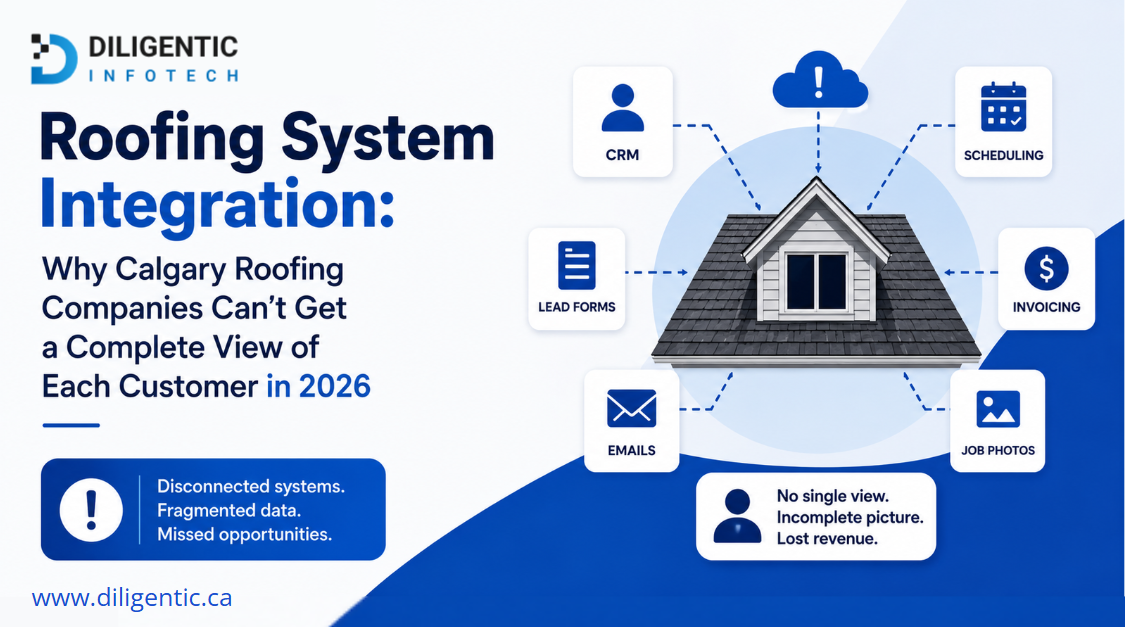
Roofing system integration connects the software a roofing company already uses so relevant customer and job information can move between systems instead of remaining scattered. For Calgary roofing companies, the goal is not to force the entire business into one platform. It is to make the right information available when employees need it.
A roofing company may already use separate software for customer records, estimating, scheduling, field work, and accounting. Each system may work well on its own. The problem starts when employees have to open several systems, copy information, or ask another team member for updates just to understand what is happening with one customer.
Table of Contents
Why Roofing Companies Struggle to See the Full Customer Picture
A customer journey rarely stays inside one roofing software system.
A new enquiry may first appear in a customer management system. An estimate may be created elsewhere. Scheduling information may live in another system, field updates may be stored separately, and financial information may eventually reach accounting software.
This creates several pieces of the same customer journey in different places.
For example, a homeowner may call to ask whether an estimate was approved and when the work will begin. The person answering the call may need to check the customer record, find the estimate, review the schedule, and possibly contact another team member before giving an accurate answer.
The problem is not necessarily a lack of software.
The problem is that the information needed to answer one customer question is spread across several systems.
A useful question for a roofing company is:
If a customer calls right now, can the person helping them quickly see the latest relevant information about that customer and job?
If the answer is no, disconnected systems may be creating the problem.
The Hidden Cost of Disconnected Roofing Systems
Disconnected roofing software creates more than duplicate data entry.
It makes customer communication and internal coordination harder because employees cannot always tell which information is current.
They may have to:
- Search several systems for one answer
- Copy customer details between systems
- Confirm whether an estimate status is current
- Ask another team member for a job update
- Check whether scheduling information has changed
- Compare records when systems show different information
- Enter information that has already been recorded elsewhere
As more systems become involved, it becomes harder to know which one holds the correct record.
That is why roofing companies should define which system is responsible for each type of information.
For example:
- Customer details may be maintained in the customer management system
- Estimate details may remain in the estimating system
- Scheduling information may remain in the scheduling system
- Field updates may belong in the field operations system
- Invoice and payment information may remain in accounting
There is no single structure that works for every roofing company.
The important part is knowing where each record belongs and making the required information available when another part of the workflow needs it.
This distinction becomes especially important when deciding which system should manage sales information and which should handle estimates. Our comparison of roofing CRM vs. estimating software explains why those systems often have different responsibilities.
What a Disconnected Customer Journey Looks Like
Consider a homeowner who contacts a Calgary roofing company after noticing roof damage.
The enquiry is recorded.
Someone later prepares an estimate.
Once the customer approves the work, the estimate status changes.
Another employee then needs that information before the job can move into scheduling.
The job is scheduled, and information is provided to the field team.
During the work, new job information may be recorded.
The customer then calls the office for an update.
If the systems are disconnected, the person answering may need to check several places to understand the current status.
After the work is completed, relevant information also needs to reach the billing process.
Every system may be doing its individual job correctly.
The weakness is the handoff between them.
That is how a company ends up with a fragmented customer record instead of a connected customer journey.
Roofing System Integration vs. Adding More Software
When customer information is difficult to find, buying another platform can appear to be the easiest solution.
But another standalone system may simply create another place where information must be entered, checked, and maintained.
Before adding more software, roofing companies should ask these seven questions:
- Which system owns the main customer record?
- Where is the latest estimate status stored?
- Where is scheduling information maintained?
- Where are field updates recorded?
- What information does accounting actually need?
- Where is information currently being copied manually?
- Can the existing systems exchange the required information?
The answer may involve connecting existing systems, replacing unsuitable software, changing a workflow, or combining several approaches.
Disconnected systems keep the current setup but leave customer information separated.
Adding another standalone platform introduces a new capability but may create another location for data.
Replacing existing software may solve deeper limitations but also requires migration, training, and process changes.
Roofing system integration focuses on connecting selected systems so the required information can move between them.
The goal should not be to connect everything.
The goal should be to improve the handoffs where information currently gets delayed, duplicated, or lost.
How Roofing System Integration Can Connect the Customer Journey
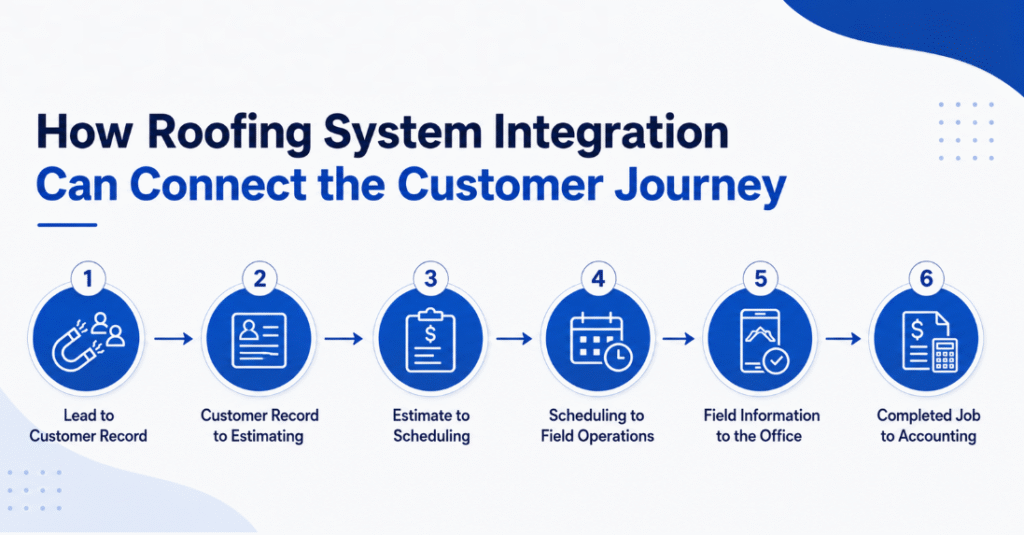
A practical roofing system integration should focus on useful information moving from one stage to the next.
Lead to Customer Record
When a new enquiry is received, the required customer details can be added to the appropriate customer record instead of being manually recreated later.
Customer Record to Estimating
Relevant customer and property information can become available during the estimating process.
This reduces unnecessary re-entry of basic details.
Estimate to Scheduling
Once an estimate reaches the required status, the next part of the workflow can receive the information needed to continue.
This may include the customer, property, approved work, job type, or other necessary details.
Scheduling to Field Operations
The field team needs access to the information required to complete the job.
That does not mean every customer or sales field needs to be copied into the field system.
Only useful information should move.
Field Information to the Office
Relevant field updates can become available to office employees so they do not have to depend only on phone calls, messages, or verbal updates when a customer asks about a job.
Completed Job to Accounting
When the job reaches the appropriate stage, relevant billing information can move toward accounting.
Financial records should still be controlled by the system responsible for accounting.
What AI Adds to Roofing System Integration
AI and system integration are not the same thing.
System integration focuses on connecting information and actions between systems.
AI can be useful when a workflow involves information that needs to be interpreted rather than simply transferred.
For example, AI may help with:
- Summarizing long job notes
- Classifying incoming customer requests
- Identifying missing information
- Organizing unstructured messages
- Preparing internal summaries
- Suggesting tasks based on available information
- Supporting customer communication using approved information
AI should not automatically control every roofing workflow.
If a process follows a clear and predictable rule, standard automation may be the better choice.
For example, if an approved estimate always needs to trigger the same next step, that process may not require AI.
AI becomes more useful when information is less structured or requires some interpretation.
Human review should remain part of decisions involving pricing, customer commitments, safety, unusual job conditions, or other situations that require judgment.
For businesses reviewing where repetitive workflow steps can be handled automatically, business process automation can help clarify which steps follow predictable rules and which still require human judgment.
A Practical Connected Roofing Workflow
A connected customer journey could look like this:
Customer enquiry
↓
Lead captured
↓
Customer record created or updated
↓
Estimate created
↓
Estimate status updated
↓
Scheduling process begins
↓
Relevant job information becomes available to the team
↓
Field information captured
↓
Office receives relevant updates
↓
Billing or accounting receives required information
↓
Customer and job information remains connected through the workflow
This does not mean every system needs a complete copy of every record.
A better approach is to decide which information each system owns and what information other systems actually need.
That can reduce unnecessary duplication and lower the risk of different systems showing conflicting information.
Signs Your Roofing Business May Need Better System Integration
A Calgary roofing company may need to review its systems if employees regularly experience problems such as:
- Opening several systems to answer one customer question
- Entering the same customer details multiple times
- Different systems showing different job statuses
- Estimate approvals not clearly reaching the next part of the workflow
- Office employees struggling to find current field updates
- Accounting waiting for information already recorded elsewhere
- Employees relying heavily on messages to transfer information
- Considering new software mainly because existing systems do not communicate
These signs do not automatically mean that software needs to be replaced.
They show that the customer journey and information handoffs should be reviewed first.
When Integration Is Better Than Replacing Software
Connecting existing systems often makes sense when the current software still performs its main function well.
A roofing company may be satisfied with its customer management, estimating, scheduling, field, and accounting systems while still struggling because information does not move between them.
Replacing a useful system only because another part of the business cannot see its information may create unnecessary disruption.
However, integration is not always the right answer.
Replacement may make more sense when a core system:
- No longer supports important business requirements
- Cannot provide the information needed by other systems
- Is difficult for the team to use
- Has become unreliable
- Creates excessive manual work
- Cannot support the company’s current workflow
- Is no longer properly supported
The decision should begin with the business process, not the software.
First identify where the customer journey breaks.
Then determine whether the problem comes from disconnected systems, an unclear workflow, unsuitable software, or a combination of these issues.
Building a Clearer Customer View Across Roofing Systems
For Calgary roofing companies, a complete customer view does not mean putting every piece of information into one giant system.
It means making sure employees can access the information they need without reconstructing the customer journey manually.
The first step is to map what happens from the initial enquiry through estimating, scheduling, field work, office updates, and billing.
Then identify:
- Which system owns each important record
- Which information needs to move
- Which team members need access to it
- Which handoffs currently depend on manual work
- Which systems can exchange the required information
- Which decisions should remain under human control
This approach can also help prevent unnecessary software purchases.
If the current systems are doing their core jobs well, improving the handoffs between them may be more practical than replacing everything.
For roofing businesses that also need field access to customer and job information, our guide to roofing mobile apps for Calgary contractors explains how mobile access can support field communication without requiring every business process to live inside one application.
If your Calgary roofing company is struggling with disconnected customer and job information, Diligentic Infotech can review the current workflow and help identify where those information gaps are happening.
FAQ’s
What is roofing system integration?
Roofing system integration connects selected business systems so relevant customer and job information can move between them instead of remaining isolated.
Does roofing system integration require replacing existing software?
No. Connecting existing systems may be useful when the current software still works well, but information does not move effectively between different parts of the business.
Can every roofing software system be connected?
No. Compatibility depends on what each system supports, including available data access, permissions, connection options, and technical limitations.
What is the difference between roofing integration and roofing automation?
Integration allows systems to exchange information. Automation uses defined rules to perform actions when certain conditions are met.
Is AI required for roofing system integration?
No. Many workflows can be connected using standard automation. AI is more useful when a step involves interpreting, summarizing, or classifying less structured information.
Can integration give a roofing company one complete customer view?
It can help create a more connected view by making relevant information available across the customer journey. It does not mean every system needs an identical copy of the entire customer record.
Should a roofing company connect or replace its existing software?
Connecting systems may be better when the current software still performs its main functions well. Replacement may be more appropriate when a core system cannot meet important business or technical requirements.
How should a Calgary roofing company start reviewing disconnected systems?
Start by mapping the customer journey from the first enquiry through estimating, scheduling, field work, office updates, and billing. Identify where the team searches for, copies, re-enters, or manually transfers information between systems.
About the author
Ajay Kumar
Founder and Director
About the author
Ajay Kumar is the founder and director of Diligentic Infotech, a Calgary AI automation company. He has 9+ years of hands-on technical experience and now focuses on helping small and medium businesses connect their existing tools and cut down manual work through practical AI automation. He leads with a clear focus on real, working solutions over one-time demos.
Posted on 25 Sep 2026
Roofing CRM vs Estimating Software in 2026: 7 Things Calgary Roofers Must Know Before Choosing Software
When comparing Roofing CRM vs Estimating Software, it is important to understand that they solve different business problems. Estimating software focuses on measurements, materials, labor costs, and pricing, while a roofing CRM manages leads, customer communication, scheduling, job tracking, and follow-ups. Many roofing companies eventually need a connected system that combines both functions to improve efficiency, reduce manual work, and support long-term growth.
Posted on 21 Aug 2026
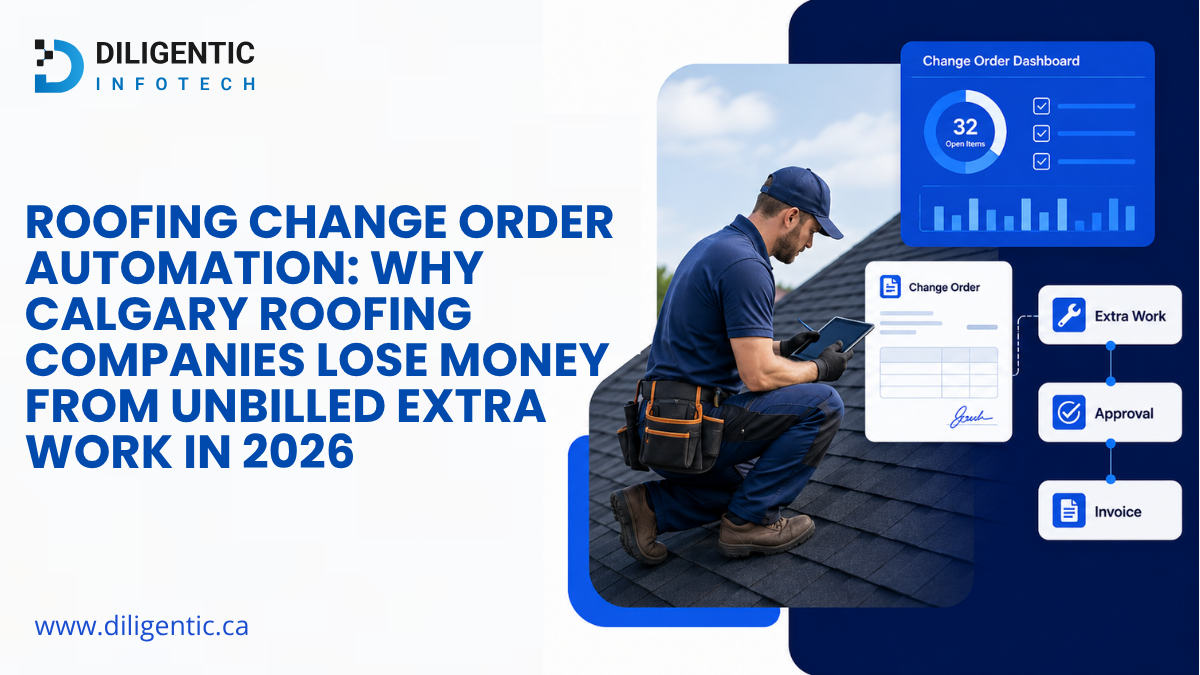
Roofing Change Order Automation: Why Calgary Roofing Companies Lose Money From Unbilled Extra Work in 2026
Roofing companies can lose revenue when crews complete chargeable extra work but that work is not consistently documented, reviewed, approved, communicated to the office, and included in billing. Roofing change order automation helps connect field information, job records, approvals, and invoicing workflows so additional work has a defined path from the job site to the appropriate invoice.
Posted on 13 Aug 2026
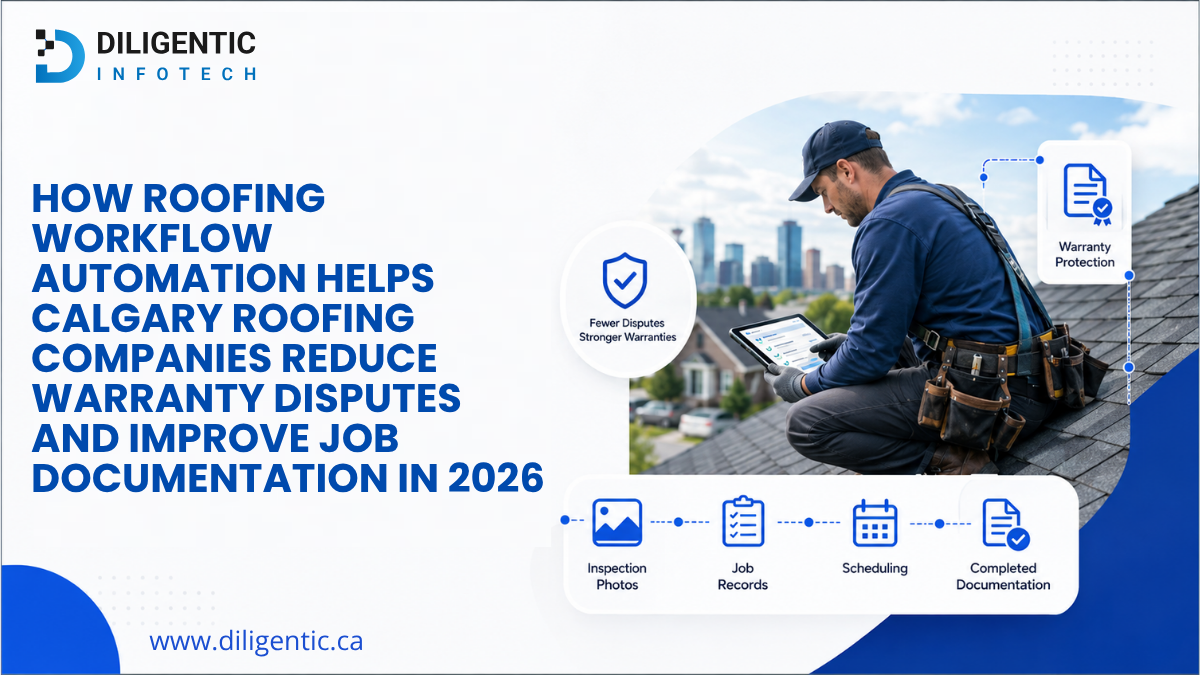
How Roofing Workflow Automation Helps Calgary Roofing Companies Reduce Warranty Disputes and Improve Job Documentation in 2026
Roofing workflow automation can reduce the risk of warranty disputes by keeping estimates, photos, material records, change orders, inspections, and customer approvals attached to the same job. It also helps crews and office teams collect missing information before a job closes.