SHARE

Roofing Mobile Apps for Calgary Contractors in 2026: Connect Your Existing Software to Manage Jobs, Crews, Photos & Customers
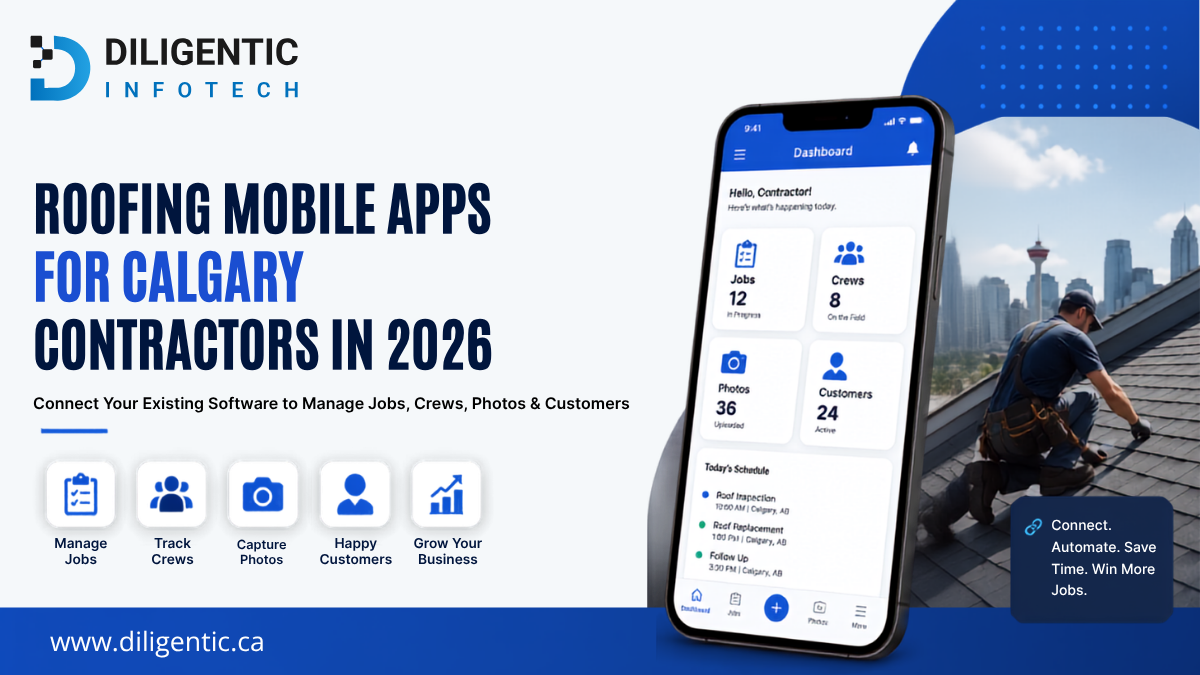
Your roofing company may already use a CRM, an estimating platform, a scheduling tool, accounting software, a project photo application, and cloud storage. However, your team may still enter the same information several times, call the office for job details, search through messages for project photos, and prepare reports manually.
The problem may not be a lack of software. It may be that your existing systems are disconnected.
A connected roofing mobile workflow can help Calgary contractors manage jobs, crews, photos, customer communication, and reporting without replacing every application they already use.
Diligentic Infotech helps roofing companies integrate existing tools, automate repetitive administrative tasks, and improve information flow between field and office teams.
Table of Contents
Why Roofing Software Still Feels Manual
Purchasing several software products does not automatically create a connected roofing operation.
A contractor may use one platform for customer leads, another for estimates, a separate application for job-site photos, accounting software for invoices, and spreadsheets for reporting. Each application may perform its main function well, but problems appear when information must move between them.
Common problems include:
- Customer information entered into multiple systems
- Crew members calling the office for updated job details
- Accepted estimates requiring manual production setup
- Photos stored on personal devices or in text-message threads
- Scheduling changes communicated through several channels
- Customer updates dependent on someone remembering to send them
- Accounting and production information that does not match
- Reports created by manually combining spreadsheets
- Documents stored in inconsistent folders
- Team members unsure which record is current
Adding another application may create another place to check rather than solving these problems.
Before purchasing additional software, a roofing company should identify where information stops moving, where it must be entered again, and which manual steps cause delays or errors.
What Is a Roofing Mobile App?
A roofing mobile app allows contractors and field teams to access or update project information from smartphones and tablets.
Depending on the product, configuration, and subscription plan, it may support:
- Customer and lead records
- Estimates and proposals
- Crew scheduling
- Work orders
- Inspection checklists
- Job-site photos and videos
- Material information
- Project notes
- Customer approvals
- Invoices and payments
- Job-costing data
- Customer communication
- Business reporting
Some applications focus on one function, such as roof measurements or project photography. Other platforms combine several functions into a broader roofing CRM or field-service system.
Established products already support many common roofing workflows. Contractors should compare these products before deciding that a complete custom platform is necessary.
The more useful question is not, “Which new roofing app should we buy?”
It is, “How can we make the roofing applications we already use work together?”
Common Technology Problems Calgary Roofing Contractors Face
Crews Cannot Access Current Job Information
When project information is spread across emails, spreadsheets, text messages, and separate applications, field teams may not know which instruction or document is current.
A crew lead may receive the address through one system, scope information by email, material notes through text, and project photos through another application.
This increases calls to the office and makes it harder to confirm that everyone is working from approved information.
A connected workflow can make selected customer details, job instructions, documents, checklists, and project updates available through the application the team already uses in the field.
The Same Information Is Entered Repeatedly
A new inquiry may first arrive through a website form. Someone then copies the information into a CRM, adds it to estimating software, enters it into the schedule, and later creates the same customer in accounting software.
Every manual entry creates an opportunity for duplicate records, missing information, incorrect addresses, or inconsistent customer details.
Where supported, an integration can transfer approved information between systems through native connectors, APIs, webhooks, automation platforms, or scheduled data transfers.
The available options depend on the software vendor, subscription plan, user permissions, technical documentation, and data-access rules.
Project Photos Are Difficult to Find
Roofing contractors depend on photos for inspections, progress updates, completion documentation, customer communication, warranties, and insurance-related work.
Problems arise when photos remain on personal devices, appear in message threads, or are stored with inconsistent file names.
A dedicated project-photo application can organize photos and videos by customer, property, or job. The photo platform may not need to be replaced. It may only need to be connected to the company’s CRM, job management platform, or document repository.
Field and Office Teams See Different Information
A project manager may change the schedule without the field team immediately seeing the update. A crew may complete a project without the office being aware that the final documentation is available. An invoice may be prepared before a required approval is recorded.
The solution does not necessarily need to be one large platform.
A roofing company can continue using separate applications while maintaining a connected workflow. The company must define which platform owns each type of information and which verified events should update other systems.
Managers Cannot See the Complete Operation
When sales, production, accounting, and field documentation exist in different platforms, management may lack a reliable view of:
- Open estimates
- Scheduled projects
- Jobs waiting for approval
- Missing photos or documents
- Production delays
- Invoice status
- Job-costing information
- Completed projects awaiting follow-up
A reporting integration or dashboard can combine selected information from several systems without replacing the applications used for daily operations.
Should You Configure, Integrate, Build, or Replace?
Not every software problem requires custom development.
If an existing platform already has the required features but the team is not using them consistently, better configuration, process documentation, and training may solve the problem.
If two capable applications require the same information to be entered repeatedly, integration may be the right solution. This allows the company to preserve its existing software while reducing manual handoffs.
If a routine task depends on someone remembering to complete it, workflow automation may create a more consistent process. For example, an approved estimate may trigger a project management task or a customer notification.
If managers manually combine information from several systems, a reporting connection or dashboard may improve visibility.
Focused custom development may make sense when an essential portal, approval process, reporting interface, or mobile workflow cannot be supported by existing products.
Replacing the main platform should generally be considered when it blocks essential workflows, data access, exports, integrations, security requirements, or business growth.
Before developing a complete custom platform, roofing companies should evaluate established products for common functions such as CRM, estimating, scheduling, dispatching, photo documentation, invoicing, and job management.
What a Connected Roofing Workflow Can Look Like
The exact process depends on the software a roofing company uses and the integrations available.
A connected workflow could operate as follows:
- A new customer inquiry enters the CRM from a website form or approved lead source.
- The lead is assigned according to location, project type, or team availability.
- An inspection appointment appears in the assigned team member’s schedule.
- The inspector accesses customer details and an inspection checklist from a mobile device.
- Job-site photos are saved against the correct project.
- Measurement and estimating information is connected to the customer record.
- An accepted proposal triggers the next approved production step.
- The project manager receives the scope, documents, and customer information.
- The job is assigned to the appropriate crew.
- Field updates and completion photos are captured on-site.
- Approved completion information is then used for invoicing or warranty documentation.
- A verified project status triggers the appropriate customer follow-up.
This does not require every action to occur within a single application.
The CRM may remain responsible for customer and sales information. The field-service platform may manage scheduling and production. The photo application may remain responsible for project images. The accounting platform or ERP may remain the approved financial system of record.
The integration should move only the information required for each workflow step.
Where Roofing Software Integrations Save Time
CRM to Estimating
Customer and property information can flow from the CRM into the estimating process without being re-entered.
The integration should define which system owns the customer record, how changes are handled, and how duplicate records are prevented.
Accepted Estimate to Production
When a proposal reaches an approved status, the workflow may create or update a production job, attach the approved scope, and notify the project manager.
This can reduce the administrative gap between making the sale and preparing the work.
Scheduling to Crew Communication
A confirmed job assignment may trigger a notification containing the approved date, address, project reference, and instructions.
Detailed or sensitive project information should remain within an authorized business application rather than be distributed via uncontrolled message threads.
Field Photos to Project Records
Job-site photos may remain on a dedicated photo platform, while approved copies, labels, or links are linked to the customer or project record.
For example, on eligible plans, CompanyCam’s Google Drive integration can create a parent folder and separate subfolders for new projects. Project photos, videos, and files can then be backed up into the corresponding folders.
The integration requires appropriate permissions and does not retroactively synchronize projects created before the connection was established.
This demonstrates why contractors should confirm whether an integration is included in their plan, whether information moves in one or both directions, whether historical information is supported, and what happens when a transfer fails.
Production to Accounting
Approved customer, invoice, payment, or job information may move into the accounting platform or ERP.
To reduce conflicting records and synchronization problems, an accounting integration should include controls such as:
- Accurate field mapping
- Validation rules
- Duplicate prevention
- Access controls
- Error logs
- Failed-transfer notifications
- A process for correcting rejected records
A poorly configured integration can duplicate, overwrite, or transfer incorrect information. Testing and monitoring are essential.
Project Completion to Customer Follow-Up
Once the required completion steps are verified, the workflow may trigger a customer update, a warranty document, a review request, or an internal follow-up task.
The trigger should be connected to a confirmed project status, not an assumption that the work is complete.
Why Offline Access Matters for Roofing Teams
Roofing teams cannot assume that every property will have reliable mobile connectivity.
Some field applications allow users to access selected information or capture new records while offline.
CompanyCam’s mobile Offline Mode, for example, supports certain activities such as capturing photos and videos, creating a new project, and completing selected cached tasks or checklist fields.
However, not every project or feature is available offline. Contractors should verify:
- Which projects can be accessed offline
- Whether the application caches projects automatically
- Which checklists, notes, and tasks work without connectivity
- How photos remain connected to the correct project
- What happens when an upload fails
- How editing conflicts are managed
- Whether users can confirm that synchronization is complete
- How information stored on the device is protected
A mobile application is not automatically fully offline-capable.
Can AI Improve an Existing Roofing Workflow?
AI can assist with specific tasks, but it does not replace reliable systems, accurate information, or human review.
AI may help prepare draft project summaries from approved field notes, forms, and photo captions. A qualified team member should review the result before it is used for customers, insurance documents, contracts, estimates, or safety-related decisions.
AI may also extract selected information from supplier documents, inspection forms, or contracts. Any information affecting pricing, payments, compliance, insurance, or contractual obligations must be validated.
It may help flag projects that appear to be missing photos, approvals, documents, or follow-up tasks. These results should be treated as prompts for review, not conclusions.
An authorized internal AI assistant may also help team members search approved project records, procedures, and documentation. Its access should follow the same permission rules as the underlying systems.
The practical sequence is:
- Map the workflow.
- Define the system responsible for each type of information.
- Connect the required applications.
- Improve data quality.
- Add AI where it removes a measurable operational bottleneck.
Adding AI before resolving disconnected systems can create another layer of complexity.
Get More From Your Existing Roofing Software
Most roofing companies don’t need to replace every application they already use. In many cases, improving workflows, connecting existing systems, and automating repetitive tasks can solve operational problems more cost-effectively than purchasing another platform.
Diligentic Infotech helps roofing companies integrate CRM, estimating, scheduling, accounting, field service, and reporting tools so that information moves more efficiently across the business. When existing software cannot support a specific requirement, we can also develop focused solutions that integrate with your current workflow rather than replacing your entire technology stack.
If your team is still manually transferring information between systems or struggling with disconnected workflows, contact Diligentic Infotech to discuss your integration and automation requirements.
FAQ’s
Does Diligentic Infotech sell roofing software?
Diligentic Infotech does not provide another off-the-shelf roofing management platform as part of this service. We help roofing companies connect, automate, and improve their existing applications.
Can different roofing applications be connected?
Many applications can be connected through native integrations, APIs, webhooks, automation platforms, or scheduled data transfers. Feasibility depends on the vendors, plans, permissions, and technical documentation.
Can roofing mobile apps work offline?
Some applications provide limited offline functions. Contractors should verify which projects, photos, forms, notes, and checklists work without connectivity.
Should a roofing company replace all its software?
Not automatically. The company should first determine whether the problem comes from missing functionality, poor configuration, inconsistent adoption, disconnected systems, or unreliable data.
When does custom development make sense?
Focused development may be appropriate when an essential dashboard, portal, integration, approval process, or mobile workflow cannot be supported by established products.
About the author
Ajay Kumar
Founder and Director
About the author
Ajay Kumar is the founder and director of Diligentic Infotech, a Calgary AI automation company. He has 9+ years of hands-on technical experience and now focuses on helping small and medium businesses connect their existing tools and cut down manual work through practical AI automation. He leads with a clear focus on real, working solutions over one-time demos.
Posted on 23 Jun 2026
How AI Workflow Automation Helps Calgary Roofing Contractors Save Time, Reduce Costs, and Scale Faster in 2026
AI workflow automation helps roofing contractors reduce manual work, improve response times, automate repetitive tasks, and create more efficient operations. By connecting lead management, scheduling, project tracking, customer communication, reporting, and administrative processes into a streamlined workflow, roofing businesses can save time, reduce operational costs, improve customer experience, and support long-term growth without adding unnecessary overhead.
Posted on 24 Jun 2026
How We Connected Disconnected Calgary Roofing Systems with AI Automation to Eliminate Manual Work and Increase Profitability in 2026
Many roofing companies struggle with disconnected Roofing Systems that require employees to manually move information between estimating, scheduling, project management, accounting, and customer communication processes. By connecting these workflows through custom AI workflow automation, businesses can reduce repetitive administrative work, improve visibility, streamline operations, and create a more scalable operation. In 2026, roofing contractors are increasingly looking at automation and AI to improve efficiency, reduce operational bottlenecks, and protect profit margins.
Posted on 27 Jun 2026
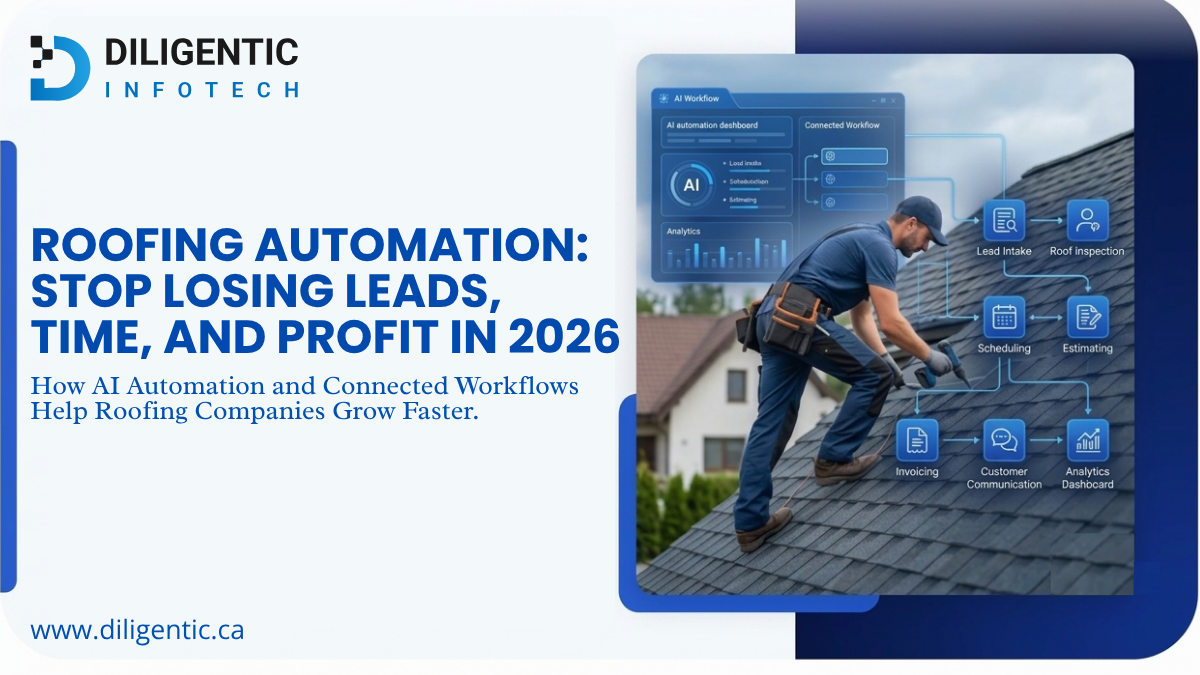
Roofing Automation: Stop Losing Leads, Time, and Profit in 2026
Roofing automation helps roofing companies stop losing leads, time, and profit by connecting lead intake, follow-ups, estimating, scheduling, invoicing, job tracking, and customer communication. Instead of relying on manual reminders and scattered workflows, AI automation can help roofers respond faster, reduce repeated admin work, and improve visibility across daily operations.