SHARE

Roofing Job Management Automation: 7 Checks Before Requesting a Quote
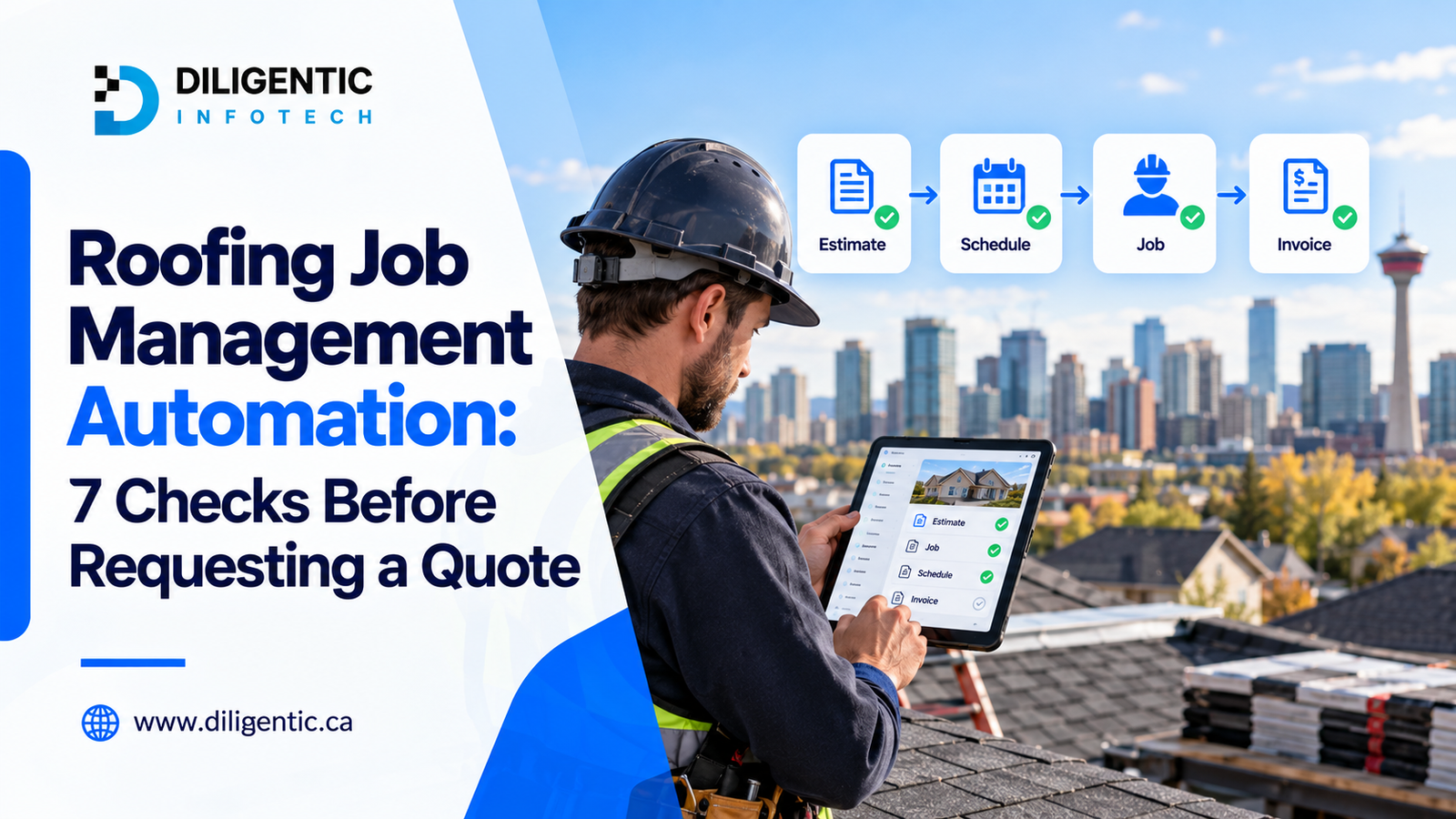
Roofing job management automation connects the tools your Calgary roofing company already uses, so details move from estimate to job to invoice without being retyped. Before you ask anyone for a quote, decide on one workflow, the information it needs, who approves it and how you’ll test it. After a hailstorm, inspection requests can arrive all at once, and manual handoffs can delay the office’s response. Diligentic’s roofing automation services help Calgary contractors fix this using the tools they already have.
Table of Contents
1. Which Workflow Should You Start With?
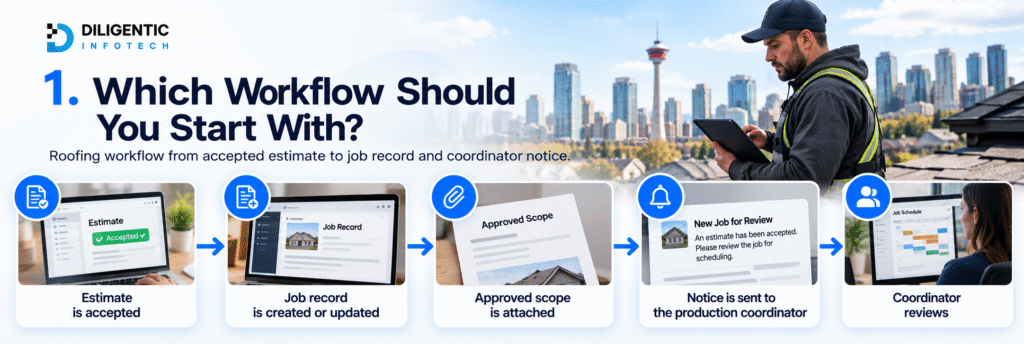
Pick one task your office repeats and can describe in a sentence, like this:
When an estimate is accepted, create or update the job record, attach the approved scope, and notify the production coordinator for scheduling review.
A good first workflow has five parts: what starts it, what information it needs, what happens next, who reviews the result, and how you know it’s done. Include scheduling or crew assignments only if they are explicitly part of the agreed scope.
Not sure which task to pick? Our guide to roofing automation covers the usual first choices.
2. How Much Work Does the Task Create Today?
Walk a few recent jobs through your process: one that went smoothly and one that needed extra chasing. Write down every spot where someone copies details, hunts for an approval or waits on a coworker.
Then put a number on it. A task done 25 times a week at six minutes each adds up to 150 minutes a week. That’s your workload today, not a promised saving, because some checking will still be needed. Type your own numbers into our ROI Calculator for an estimate.
Pick a baseline that fits the workflow:
| Workflow | Useful baseline |
|---|---|
| Accepted estimate to job record | Time spent typing and fields left empty |
| Schedule change to crew notice | Time spent sending and confirming updates |
| Completed job to invoice review | Delays caused by missing job details |
| Job costing and profit per job | Time spent collecting labor hours and material use for each job |
| Daily exception report | Time spent gathering statuses |
3. Where Does Your Data Live, and Which Tool Is the Main Record?
List the tools involved, the plan you’re on and what each one stores. Then check that the feature or connection you need is really available in your account, including admin access and any regional limits. Your job board, work management system or CRM is usually the best candidate for the main record.
| Information | Current location | Question to resolve |
|---|---|---|
| Customer details | CRM or job management platform | Which record should other tools use? |
| Accepted estimate | Estimating tool | Can acceptance start the next step? |
| Approved scope | Estimate attachment or document storage | How will the current version reach the job? |
| Production schedule | Scheduling tool | Who approves dates before notices go out? |
| Job photos, notes and hours | Crew phones or text messages | Can crews update the job from their phones? |
| Billing information | Accounting platform | Which records can the connection transfer? |
For each key detail, pick one tool as the main record and decide which updates should flow to other tools. A change in one tool shouldn’t overwrite an approved scope just because someone edited a note. Crews working from their phones feed everything else, so check that updates from the job site reach the job record without being retyped. Our roofing system integration guide goes deeper on this.
4. Are Your Records Clean Enough?
Automation only works with what your team has recorded. Look through a sample of jobs for:
- Duplicate customers.
- Missing addresses or phone numbers.
- Mixed-up job statuses.
- Old estimate versions.
- Approvals that only exist in text messages.
- Labor hours and material use logged differently from job to job.
Consistent labor and material records are also what let you see the profit on each job later.
Decide which fields must be filled in, and what happens when one is empty. For example, the record can go to someone for review instead of creating a job. If a customer has more than one property, agree how the workflow finds the right job, since a name alone may not be enough. And pick one person to keep these fields accurate after launch.
5. Who Approves What, and What Happens When Something Goes Wrong?
A workflow needs a plan for problems, not just for the good days. For the accepted estimate example, decide what happens when:
- The approved scope is missing.
- The customer already has an active job.
- The same acceptance arrives twice, so you don’t end up with two jobs.
- The estimate changes after acceptance.
- The other tool is down.
- Only part of the information goes through.
Give each case an owner, an alert and a next step. Keep crew assignments, price changes, extra work and promises to customers inside your normal approval process. Extra work has its own workflow, covered in our roofing change order automation guide.
6. Do You Need AI, or Will Simple Rules Do?
Simple tasks like sending notifications and checking required fields can run on fixed rules. For example, an accepted estimate creates a task, a missing field sends an alert, and an approved date change sends the customer a notice. None of that needs AI.
AI helps with messy information, like summarizing crew notes or pulling details out of a document. Someone should review those results before they affect scope, pricing or schedules. If a provider suggests AI, ask what it does that a simple rule can’t, and who checks its work.
7. How Will You Know It Works?
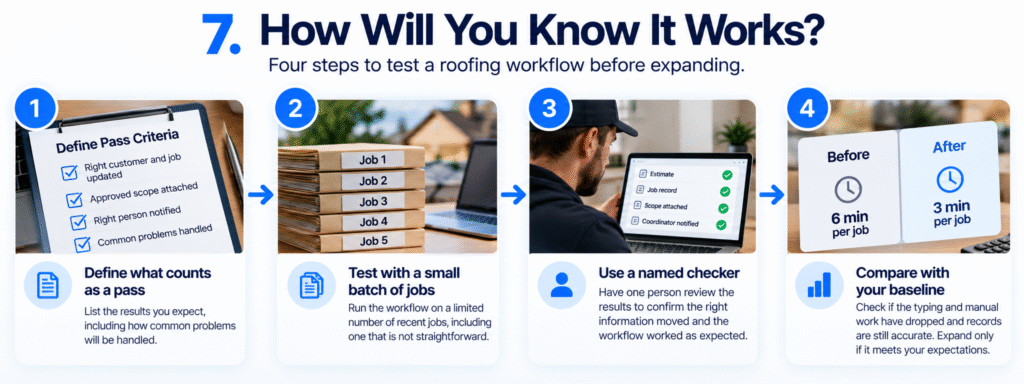
Agree on what counts as a pass before work starts. Turn each problem from check 5 into a test. Then confirm the normal path works: the right customer and job get updated, the approved scope arrives intact and the person responsible can check the result.
One demo with a perfect record doesn’t prove much. Start with a small batch of jobs and one named person checking the results. Then compare with your baseline from check 2. Did the typing drop? Are records still accurate? Can your team handle the exceptions? Expand only when the answer is yes.
What Does a Workflow Brief Look Like?
Here’s the accepted estimate example as a one-page brief you can hand to any provider. Your tools and approvals will be different.
| Field | Example |
|---|---|
| Workflow | Accepted estimate to job record |
| What starts it | Customer accepts an estimate in the estimating tool |
| Information needed | Customer details, property address, approved scope, estimate number |
| What it does | Creates or updates the job record, attaches the approved scope, notifies the production coordinator |
| Who approves | Production coordinator, before any dates are set |
| Problems and owner | Missing scope, active job, duplicate event, failed transfer; office manager |
| How you know it worked | Job record has the approved scope and the coordinator was notified |
| Baseline | 25 times a week at 6 minutes each = 150 minutes |
What Should a Roofing Automation Quote Include, and What Will It Cost to Run?
A quote you can compare covers one workflow and says exactly what you’ll get. Ask for these in writing:
- What starts the workflow, what it does and where it ends, matching your brief.
- The tools, connections and access needed.
- Data cleanup, and who does it.
- Approval rules and how problems are handled.
- Testing, and who signs off.
- Training and handover documents.
- What’s not included, and what you need to provide.
- Setup charges, itemized.
- Ongoing costs, like subscriptions, usage and monitoring.
- Who fixes failed transfers, and who owns the accounts, setup and documentation.
Connect the CRM to accounting” is too vague. The proposal should say which records move, when they move and how your team can confirm the transfer worked. If your tools don’t connect well, our System Integrations & Reporting services cover the common cases.
Book your free workflow audit to discuss repetitive office work in your roofing business.
Frequently Asked Questions
What is roofing job management automation?
It uses set triggers and connected tools to move information, create tasks and send approved notices across your roofing jobs. It takes care of repeated admin work while your people stay in charge of decisions.
Do I need to replace my existing tools?
Not usually. Check what your current tools can do first, including your plan and the connections they support. Replace a tool only if it can’t reliably do something you really need.
How much does roofing automation cost in Calgary?
It depends on how complex the workflow is, which connections you need, data cleanup, testing, training and ongoing support. Ask for a quote that shows setup charges and recurring costs separately.
How long does implementation take?
It depends on the workflow, your account access, how clean your data is and whether any development is needed. After the provider reviews your needs, ask for milestones and what each step depends on.
Is AI required for roofing automation?
No. Predictable tasks usually run fine on simple rules. AI can help read documents or notes, as long as a person reviews important results.
Start With One Workflow
Pick one task your office repeats, trace it through recent jobs and fill in the brief above. That gives you something solid to compare quotes against, ours or anyone else’s. To see how Diligentic handles that first step, read about our AI workflow assessment.
Book your free workflow audit to discuss repetitive office work in your roofing business.
About the author
Ajay Kumar
Founder and Director
About the author
Ajay Kumar is the founder and director of Diligentic Infotech, a Calgary AI automation company. He has 9+ years of hands-on technical experience and now focuses on helping small and medium businesses connect their existing tools and cut down manual work through practical AI automation. He leads with a clear focus on real, working solutions over one-time demos.
Posted on 23 Jun 2026
How AI Workflow Automation Helps Calgary Roofing Contractors Save Time, Reduce Costs, and Scale Faster in 2026
AI workflow automation helps roofing contractors reduce manual work, improve response times, automate repetitive tasks, and create more efficient operations. By connecting lead management, scheduling, project tracking, customer communication, reporting, and administrative processes into a streamlined workflow, roofing businesses can save time, reduce operational costs, improve customer experience, and support long-term growth without adding unnecessary overhead.

Posted on 24 Jun 2026
How We Connected Disconnected Calgary Roofing Systems with AI Automation to Eliminate Manual Work and Increase Profitability in 2026
Many roofing companies struggle with disconnected Roofing Systems that require employees to manually move information between estimating, scheduling, project management, accounting, and customer communication processes. By connecting these workflows through custom AI workflow automation, businesses can reduce repetitive administrative work, improve visibility, streamline operations, and create a more scalable operation. In 2026, roofing contractors are increasingly looking at automation and AI to improve efficiency, reduce operational bottlenecks, and protect profit margins.
Posted on 27 Jun 2026
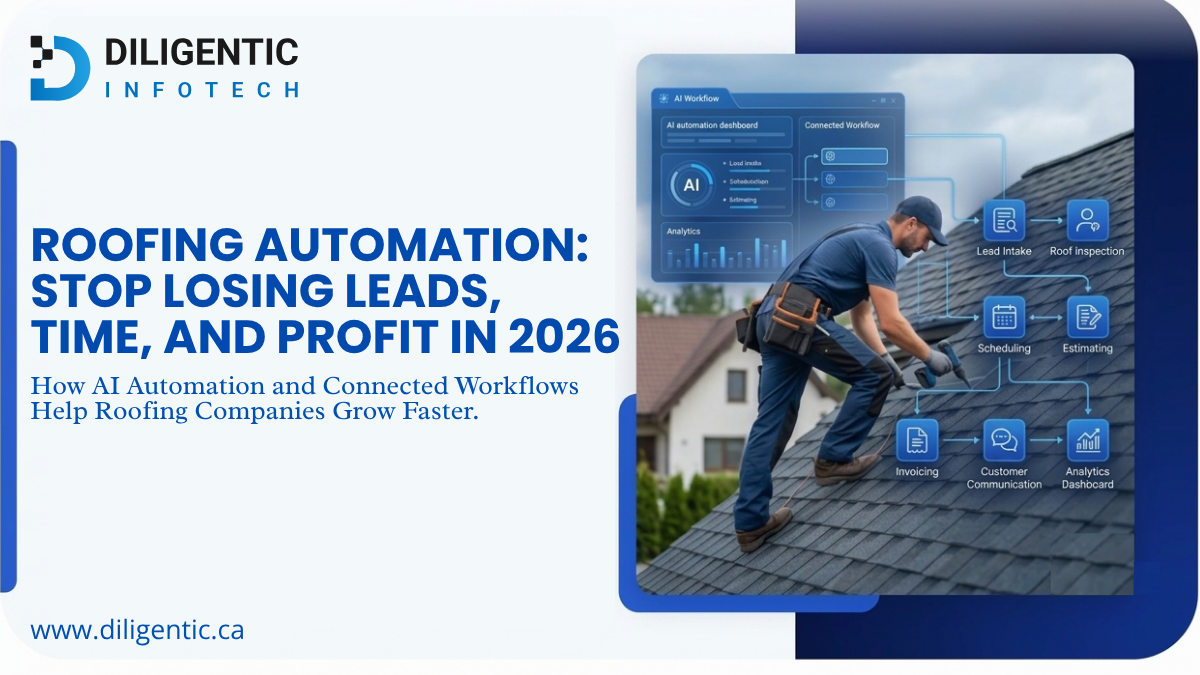
Roofing Automation: Stop Losing Leads, Time, and Profit in 2026
Roofing automation helps roofing companies stop losing leads, time, and profit by connecting lead intake, follow-ups, estimating, scheduling, invoicing, job tracking, and customer communication. Instead of relying on manual reminders and scattered workflows, AI automation can help roofers respond faster, reduce repeated admin work, and improve visibility across daily operations.