SHARE

Plumbing Job Tracking Software: What Happens After a Calgary Job Status Changes?
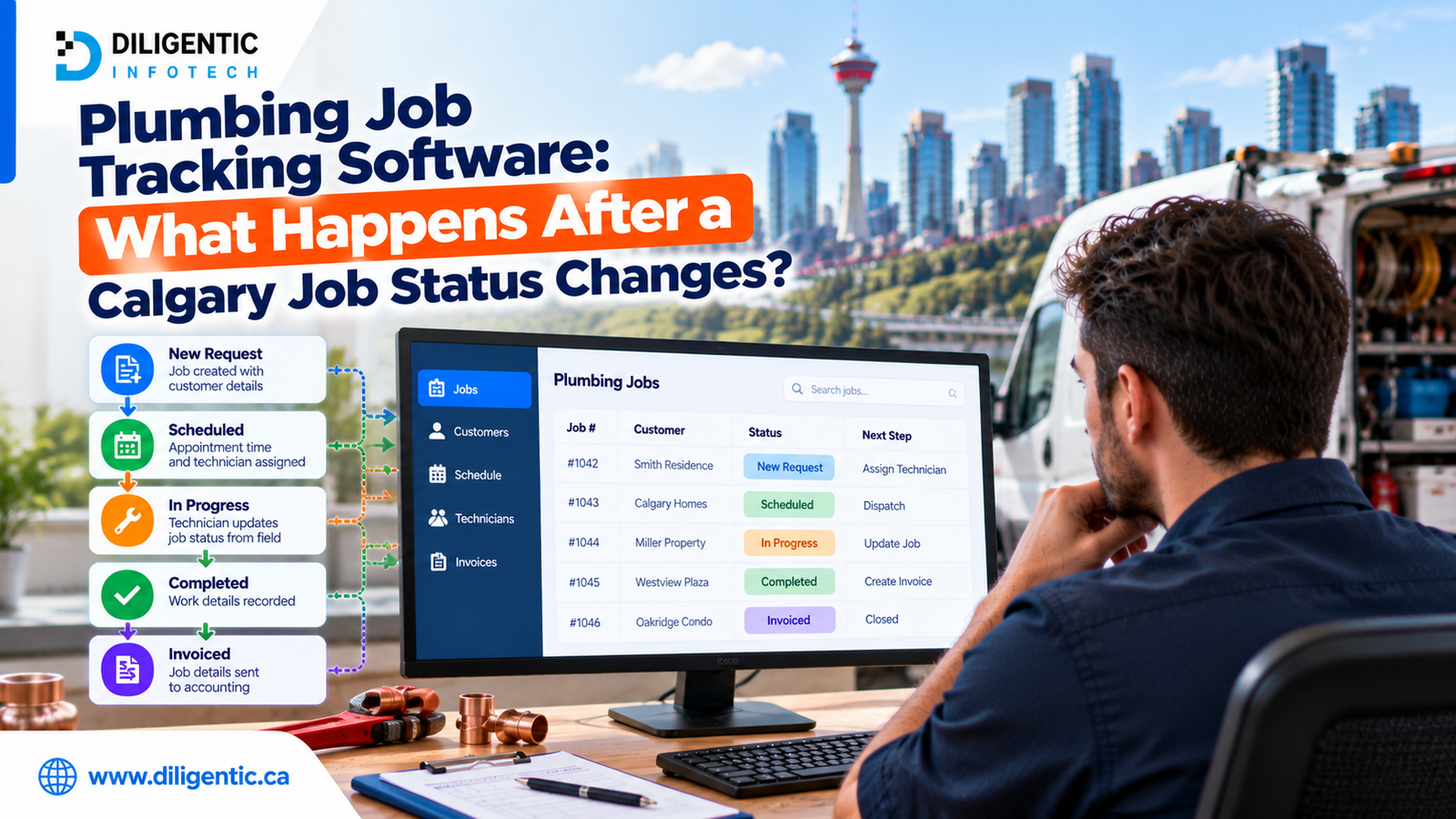
A technician marks a plumbing job “waiting for parts.” The update appears in the job tracking system. But has anyone confirmed which part is needed, ordered it or told the customer what happens next?
Plumbing job tracking software can show where a job stands. To keep work moving, a Calgary plumbing company also needs to define what each status means, which action follows it and who owns that action. Some steps can use workflow rules; unclear notes and important decisions still need employee review.
Table of Contents
What should happen after a plumbing job status changes?
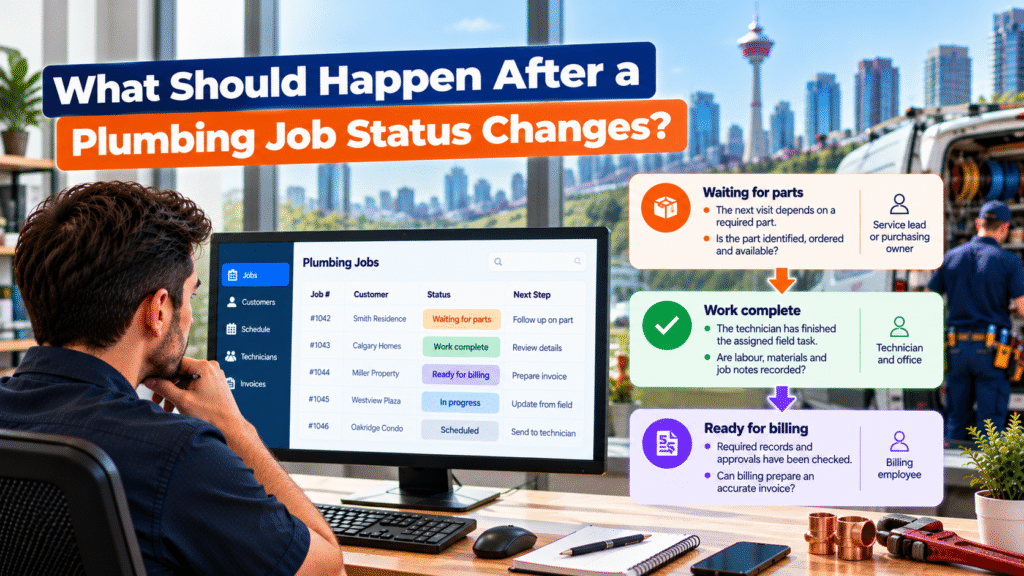
A status is useful when it gives the team a clear next step. Consider three common stages:
| Job status | What it should mean | Next question | Responsible team member |
|---|---|---|---|
| Waiting for parts | The next visit depends on a required part | Is the part identified, ordered and available? | Service lead or purchasing owner |
| Work complete | The technician has finished the assigned field task | Are labour, materials and job notes recorded? | Technician and office |
| Ready for billing | Required records and approvals have been checked | Can billing prepare an accurate invoice? | Billing employee |
“Work complete” and “ready for billing” should remain separate. Finishing a repair does not confirm that the office has everything needed for an invoice.
The company should define its own status names and requirements. What matters is that employees understand the same meaning and know who takes over when the status changes.
A hypothetical Calgary job waiting for a part
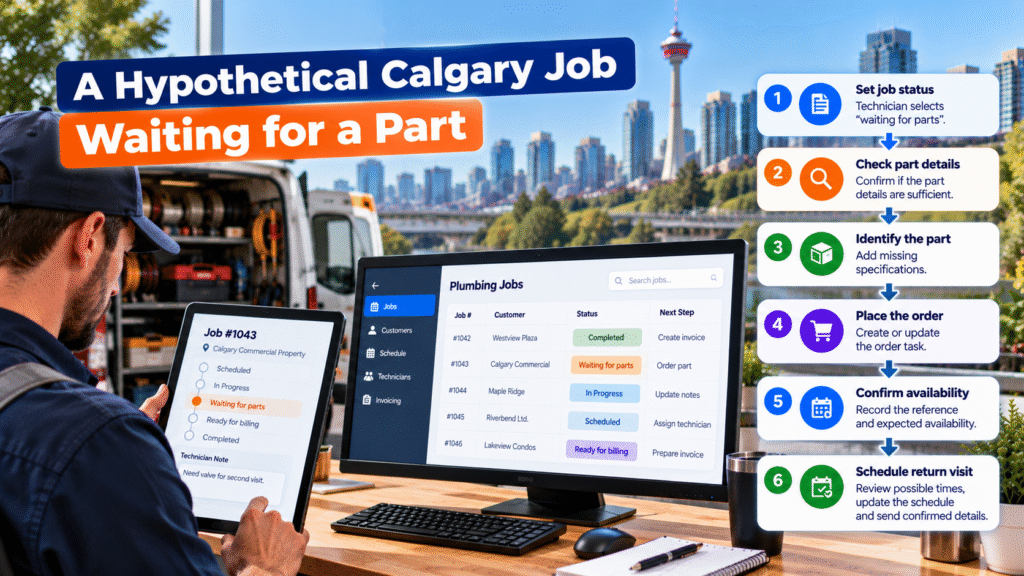
Consider a hypothetical repair at a Calgary commercial property. The technician completes the immediate work, but a replacement valve is needed for a return visit. They select “waiting for parts” and write, “Need valve for second visit.”
The note does not identify the part well enough to order it. An AI-assisted check could flag that gap for the technician or service lead. It should not guess a part number or tell the customer when the return visit will happen.
A complete handoff might look like this:
| Step | Trigger or condition | Next action | Owner |
|---|---|---|---|
| 1 | Technician selects “waiting for parts” | Check whether the part details are sufficient | Technician |
| 2 | Description is incomplete | Ask for the missing specification | Technician or service lead |
| 3 | Part is identified | Create or update the order task | Purchasing owner |
| 4 | Order is placed | Record the reference and expected availability | Purchasing owner |
| 5 | Availability is reliable | Review possible return-visit times | Dispatcher |
| 6 | Appointment is approved | Update the schedule and send confirmed details | Dispatch or office |
This is an illustrative workflow. The roles, triggers and customer commitments depend on the company’s systems and agreements.
Ordering a part is not the same as having it available. The team should confirm a return appointment only when it has enough reliable information to make that commitment.
Prevent repeated updates from creating repeated tasks
A status change may be entered twice or corrected later. If the technician selects “waiting for parts” again, the workflow should find the existing order task and update it where appropriate, rather than create a duplicate.
If the status changes back to “in progress,” the team should check whether the order task still applies. The same care is needed when an update reaches another tool late: an older status should not silently overwrite a newer, confirmed one.
Give each task a connection to the job and its relevant status change. When the system cannot determine whether to create, update or close a task, send it to a named employee for review.
Choose which updates can happen automatically
A confirmed technician assignment may be sent to a field app through a software connection. A missing closeout field may trigger a task for the person who can complete it. Neither step requires AI.
AI can help with less structured information, such as identifying that “need valve” is too vague or summarizing a long technician note. An employee should compare the result with the original note before changing a job’s scope, ordering a part or preparing a charge.
| Situation | Appropriate response |
|---|---|
| Confirmed assignment needs to reach the technician | Transfer approved details |
| Required closeout field is blank | Assign a follow-up task |
| Technician note is unclear | Flag it for employee review |
| Added work lacks a required approval | Follow the company’s approval process |
| Status update fails to reach another tool | Alert an owner and reconcile the records |
Software integration carries information between tools. Workflow rules define when routine actions occur. People remain responsible for exceptions and decisions that require judgment.
Send each status to the team that needs it
Dispatch, the office and billing do not need identical updates. Dispatch needs to know when a return visit can be considered. Purchasing needs the confirmed part details. Billing needs to know whether completed field work has passed its record and approval checks.
Identify which system controls the job status and which other tools need each change. If an update fails to reach one of them, the workflow should make the failure visible. A status shown in the field app does not help the office if its system still displays the previous state.
Diligentic’s plumbing industry page discusses the wider handoffs between calls, field work and invoicing. For job tracking, the immediate goal is to give every status a clear owner and next action.
Measure what happens after a status change
Counting status updates alone will not show whether jobs move forward. Measure the actions and delays that follow them.
| Measure | What it reveals |
|---|---|
| “Waiting for parts” jobs without an owner | Whether the next task has been assigned |
| Time from part identification to order | Whether purchasing receives usable information |
| Time from confirmed availability to scheduling review | Whether return visits are being considered promptly |
| Completed jobs missing closeout details | Whether field records support the office’s next step |
| Time from billing readiness to invoice draft | Whether approved jobs move into billing |
| Duplicate tasks or failed status transfers | Whether the workflow handles updates reliably |
Choose measures tied to a problem the company actually sees. Compare similar jobs before and after changing the process; a faster notification is useful only if someone can act on it.
Start with one status that leaves jobs waiting
Review recent jobs and find a status where progress commonly stops. Ask the technician, office team and manager what that label means and what each person does after seeing it.
Then define the information required, the next task, its owner and the exception path. Test a complete update, a missing detail, a repeated status change, a corrected status and a failed transfer between tools.
This may show that the company needs clearer status definitions before it needs a new integration. Where a connection or task rule is needed, Diligentic’s process automation service can help map it around the tools already in use.
Frequently asked questions
What does plumbing job tracking software do?
It helps a team record work orders, notes and job progress. Features vary by product. The company still needs to define what each status means and who acts on it.
Why can a job stall after its status changes?
The next owner may be unclear, required details may be missing, or another tool may not receive the update. Recording a status does not complete the next task.
Does every status update need AI?
No. Many updates and alerts can use software connections and rules. AI may help flag unclear notes, which employees should check against the original record.
Is “work complete” the same as “ready for billing”?
No. “Work complete” can mean the field task has finished. “Ready for billing” should mean the required records, pricing and approvals have been checked under the company’s process.
What should happen if the same status is entered twice?
The workflow should check for an existing related task before creating another. If the correct action is uncertain, an employee should review it.
Make each job status lead somewhere
A tracking system can show that a plumbing job changed. A reliable workflow also shows what needs to happen next, who owns it and whether the handoff succeeded.
Diligentic helps Calgary plumbing companies review stalled job statuses and connect appropriate actions across their existing tools. Book a discovery call to discuss one status that regularly leaves your team waiting.
About the author
Ajay Kumar
Founder and Director
About the author
Ajay Kumar is the founder and director of Diligentic Infotech, a Calgary AI automation company. He has 9+ years of hands-on technical experience and now focuses on helping small and medium businesses connect their existing tools and cut down manual work through practical AI automation. He leads with a clear focus on real, working solutions over one-time demos.

Posted on 16 Nov 2026
Plumbing Data Entry Automation for Calgary Companies: Which Job Details Should Move?
A customer’s service address is entered when they book a plumbing visit. The office copies it into the schedule. After the job, someone enters the technician’s labour and materials into billing software. The same job has moved forward, but its details have been typed more than once.

Posted on 6 Jul 2026
Why Calgary Plumbing Companies Struggle with Plumbing Job Management Software and Still Lose Revenue in 2026: How AI Automation Fixes It
Calgary plumbing companies are booking more jobs, managing more technicians, and handling more customer requests. But more work does not always mean more profit. Many owners still deal with late invoices, slow payments, missed follow-ups, scheduling confusion, and an overloaded office.

Posted on 21 May 2026
How Field Service Management Software Improves HVAC, Plumbing, and Electrical Operations
Field service management software connects the work that happens in the office with the work technicians complete in the field. It gives HVAC, plumbing, and electrical businesses one reliable process for receiving a service request, assigning the right person, recording job details, invoicing the customer, and reviewing performance.