SHARE

How AI Workflow Automation Helps Calgary Landscapers Manage Contracts, Crews, and Billing

AI workflow automation can help Calgary commercial landscaping companies keep contract terms, scheduled visits, crew records and billing aligned. Landscaping automation works best when a person verifies the contract rules first, connected tools carry approved information between teams, and AI assists with variable documents or field notes. Managers still decide how to handle exceptions, extra charges and safety concerns.
A recurring contract can cover several properties without giving every site the same service plan. One location may need weekly turf care during its growing season. Another may require monthly visits, advance access notice and photos for the property manager. If those details stay in a PDF while crews work from a separate schedule, the office has to reconcile the two repeatedly.
Table of Contents
Where a recurring landscaping contract loses key details
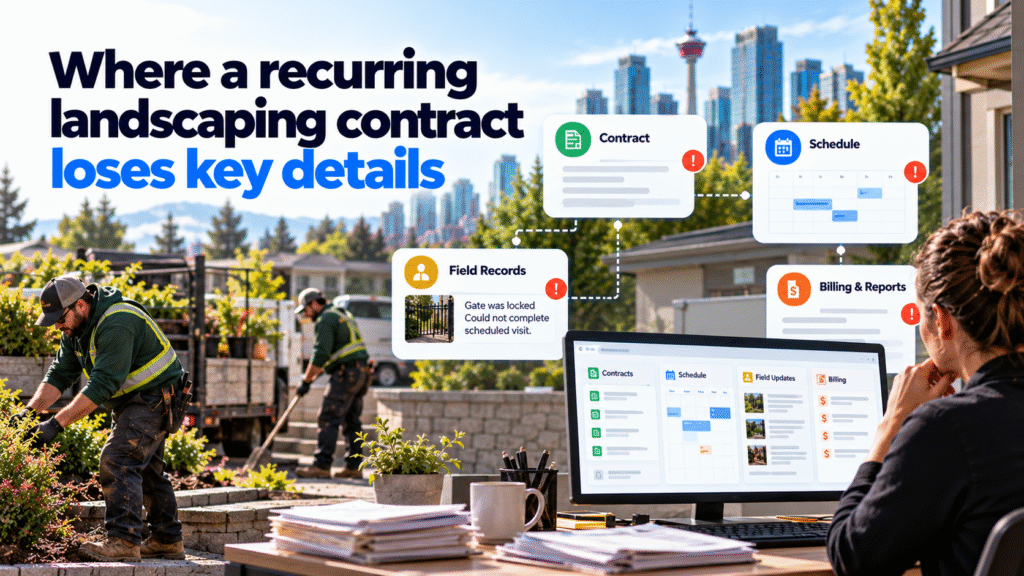
A signed agreement states what the company owes the client. The schedule tells crews where to go. Field records show what happened. Billing and client reports need both the agreed terms and a reliable account of the work. Trouble starts when a change in one place does not reach the others.
An office manager may add a new visit to the calendar but forget that the site requires advance notice. A crew may record a locked gate in a message that the account manager never sees. An extra mulch request may appear in a field note without the approval needed to bill for it.
Before adding automation, identify which record controls each decision: the approved contract version, the current property instructions, the visit schedule and any authorization for extra work. A dashboard cannot resolve conflicting source records by itself.
Diligentic’s landscaping page describes related scheduling, field-record and recurring-billing handoffs for Calgary operators.
A Calgary contract from scheduling to invoice
Hypothetical workflow, not a client result. A Calgary landscaping company maintains two commercial properties for one client. The agreement calls for weekly turf visits at Site A during an agreed seasonal window and two pruning visits at Site B. Site B also requires the crew to use a designated entrance and submit completion photos.
The account manager approves the contract. An AI document tool proposes fields such as location, service type, frequency, seasonal dates and photo requirements. An employee compares each proposal with the signed agreement and corrects any ambiguity. Only verified fields become scheduling rules. The signed agreement remains available for reference.
The scheduling tool then creates planned visits within those approved rules. A manager checks crew capacity and releases the assignments. Each crew sees the current property instructions, required tasks and a short completion form.
On one visit, Site B’s entrance is locked. The crew marks the visit incomplete and records the access problem. The workflow assigns the issue to the account manager, who contacts the client and approves a new visit date. The original visit remains in the history; it is not silently marked complete.
Later, the client asks for extra mulch at Site A. A field note can trigger an approval task, but it cannot change the contract or create a charge. An authorized employee confirms scope and price with the client. Once the work is approved and completed, the approved extra can move to invoice preparation with its contract and property references.
At month-end, the account manager reviews a draft report drawn from completed visits, photos and open issues. The billing employee checks the contract’s payment terms and approved extras before releasing the invoice. This is one possible design; available connections, data quality and the client’s actual agreement determine what can be implemented.
How Commercial Landscaping Workflow Automation Combines Rules, AI and Human Oversight
The most dependable parts of this process follow explicit rules. Once a manager approves a weekly service frequency, a scheduling rule can create planned visits. A completed form can move a visit to review. A missing required photo can hold it there. These steps do not need AI.
AI may help where information arrives in different forms. It can propose contract fields for verification, suggest a category for a crew’s free-text note, or draft a service summary from approved records. Employees should be able to see the source text behind a suggestion and correct it before it affects work.
People keep authority over contract interpretation, crew safety, schedule exceptions, disputed work, extra charges and client commitments. For example, a weather interruption can flag visits that may need moving; a manager decides what is safe and what the client agreement requires. After approval, connected tools can update the crew assignment and related records.
Check the handoffs that matter most
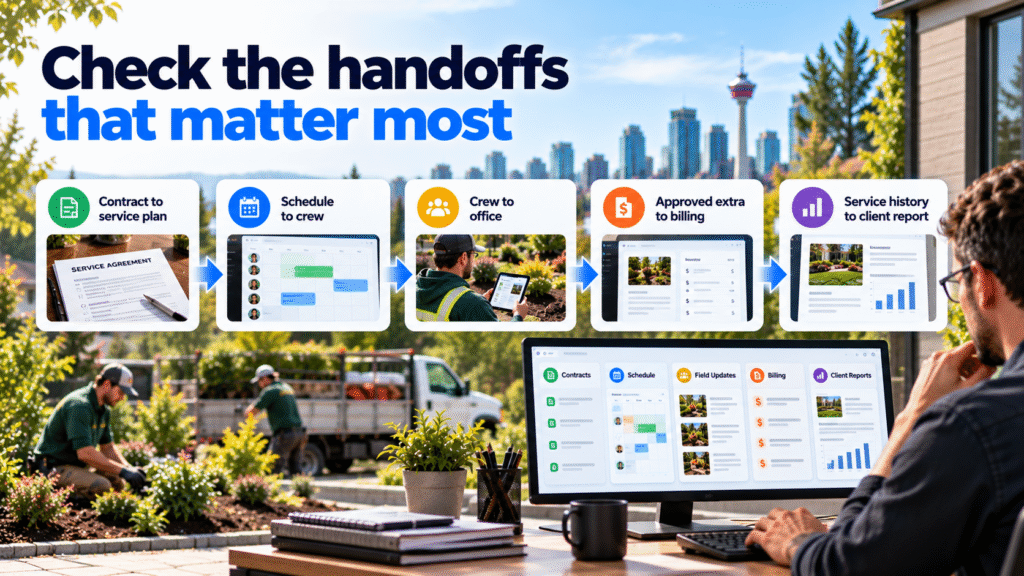
Use a short workflow map before choosing a new tool or build. For each handoff, record the source, owner, trigger and exception path.
| Handoff | Normal action | When a person must intervene |
|---|---|---|
| Contract to service plan | Verified terms create property and visit rules | A term is missing, conflicting or unclear |
| Schedule to crew | Approved assignment carries current site instructions | Access, weather or capacity changes the plan |
| Crew to office | Completed form supplies tasks, time and required evidence | Work is incomplete or evidence is missing |
| Approved extra to billing | Authorized details reach invoice preparation | Price, scope or client approval is disputed |
| Service history to client report | Approved records populate a draft | The report contains an unresolved issue |
This map also helps distinguish configuration from integration. If the current scheduling tool already supports recurring visits and required fields, configure those first. Connect systems when employees must still copy approved data between them. Consider a focused custom step only when an essential requirement cannot be supported reliably by existing features or connections.
Diligentic’s system integration service covers links between job, customer and accounting tools. A specific connection still needs to be tested against the platforms the company uses.
Test one contract before expanding the workflow
Choose a contract with clear terms and a manageable number of properties. Before changing the process, record how long the team spends preparing visits, resolving incomplete field records, checking approved extras and assembling the client report. Count corrections as well as routine work.
Test ordinary visits and awkward cases: a missed photo, a locked site, a weather change, duplicate field entries, a late contract amendment and a failed transfer to accounting. For each case, confirm who receives the issue and whether it remains visible until resolved.
Use the pilot to decide what deserves wider rollout. If visit creation works but contract fields need frequent correction, improve the source document or verification step first. If supervisors spend more time fixing draft summaries than writing them, AI may not be useful for that task yet. A successful pilot should leave staff with a process they can explain and maintain, not a collection of hidden triggers.
Diligentic’s AI workflow assessment can map these handoffs and identify which parts are suitable for configuration, integration or AI assistance.
Frequently asked questions
Can recurring landscaping visits be scheduled automatically?
Yes, when the service frequency, seasonal dates and property rules have been verified and the scheduling tool supports them. A manager still needs to handle access problems, capacity changes and other exceptions.
Does AI need to read every maintenance contract?
No. Structured forms or existing system fields may be enough. AI is worth testing when contracts vary in format and extracting proposed fields saves more time than staff spend checking them.
When should an extra service appear on an invoice?
Only after the required scope, price and client approval are recorded and the work is confirmed under the company’s process. A crew note alone should not create a new charge.
Must a landscaping company replace its current tools?
Not necessarily. Configure useful existing features first, then test whether the tools can exchange the records the workflow needs. Replacement becomes a separate decision when a core platform cannot support an essential requirement reliably. Diligentic’s commercial landscaping guide explores that broader choice.
Start with the contract handoff your team checks by hand
Take one active maintenance agreement and compare its service rules with the next scheduled visits, crew instructions and billing record. The first place where an employee has to copy, chase or reinterpret the same information is a practical starting point.
Diligentic can review that handoff and assess what the current tools can support. Book a qualifying call about your recurring-contract workflow. If there is a fit, Ajay can arrange an in-person workflow audit in Calgary after the call.
About the author
Ajay Kumar
Founder and Director
About the author
Ajay Kumar is the founder and director of Diligentic Infotech, a Calgary AI automation company. He has 9+ years of hands-on technical experience and now focuses on helping small and medium businesses connect their existing tools and cut down manual work through practical AI automation. He leads with a clear focus on real, working solutions over one-time demos.

Posted on 25 Jul 2026
7 Ways Custom Software Helps Commercial Landscaping Companies Manage Crews in 2026
TL;DR Commercial landscaping companies often struggle with crew scheduling, route planning, job tracking, payroll accuracy, communication, and reporting as operations grow. Custom software helps by centralizing workflows, automating repetitive tasks, improving visibility across crews and job sites, supporting AI-powered automation, and giving managers real-time operational insights. Why Are Landscaping Companies Looking for Better Crew Management […]

Posted on 3 Jun 2026
How a Commercial Landscaping Company Can Replace Spreadsheets
A commercial landscaping company should replace spreadsheets when crew schedules, property records, labour hours, and field updates can no longer stay accurate without constant checking. The right replacement may be standard field service software, connections between existing tools, or a focused custom system.
Posted on 4 Jun 2026
5 Powerful Reasons Calgary Landscaping Companies Need Custom Crew Management Software in 2026
Many Calgary landscaping companies are reaching a point where spreadsheets, disconnected systems, and manual processes make operations difficult to manage. Custom crew management software can bring scheduling, crew management, equipment tracking, reporting, payroll workflows, and customer communication into one centralized system. This can improve visibility, reduce administrative work, support AI-powered automation, and create a stronger foundation for long-term growth.