SHARE

How a Commercial Landscaping Company Can Replace Spreadsheets

A commercial landscaping company should replace spreadsheets when crew schedules, property records, labour hours, and field updates can no longer stay accurate without constant checking. The right replacement may be standard field service software, connections between existing tools, or a focused custom system.
The goal is not to eliminate every spreadsheet. It is to stop relying on spreadsheets for live operational work that involves multiple crews, properties, approvals, and schedule changes.
Table of Contents
When Has a Landscaping Company Outgrown Spreadsheets?
Spreadsheets still work for estimates, temporary planning, financial analysis, and lists managed by one person. Problems begin when office employees, supervisors, and field crews depend on the same files to make daily decisions.
A landscaping company has likely outgrown its spreadsheet process when:
- Schedule changes require separate calls or messages
- Crews receive different versions of the daily plan
- Property instructions are stored in several places
- Labour hours must be matched to jobs manually
- Field updates arrive hours after work is completed
- Supervisors maintain separate tracking files
- Reports depend on one person combining documents
- Managers cannot quickly identify delayed or incomplete jobs
These are workflow problems, not formatting problems. Adding more columns, tabs, formulas, or colour codes will not fix unclear ownership or disconnected handoffs.
According to the Business Development Bank of Canada, spreadsheets work well for one-time analysis but become less reliable when used to manage daily operations. Information can quickly become outdated or difficult to control as more employees depend on the same files.
What Does Spreadsheet-Based Work Cost?
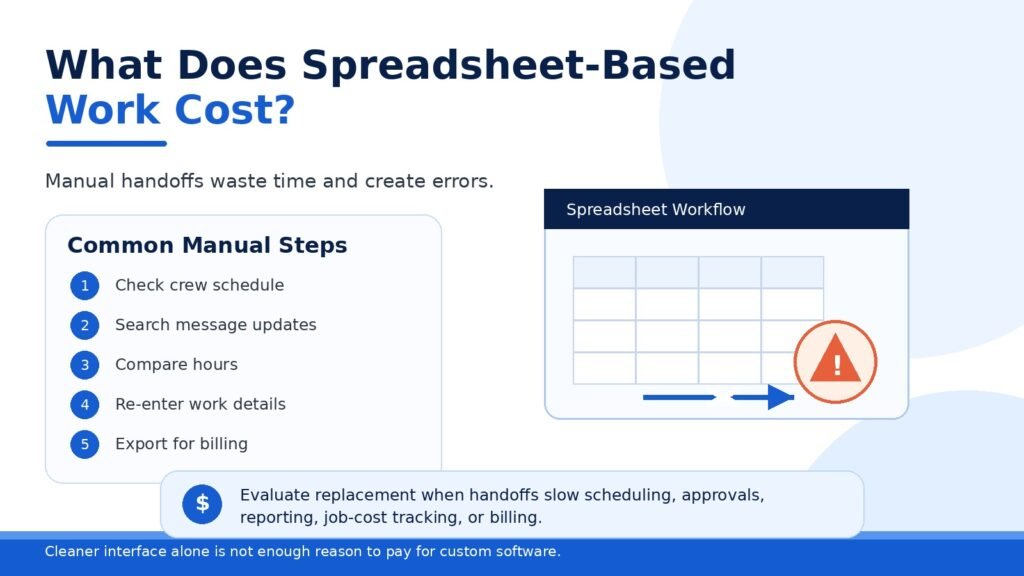
The main cost is the time employees spend searching for information, checking which file is current, copying records, and following up on missing updates.
For one property visit, an office employee may need to:
- Check the crew schedule.
- Search a message thread for a change.
- Open a property information file.
- Compare reported hours with a separate timesheet.
- Enter completed work into another system.
- Export the same information for reporting or invoicing.
Every additional handoff creates another opportunity for delay, missing information, or incorrect data.
A replacement becomes worth evaluating when manual handoffs start slowing scheduling, approvals, reporting, job-cost tracking, or billing. Wanting a cleaner interface alone is not enough reason to pay for custom software.
What Should a Landscaping Operations System Manage?
A replacement system should organize information around properties, crews, service visits, and approvals. It should not reproduce every spreadsheet tab as a separate software screen.
Property Records
Each property should have one controlled record containing:
- Address and access instructions
- Contracted services
- Service frequency
- Client contacts
- Property-specific notes
- Photos and supporting documents
- Work history
- Approval requirements
When property information changes, an authorized employee should update it once. Office and field users should then see the same current record.
Crew Scheduling
Managers should be able to assign crews, supervisors, vehicles, equipment, and tasks from one schedule.
When an assignment changes, the system should record what changed and notify the affected users. Managers should not need to update a spreadsheet and repeat the same instruction through several text messages.
Field Updates
Crews should be able to view assignments and record work from a phone or tablet.
Useful field actions may include:
- Starting or completing a property visit
- Recording completed tasks
- Adding a site note
- Reporting an access problem
- Uploading photos
- Recording material use
- Entering labour time
- Requesting supervisor review
Field forms should remain short. A system that requires excessive typing will push employees back to calls, messages, and end-of-day updates.
Labour and Approval Records
Hours should connect directly to an employee, crew, property, task, and service date.
Supervisors can then review missing or unusual entries instead of comparing every timesheet against a separate schedule.
Managers should also see records that require attention, such as missing hours, incomplete visits, reported client issues, or work waiting for approval.
Spreadsheet Process vs a Shared Landscaping System
| Operational area | Spreadsheet-based process | Shared operational system |
| Crew scheduling | Files are edited, and changes are communicated separately | Assignments and updates are managed together |
| Property information | Details are spread across files and messages | Each property has one controlled record |
| Field progress | The office waits for calls or end-of-day updates | Crews update active work from the field |
| Labour tracking | Hours are matched to schedules manually | Hours are linked to employees and properties |
| Approvals | Supervisors review files and message corrections | Records follow defined approval steps |
| Reporting | Employees combine several documents or exports | Reports use structured operational records |
| Accountability | Changes may be difficult to trace | User actions and timestamps can be recorded |
| Permissions | File access is often too broad | Access follows each employee’s role |
A shared system does not replace management judgment. It gives managers more reliable information and reduces the amount of manual checking required.
Which Spreadsheet Replacement Option Should You Choose?
There are three realistic options: standard software, system integration, or custom development.
| Option | Best fit | Main advantage | Main limitation |
| Standard field service software | Companies with common scheduling and job-tracking needs | Faster setup and lower initial commitment | The business may need to adjust its workflow |
| System integration | Companies whose current tools work but do not share data | Removes repeated entry without replacing useful software | Weak source systems remain weak |
| Custom landscaping software | Companies with workflows standard products cannot support | Can follow required operational and contract rules | Requires discovery, testing, support, and maintenance |
The right option is the least complicated solution that fixes the highest-cost operational problem.
Technology fit also matters. Statistics Canada reported that 34.7% of enterprises that had not adopted advanced technologies identified difficulty integrating new technology with existing systems as an obstacle.
Choose Standard Software for Common Workflows
Standard software is usually the best starting point when the company needs common functions such as:
- Scheduling and dispatch
- Basic time tracking
- Property records
- Work orders
- Customer communication
- Basic reporting
- Invoicing support
Using an existing product avoids paying to rebuild functions that are already available.
Do not make the decision from a sales demonstration alone. Test the product using real company scenarios.
Change a crew assignment. Submit a field update. Correct labour hours. Review an incomplete record. Produce a weekly report.
The test should reveal whether employees can complete the process without returning to side spreadsheets.
The guide to field service management software explains the scheduling, field communication, and job-tracking capabilities service businesses should compare.
Connect Existing Tools When They Still Work
Integration is often the better option when the company already uses effective accounting, payroll, customer management, scheduling, or time-tracking software.
The main problem may be the gap between those tools.
Common examples include:
- New property details are entered into several systems
- Approved labour hours are copied into payroll
- Completed work is recreated for invoicing
- Customer information differs between platforms
- Managers export several files to prepare one report
An integration moves approved information from one system to another. It can also trigger an action, such as notifying a supervisor when a required field is missing.
Diligentic Infotech tool integration and sync service helps businesses keep useful software while removing repeated entry and disconnected handoffs.
Before integration begins, the company must decide which system owns each type of information. Without clear ownership, an integration may move inconsistent data faster without making it more reliable.
Consider Custom Software for Essential Exceptions
Custom development becomes a serious option when essential workflows cannot fit standard products without daily workarounds.
Possible reasons include:
- Complex recurring property schedules
- Contract-specific task and approval rules
- Several branches with different permissions
- Specialized equipment assignments
- Client-specific reporting formats
- Unique job-cost calculations
- Several systems requiring one shared operational layer
Custom software should solve a measurable business problem. It should not begin with a list of every feature the company may need later.
A sensible first release might cover one complete workflow:
- The office schedules a property visit.
- A crew receives the assignment.
- The crew records completed work.
- A supervisor reviews exceptions.
- Approved records become available for reporting or invoicing.
Additional features can follow after employees use the core workflow reliably.
Companies evaluating this option can review Diligentic Infotech’s custom software development service.
What Should Be Defined Before Requesting a Quote?
A credible software estimate requires more than a feature list.
Current Workflow
Document how work moves from scheduling through field completion, approval, reporting, and invoicing.
Include what employees actually do when schedules change, information is missing, or a crew cannot complete the planned work.
Business Problem
State what is going wrong and how it affects the operation.
Examples include:
- Schedule changes are missed
- Labour approvals are delayed
- Property details are inconsistent
- Supervisors spend too much time checking status
- Reports require several manual exports
- Completed work reaches invoicing late
A specific problem gives the project a measurable purpose.
Users and Permissions
Identify who will use the system and what each role should be allowed to view, create, approve, or change.
Crew members, supervisors, office coordinators, managers, and clients should not automatically receive the same access.
Existing Systems
List the accounting, payroll, scheduling, customer management, and reporting tools that may need to remain.
Replacing spreadsheets does not require replacing every application in the business.
First-Release Outcome
Define one process that the first release must complete from beginning to end.
“Build crew management software” is too vague.
“Assign a crew, collect the completion record, approve labour, and make the information available for invoicing” is specific enough to estimate.
How Diligentic Infotech Assesses a Landscaping Software Project
Diligentic Infotech starts by reviewing the workflow causing the most manual work, delay, or operational risk.
The assessment may lead to one of four recommendations:
- Improve the current process without adding software.
- Configure a standard platform.
- Connect the company’s existing systems.
- Develop a focused custom application.
Custom development is not treated as the automatic answer.
When repetitive approvals, notifications, or data movement are the main problem, business process automation may solve the issue without replacing the company’s full software stack.
A related guide to crew management software for landscaping companies covers additional features to evaluate after the core workflow has been defined.
How Should the New System Be Rolled Out?
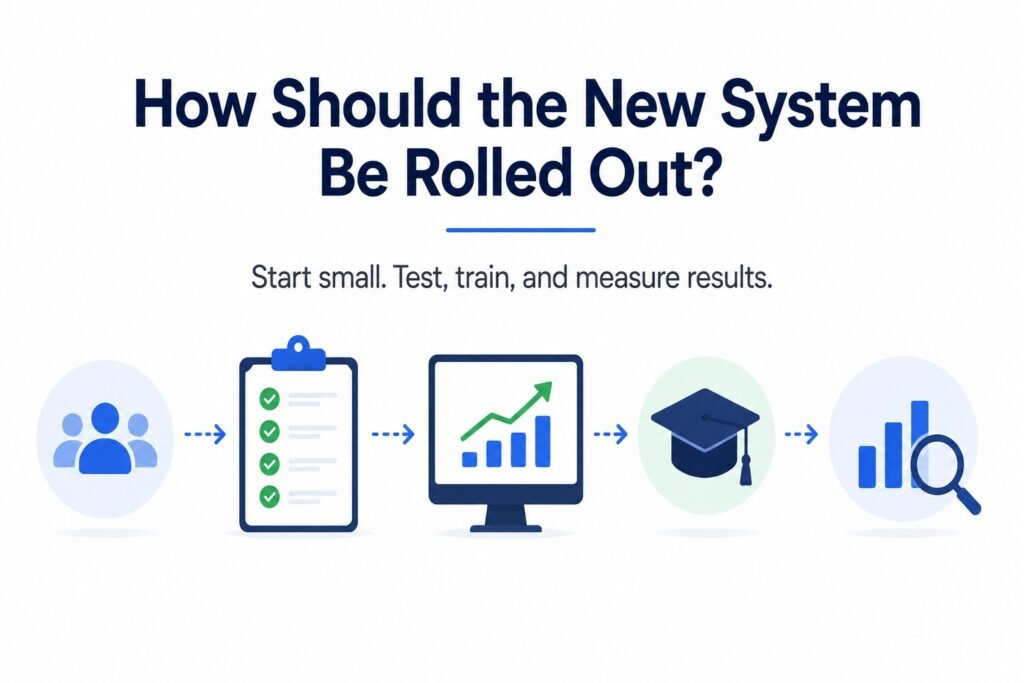
Start with a limited number of users and properties.
The pilot should test:
- Same-day schedule changes
- Missing field information
- Supervisor corrections
- Mobile access
- User permissions
- Labour approvals
- Weekly reporting
Move only active and reliable data. Old spreadsheets can remain in a controlled archive when they are not required for daily operations.
Training should follow each role. Crews need assignment and field-update instructions. Supervisors need approval steps. Office employees need reporting and exception-handling processes.
Evaluate the rollout against the original business problem. Track how long it takes to prepare schedules, approve labour, confirm completed work, or produce reports before and after implementation.
Do not claim time or cost savings that have not been measured.
Questions to Ask a Landscaping Software Partner
Before selecting a software vendor or development company, ask:
- How will you document our current workflow?
- Which requirements could standard software handle?
- How will the system work on mobile devices?
- Which existing systems can remain?
- Who will own the code and business data?
- How will historical information be migrated?
- What testing and training are included?
- What support is available after launch?
- How will scope changes affect the estimate?
A credible partner should recommend a smaller solution when it solves the problem. A company that proposes a large custom platform before reviewing the workflow is selling development rather than reducing project risk.
Get an Estimate for Replacing Landscaping Spreadsheets
If crew schedules, property records, labour hours, and field updates are spread across spreadsheets and messages, Diligentic Infotech can assess the current workflow and recommend a practical replacement path.
The recommendation may involve standard software, system integration, process automation, or a focused custom system.
Get a project estimate for your commercial landscaping operations.
FAQ’s
When should a commercial landscaping company replace spreadsheets?
A commercial landscaping company should consider replacing spreadsheets when several employees need current information, schedule changes are missed, records are entered more than once, or managers cannot quickly confirm job status.
What software can replace landscaping spreadsheets?
Standard field service software, connected business tools, or custom landscaping software can replace spreadsheet-based processes. The right choice depends on the workflow, current systems, and required business rules.
Is custom landscaping software always necessary?
No. Standard software is usually the better option when common scheduling, time-tracking, work-order, and reporting features meet the company’s needs.
Can a landscaping company keep its accounting software?
Yes. Landscaping operations software can often connect with an existing accounting platform. The company should decide which system owns customer, labour, job, and invoice information before integration.
Can existing spreadsheet data be moved into a new system?
Reliable records such as active properties, contracts, employee details, and schedules can usually be migrated. Duplicate, outdated, and inconsistent information should be cleaned before import.
Can landscaping crews use the software in the field?
A field-ready system can allow crews to view assignments, record progress, enter labour hours, add notes, and upload photos from a phone or tablet.
How much does landscaping software development cost?
The cost depends on workflows, user roles, integrations, reporting, data migration, and mobile functionality. A reliable estimate requires defining the first release.
How long does it take to replace spreadsheet-based operations?
The timeline depends on whether the company configures standard software, connects existing tools, or develops a custom system. Workflow discovery and a limited pilot should take place before a company-wide rollout.
About the author
Ajay Kumar
Founder and Director
About the author
Ajay Kumar is the founder and director of Diligentic Infotech, a Calgary AI automation company. He has 9+ years of hands-on technical experience and now focuses on helping small and medium businesses connect their existing tools and cut down manual work through practical AI automation. He leads with a clear focus on real, working solutions over one-time demos.

Posted on 25 Jul 2026
7 Ways Custom Software Helps Commercial Landscaping Companies Manage Crews in 2026
TL;DR Commercial landscaping companies often struggle with crew scheduling, route planning, job tracking, payroll accuracy, communication, and reporting as operations grow. Custom software helps by centralizing workflows, automating repetitive tasks, improving visibility across crews and job sites, supporting AI-powered automation, and giving managers real-time operational insights. Why Are Landscaping Companies Looking for Better Crew Management […]
Posted on 4 Jun 2026
5 Powerful Reasons Calgary Landscaping Companies Need Custom Crew Management Software in 2026
Many Calgary landscaping companies are reaching a point where spreadsheets, disconnected systems, and manual processes make operations difficult to manage. Custom crew management software can bring scheduling, crew management, equipment tracking, reporting, payroll workflows, and customer communication into one centralized system. This can improve visibility, reduce administrative work, support AI-powered automation, and create a stronger foundation for long-term growth.