SHARE

AI Dispatch Automation for Calgary Roofers: Keep Crew Changes From Becoming Costly Delays
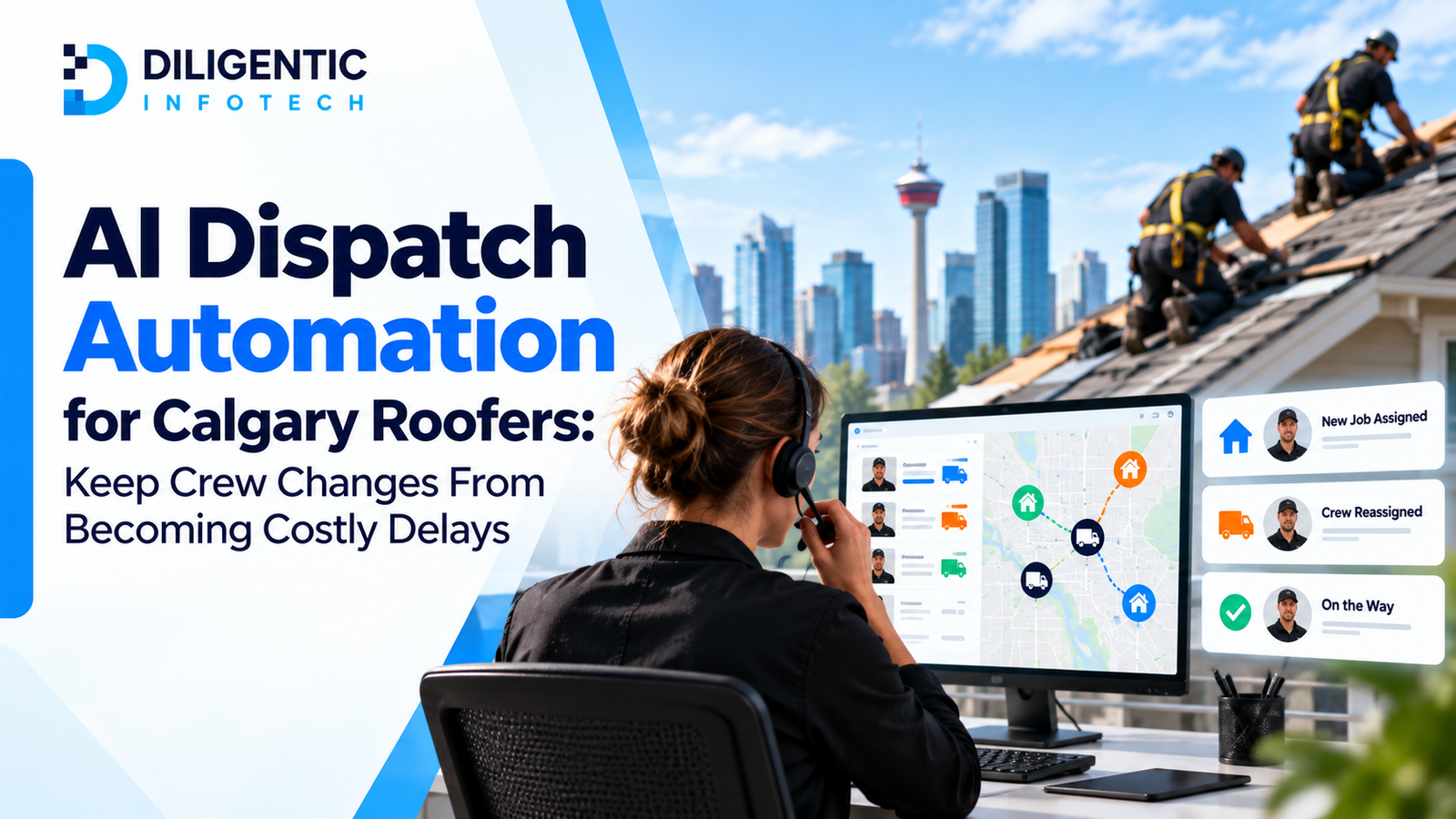
The crew reaches the address on its Tuesday schedule. The shingles will not arrive until Wednesday, and the office has not assigned another job. In this hypothetical Calgary roofing scenario, four paid workers wait while dispatch checks what work is ready and which customers need an update. The business can measure that interruption in waiting time, added travel and office correction work.
AI dispatch automation can help identify a scheduling change buried in a message and prepare it for review. Once a dispatcher approves a new assignment, connected rules can update job records and notify the crew. The dispatcher still decides which crew is suitable and whether the job is ready to proceed.
Start by finding where one scheduling change stops moving. A new platform will have little value if job approvals, crew availability and field updates remain unreliable.
Table of Contents
Where scheduling mistakes create avoidable cost

A crew finishes one roof, but its next job has an unconfirmed start time. A dispatcher phones the project manager, checks a second calendar and learns that materials have not arrived. The crew waits while the office finds another assignment.
That delay has several parts. Crew members may be paid while waiting; a later reassignment may add driving; office staff spend time correcting records and calling customers. Each category should be measured separately. Waiting time is not automatically a cash saving: some of it may be used productively on other work.
The common causes are concrete:
- A job is marked ready in one tool before its site, materials or approval checks are complete.
- Availability changes reach dispatch after an assignment has been made.
- A customer reschedules, but the crew still sees the previous date.
- Two employees edit separate calendars without a clear controlling record.
On Calgary roofing jobs, site conditions can add another decision. The Canadian Roofing Contractors Association’s deck-preparation guidance says water, ice, snow and debris must be removed before installation begins. A schedule should reflect an authorized site decision; it should not make that decision for the crew.
When a calendar needs a dispatcher, connected rules and AI
Each approach solves a different piece of roofing crew scheduling:
| Approach | Useful work | Limit to check |
|---|---|---|
| Shared calendar | Displays assigned crews, dates and jobs | Job approval and field details may still live elsewhere |
| Connected rules | Move approved status changes, flag conflicts and send notifications | Depend on reliable fields, permissions and agreed triggers |
| AI assistance | Summarize unstructured updates and suggest items for dispatcher review | Can misread context and must not make safety or crew-suitability decisions |
A calendar may be enough for a small operation with clear updates. If employees repeatedly copy the same change into job records, crew messages and customer notices, test whether the current tools can share that approved change.
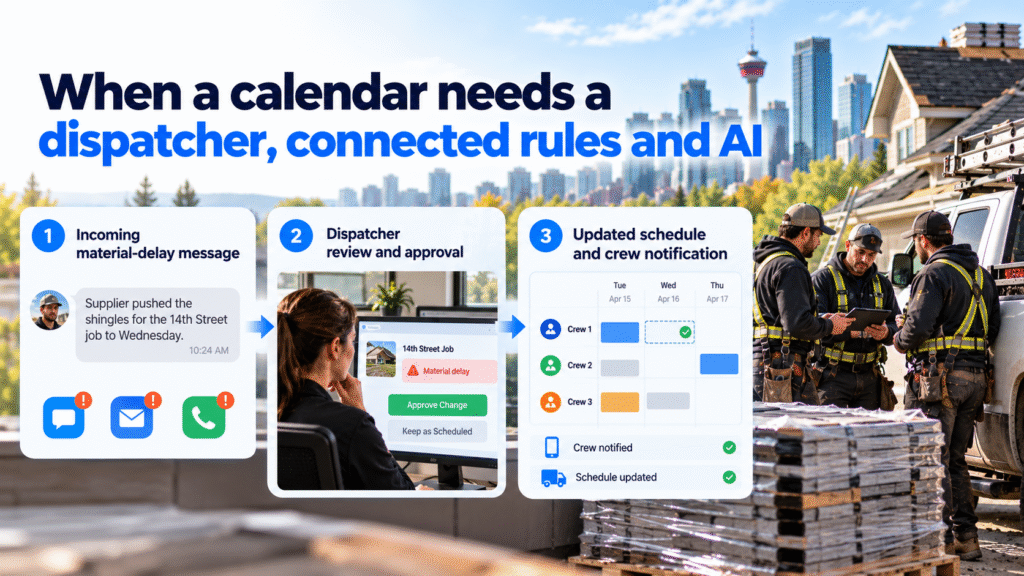
For example, a project manager texts, “Supplier pushed the shingles for the 14th Street job to Wednesday.” An AI step could extract the possible material delay, look for the matching job and suggest that Tuesday’s assignment needs review. If the message matches more than one job or the delivery date conflicts with the supplier record, it should flag the uncertainty for a person. After the dispatcher confirms the job and approves a change, ordinary rules update the calendar, field record and notifications. The AI suggestion alone does not reschedule anyone.
Routing calculations can also help with travel where the right constraints are supplied. Google’s Route Optimization API, for example, plans routes using objectives and limits such as time windows and vehicle capacity. It does not know a roofing crew’s actual readiness, training, site conditions or customer promises unless those factors are accurately represented and reviewed.
Worked example: a Calgary roofing job moves to another day
Hypothetical scenario, not a client result. A Calgary roofing company has two crews and several approved jobs. Crew A is assigned to a reroof on Tuesday. On Monday afternoon, the project manager reports that a required material delivery has moved to Wednesday. Crew B is due at another address on Wednesday morning.
In the current process, the project manager texts the dispatcher. The dispatcher edits a calendar but forgets that Crew A’s Tuesday assignment still appears in the field job record. A crew leader drives toward the original site before calling to confirm.
A proposed connected process would begin with the project manager recording the material delay against the job. The workflow flags the Tuesday assignment and any jobs that may be affected. It puts possible open work in front of the dispatcher, along with known crew availability and job requirements.
The dispatcher checks whether another approved job is ready, whether Crew A has the required people and equipment, and whether moving it would affect a customer commitment. They approve the replacement assignment. Only then do the shared schedule and field record update, followed by crew and customer notifications under the company’s approved communication rules.
Each notification needs a delivery status. If the crew message fails or a leader has not acknowledged the change, the dispatcher uses a manual contact method before assuming the crew knows where to go. The material-delayed job remains blocked until the project manager confirms it can be scheduled again.
AI may help summarize the project manager’s message or identify that it mentions a delivery change. A named employee confirms the actual job status and revised assignment. The workflow’s value comes from carrying that approved decision through the other records.
Estimate the cost with your own numbers
The following figures are illustrative assumptions, not a result measured for a roofing contractor.
Suppose four crew members spend 30 paid minutes waiting for a corrected assignment. At an illustrative loaded labour cost of CAD $40 per person per hour, the paid waiting-time calculation is:
4 people × 0.5 hours × CAD $40 = CAD $80 of labour capacity tied up.
Suppose the reassignment also adds 20 minutes of travel for the same four people. At the same assumed rate, that represents 4 × one-third of an hour × CAD $40 ≈ CAD $53 of additional paid time. Vehicle costs, customer impact and office correction time would require separate actual records.
The combined approximately CAD $133 is an illustrative cost of paid time, not proven cash savings from automation. Some time might be recoverable on another job; payroll expense may remain unchanged. To evaluate a proposed improvement, compare similar schedule changes before and after the pilot and record actual waiting, travel and correction time.
Keep safety and assignment decisions with the right people
When site conditions change, a qualified person evaluates whether work can proceed. Alberta’s Occupational Health and Safety Code requires employers to assess hazards and eliminate or control identified risks. The dispatch workflow should communicate an authorized decision and alert affected people.
The dispatcher also considers skills, equipment, material readiness, travel, customer access and existing commitments. If those facts are missing or conflicting, the workflow should flag the assignment for review rather than choosing a crew confidently from incomplete data.
Use the minimum crew information needed for coordination: current assignment, confirmed availability, required qualifications, job address and whether an update was received. More tracking is useful only when it serves a defined operational purpose and employees understand how it is used.
Account for Calgary site and delivery dependencies
A Calgary roofer may need to change a planned start after a site review, a customer access change or a supplier update. Weather and roof-deck conditions are also inputs to the responsible person’s decision. The schedule should show what is confirmed, what is still pending and who must make the next call.
In the hypothetical material-delay example, dispatch needs a confirmed delivery date before releasing the blocked job. It also needs to know whether the replacement job has approved access and the right equipment. These checks apply to the actual job; the article makes no claim about how often such disruptions occur across Calgary.
Connect your current tools around one approved change
Choose which record controls the job status and which controls the crew assignment. Name who can approve a change and what must happen afterward. Diligentic’s system integration service covers connecting job, scheduling and reporting tools where access permits; the exact connections require assessment.
For a first pilot, test one frequent event, such as a material delay or customer-requested date change. Include cases with two possible crews, missing job information and a failed notification. Keep a manual dispatch route available when a connection is down.
Measure the time from an approved change to crew acknowledgment, the number of conflicting records, paid waiting time, extra travel and office corrections. Compare like-for-like jobs and record the sample size. If notifications arrive faster but wrong assignments increase, revise the source data and approval rules before expanding.
The related roofing job management guide covers the wider estimate-to-invoice record. This article focuses on the scheduling decision and whether each approved change reaches the crew and customer.
FAQs
Does AI need to choose the roofing crew?
No. AI may summarize requests or highlight conflicts, but a dispatcher should confirm crew suitability, job readiness and customer commitments using current information.
Can existing scheduling tools be connected?
Possibly. Check what each tool can read and update, who controls each record, and how failures are reported before committing to an integration.
What happens when weather changes the plan?
The responsible person assesses site conditions and approves the operational change. Connected records can then flag affected jobs and notify the crew and customer through the agreed process.
How should a roofing company measure the benefit?
Track actual paid waiting and travel time, correction work, conflicting assignments and crew acknowledgment before and during a pilot. Separate returned staff capacity from demonstrated cash savings.
Find the schedule change your team keeps correcting
Find out where your roofing crew schedule is losing time. Review recent delays and identify the point where an approved update stopped moving: the job record, assignment board, crew message or customer notice. Clarify responsibility and record ownership, then test whether connecting existing tools removes repeated checking and copying.
Diligentic can review your existing scheduling tools, dispatch handoffs and approval process to identify practical opportunities for automation. Book an introductory call about your roofing crew schedule. This is a qualifying call; if there is a fit, Ajay arranges an in-person workflow audit in Calgary.
About the author
Ajay Kumar
Founder and Director
About the author
Ajay Kumar is the founder and director of Diligentic Infotech, a Calgary AI automation company. He has 9+ years of hands-on technical experience and now focuses on helping small and medium businesses connect their existing tools and cut down manual work through practical AI automation. He leads with a clear focus on real, working solutions over one-time demos.
Posted on 27 Jun 2026
Roofing Automation: Stop Losing Leads, Time, and Profit in 2026
Roofing automation helps roofing companies stop losing leads, time, and profit by connecting lead intake, follow-ups, estimating, scheduling, invoicing, job tracking, and customer communication. Instead of relying on manual reminders and scattered workflows, AI automation can help roofers respond faster, reduce repeated admin work, and improve visibility across daily operations.
Posted on 29 Jun 2026
7 Job Cost Tracking Problems Roofing Companies Can Fix with AI Automation
Roofing companies often lose profit because labour hours, supplier bills, estimates, invoices, and customer updates are managed across disconnected systems. AI automation can connect these workflows, reduce repetitive administrative work, and improve visibility into job costs without replacing human decision-making.

Posted on 2 Jul 2026
Roofing Job Management Automation: 7 Checks Before Requesting a Quote
Roofing job management automation connects the tools your Calgary roofing company already uses, so details move from estimate to job to invoice without being retyped. Before you ask anyone for a quote, decide on one workflow, the information it needs, who approves it and how you’ll test it.