SHARE

AI Automation: The Most Impactful Use Cases Companies Can’t Ignore
TL;DR
AI Automation is not optional anymore. Companies that ignore it fall behind in speed, accuracy, and cost management. This guide breaks down the most practical, high-impact use cases of AI and automation with real examples, clear explanations, and honest trade-offs. It explains what AI automation actually means, the tools shaping the market, how AI workflow automation works across industries, and where companies often fail. This helps you decide what to automate, what to avoid, and how to plan your next steps with confidence.
Table of Contents
AI Automation has moved past being a “trend.” It’s now the backbone of how lean, efficient, and resilient companies operate. The advantage comes from a straightforward idea: machines handle repetitive decisions, while humans handle judgment. When both work together, work becomes faster, cheaper, and significantly cleaner.
What Is AI Automation?
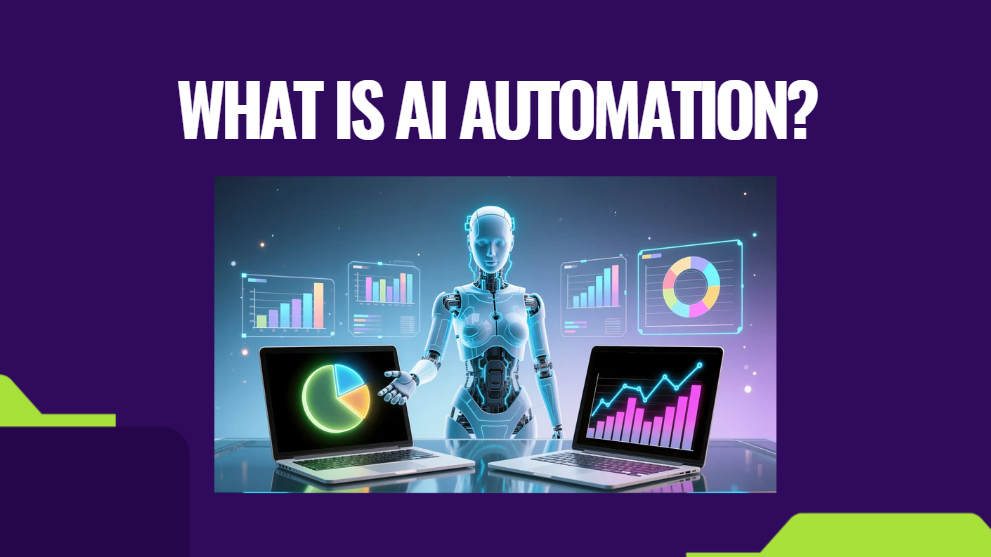
AI automation means combining software automation with decision-making capabilities powered by machine learning. Traditional automation follows fixed rules. AI and automation together make systems act based on context rather than strict scripts.
A simple rule:
- Automation = do the task
- AI = decide how to do it
AI automation tools read patterns, predict outcomes, suggest follow-up actions, and complete tasks without babysitting. The result is a system that doesn’t just “execute” but also adapts.
This matters because real-world operations are messy, and inputs change constantly. Conditions shift, exceptions happen, and manual processes slow teams down. Businesses looking to streamline workflows and eliminate repetitive tasks can leverage structured process automation services to implement intelligent systems that improve efficiency, reduce errors, and scale operations effectively.
Why AI Automation Matters Right Now
Most companies feel pressure in the same areas:
- inconsistent output
- labor shortages
- fragmented processes
- slowing response times
- rising costs
- data they can’t make sense of
AI workflow automation directly replaces the manual effort required to move information between tasks, platforms, and people. It gives teams a steady operational rhythm instead of constant firefighting.
And unlike older automation systems, AI learns from usage patterns. Your operation gets sharper with time.
The Summary of the Most Impactful Use Cases
Before diving into details, these are the highest-return use cases:
- customer support automation with adaptive responses
- AI marketing automation for targeting, segmentation, and content
- Predictive maintenance in manufacturing
- smart quality checks in industrial processes
- automated data processing and extraction
- workflow routing across sales, operations, and finance
- risk scoring and irregularity detection
- lead qualification and outreach automation
- document understanding and contract analysis
Most companies compete on the same surface level. These use cases shift the game entirely.
1. AI in Industrial Automation: Making Operations Predictable
Manufacturing and industrial operations don’t tolerate delays or inconsistency. AI in industrial automation enables factories to predict breakdowns, adjust production, and maintain quality without constant human oversight.
Where It Makes a Real Difference
- Predictive maintenance: Machines warn you before failure. AI analyzes vibration patterns, temperature, noise, and torque to spot unusual behavior.
- Quality inspection: Computer vision catches defects faster than human inspection lines.
- Production optimization: AI adjusts speeds, loading, and cycle times to reduce waste.
- Energy management: AI detects power spikes and optimizes usage across extensive facilities.
Why This Beats Traditional Automation
Classic automation does precisely what you hard-code.
AI automation adapts on the fly. It understands patterns. It catches subtle failures. It saves downtime.
Factories using AI and automation usually report:
- lower scrap rates
- fewer shutdowns
- tighter quality control
- safer environments
This is where the competitive gap becomes permanent.
2. AI Workflow Automation: Removing Repetitive Burden From Teams
AI workflow automation routes tasks, completes routine actions, and keeps operations moving without waiting for human follow-ups.
Where It Works Well
- assigning support tickets to the right team
- approving low-risk invoices or expenses
- auto-updating CRM data
- summarizing internal documents
- routing messages based on urgency
- validating forms and entries
- coordinating tasks between departments
The biggest advantage is not speed; it’s consistency. Companies underestimate the time they lose to preventable human errors. AI plugs those leaks.
3. AI Marketing Automation: Precision Without the Guesswork
Marketing teams waste a lot of time manually analyzing data and deciding on the next steps. AI marketing automation fixes this by combining pattern detection with execution.
Practical Use Cases
- audience segmentation
- ad budget allocation
- predictive scoring
- automated email journeys
- content suggestions
- trend detection
- churn prediction
- product recommendation systems
Example
A brand with 40k customers used AI marketing automation to identify hidden micro-segments based on past behavior. The result: 20-30 percent better engagement without increasing workload.
This level of precision is impossible to achieve manually.
4. AI Automation in Customer Support: Faster Conversations, Better Accuracy
Support teams deal with repetitive, predictable questions. AI automation tools handle the redundant parts, while humans focus on sensitive cases.
High-Impact Uses
- reading user messages and drafting replies
- summarizing support histories
- answering account or status questions
- extracting intent from user messages
- routing to the right agent
- generating instant troubleshooting steps
Why This Matters
Customers get answers in seconds. Agents get context instantly. Managers get cleaner reporting. The result is a support experience that feels smooth instead of draining.
5. AI Automation in Finance and Back-Office Processes
Finance teams benefit from stability. AI workflow automation helps eliminate repetitive back-office tasks.
Key Use Cases
- document extraction
- invoice classification
- expense validation
- risk scoring
- fraud detection
- payment reminders
- reconciliation support
These tasks are rule-heavy and predictable, making them ideal for automation.
6. AI and Automation in Sales Operations
Sales teams often spend more time logging data than closing deals. AI automation clears the clutter.
Practical Applications
- auto-qualifying inbound leads
- updating CRM fields
- creating summaries after calls
- drafting follow-ups
- predicting deal probability
- prioritizing leads
The most significant shift: salespeople finally work on selling instead of cleaning data.
7. AI Automation Tools That Matter Today
The market is full of tools, but most fall into a few categories.
Types of AI Automation Tools
- Task automation platforms: Zapier, Make, n8n – great for routing data.
- AI assistants and agent frameworks: Custom LLM automations, ReAct agents, workflow engines.
- Industry-specific automation systems: Manufacturing, healthcare, logistics, and finance tools.
- AI document understanding tools: OCR systems, vector search, contract parsing.
- Marketing and CRM automation platforms: HubSpot AI, Klaviyo AI, and Salesforce with Einstein.
Each category solves a different pain point. Most companies use a mix rather than relying on one platform.
8. What an AI Automation Agency Actually Does
A good AI automation agency focuses on measurable outcomes, not fancy dashboards. Their job is to design automated systems that reduce errors and improve speed.
Their Core Work
- map current workflows
- remove unnecessary steps
- build automation logic
- integrate AI decision layers
- test outcomes
- track errors and refine
Where Agencies Usually Fail
- automating broken workflows without fixing the process
- choosing tools based on hype rather than fit
- ignoring employee training
- focusing on “nice visuals” instead of reliable output
A reliable agency cares about stability first. Automation without dependability is useless.
Comparison Table: AI Automation vs Traditional Automation
| Feature | Traditional Automation | AI Automation |
|---|---|---|
| Decision Capability | Fixed rules | Context-based learning |
| Adaptability | Low | High |
| Use Cases | Simple, repetitive tasks | Complex, variable tasks |
| Setup Effort | Medium | High (initial) |
| Long-Term Value | Moderate | High |
| Error Handling | Rigid | Self-correcting |
| Scalability | Requires manual expansion | Scales with data |
| Cost Over Time | Stable | Declines as efficiency improves |
9. Common Pitfalls Companies Ignore
Most automation failures happen because leaders chase quick wins or automate the wrong part of the process.
Mistakes to Avoid
- automating decisions with insufficient data
- poor workflow mapping
- no audit layer
- ignoring the edge cases
- unclear handoff between humans and AI
- skipping documentation
- unrealistic expectations
Hidden Truth
Automation doesn’t fix broken processes. It makes broken processes faster. Always fix the process before layering AI automation on top.
10. Selecting the Right Use Cases
If you try to automate everything at once, you burn months and create confusion. Start with a discovery process to identify the highest-impact opportunities.
Filter 1: Volume
Tasks are done hundreds of times a week.
Filter 2: Predictability
Clear patterns, clear rules, clear outcomes.
Filter 3: Impact
Meaningful time or cost savings.
If a use case passes all three, automate it.
11. Real-World Examples Companies Rarely Talk About
These are practical, underrated examples:
Logistics
Predicting container delays based on weather, port traffic, and past data.
Healthcare
Automatically extracting data from patient notes to speed up reporting.
Recruitment
Screening CVs, ranking candidates, and preparing interview summaries.
Construction
Monitoring site conditions to adjust workforce allocation.
Hospitality
AI-based demand forecasting for staff planning.
These use cases give companies a measurable advantage, not surface-level convenience.
Conclusion: Intelligent Automation Is Now the Baseline
AI Automation isn’t a future task. It’s a practical way to clean up operational noise and protect your team’s time. Companies that adopt AI and automation early create huge gaps in performance, cost stability, and customer experience.
If you want to plan automation for your company, don’t guess. Speak with a team that builds these systems daily.
👉 Talk to Diligentic Infotech, and get clarity on what you should automate first.
FAQ’s
What is AI automation used for most often?
It’s widely used for workflow routing, document processing, predictive maintenance, customer support automation, and AI marketing automation because these deliver the greatest efficiency gains.
Is AI automation expensive?
Cost depends on complexity, but most businesses recover investment quickly through reduced manual work and better accuracy.
What is the difference between AI and automation?
Automation executes tasks. AI decides how to handle tasks based on context. Together, they create intelligent systems that adapt.
How do I decide what to automate first?
Start with repetitive, predictable tasks that consume a high time. These give the fastest return.
Do AI automation tools replace employees?
They replace repetitive work, not roles requiring judgment, creativity, or relationship management.
Why do AI automation projects fail?
Weak planning, unclear goals, poor workflow mapping, and unrealistic expectations are usually the cause of failures.
About the author
Ajay Kumar
Founder and Director
About the author
Ajay Kumar is the founder and director of Diligentic Infotech, a Calgary AI automation company. He has 9+ years of hands-on technical experience and now focuses on helping small and medium businesses connect their existing tools and cut down manual work through practical AI automation. He leads with a clear focus on real, working solutions over one-time demos.

Posted on 23 Sep 2026
Why Calgary Contractors Struggle With Manual Call Intake and How an AI Receptionist For Contractors Can Improve Customer Information Collection
For many Calgary contractors, the bigger operational challenge starts during the conversation. An employee needs to collect the right customer information, record it clearly, and make sure those details reach the right person or business system.

Posted on 28 Sep 2026

Posted on 5 Oct 2026
AI Receptionist For Contractors: Why Calgary Businesses Waste Office Time Handling Repetitive Customer Calls in 2026
Contractor offices can be busy even when every customer call is answered.
For many Calgary contractors, the challenge is not simply managing phone conversations. The bigger issue is the amount of employee time spent handling repetitive customer enquiries, collecting the same information, taking notes, and completing manual follow-up work.