SHARE

Manual vs. AI-Assisted Invoicing in 2026: How Roofing Invoicing Automation Helps Calgary Contractors Get Paid Sooner

Roofing invoicing automation addresses a familiar office bottleneck: the roof is finished, but billing is waiting for photos, a change approval, or someone to enter the final details. For Calgary contractors, connecting those records can reduce the delay before an accurate invoice reaches the customer. AI may assist with reading notes; routine transfers and calculations can use standard rules.
Earlier invoicing gives the customer an earlier opportunity to pay. It cannot guarantee that payment will arrive sooner.
Table of Contents
The billing queue starts before accounting opens the job
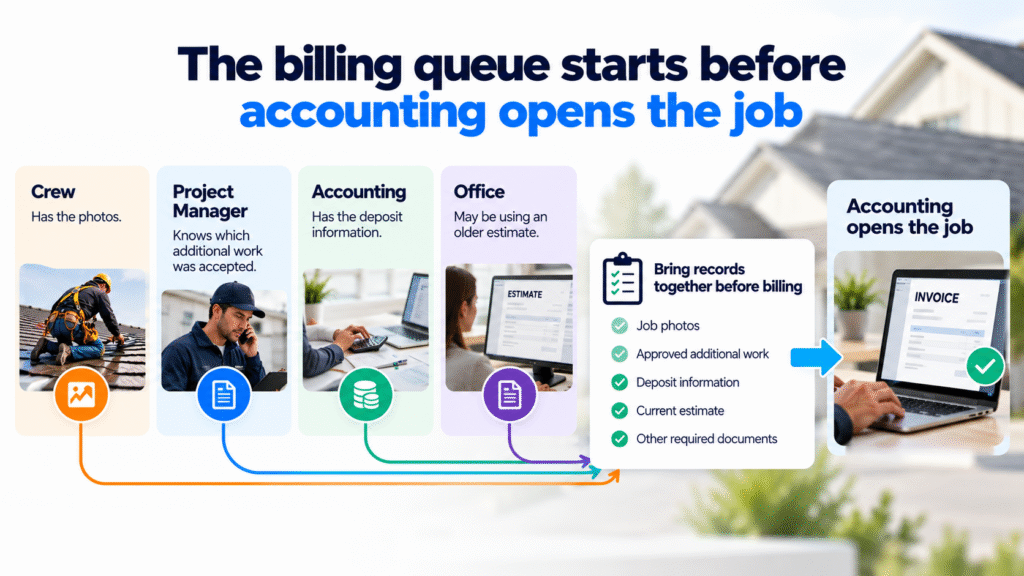
An invoice can stall because different employees hold different pieces of the job. The crew has the photos. The project manager knows which additional work was accepted. Accounting has the deposit, while the office is using an older estimate.
Someone must bring those records together before billing. Without a defined checkpoint, the job may sit until an administrator notices what is missing.
Distinguish physical completion from permission to bill. Specify the documents and decisions required for the relevant billing stage, and assign each missing item to an employee.
Consider a hypothetical Calgary roofer managing several completions after weather-related schedule changes. One crew uploads photos late; another reports additional decking work in a message. The useful response is a job-specific list of missing records, with owners, rather than one reminder saying, “Finish the invoices.” This is an operating example, not a claim about typical Calgary job volumes or weather effects.
Roofing Invoicing Automation: Manual Work vs. Rules-based vs. AI-Assited
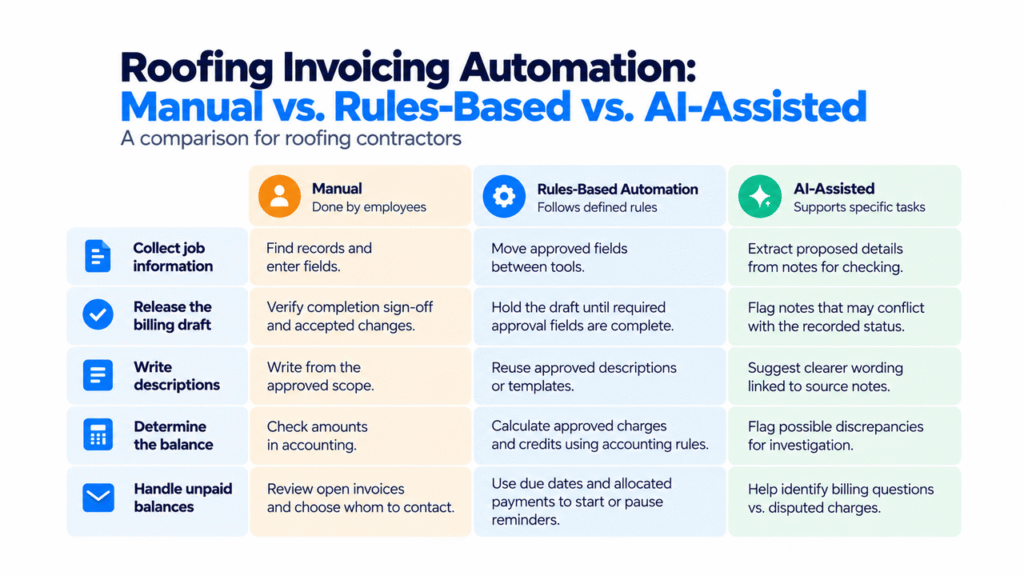
The three approaches solve different parts of the problem. A practical workflow can combine them.
| Billing task | Manual preparation | Rules-based automation | Optional AI assistance |
|---|---|---|---|
| Collect job information | Administrator locates records and enters fields | Approved fields move between supported tools | Extracts proposed details from notes for checking |
| Release the billing draft | Office staff verify completion sign-off and accepted changes | Holds the draft until specified approval fields are complete | Points the reviewer to notes that may conflict with the recorded status |
| Write descriptions | Employee writes from the approved scope | Reuses approved descriptions or templates | Proposes clearer wording linked to source notes |
| Determine the balance | Employee checks amounts in accounting | Accounting rules calculate approved charges and credits | Flags a possible discrepancy for investigation |
| Handle unpaid balances | The bookkeeper reviews open invoices and chooses whom to contact | Uses due dates and allocated payments to start or pause reminders | Helps the bookkeeper distinguish a billing question from a disputed charge |
For occasional, unusual projects, manual preparation may be sufficient. When employees repeatedly copy the same fields, assess existing integrations first. Add AI only where interpreting documents or drafting language removes enough effort to justify checking its output.
For example, locating a decking reference in a site note is an interpretation task. Deciding whether that work was approved, or calculating the amount due, should follow documented approvals and accounting controls.
The crew reports extra decking work. Can the office bill for it?
Hypothetical scenario, not a client result.
A Calgary roofing company completes a residential reroof. Its records show these illustrative amounts, all in CAD before taxes:
- Original approved work: $12,000.
- Deposit allocated to this job: $3,000.
- Additional decking repair: $800, awaiting approval verification.
- Completion photos: uploaded but not yet reviewed.
In the manual process, the administrator searches for the change approval, asks the project manager to review the photos, and checks the deposit. Each unresolved item can hold the invoice up.
In a proposed connected process, those same conditions block release and create a task for the responsible project manager. If AI is included, it might find the decking reference and suggest an invoice description. The employee must be able to inspect the source; the note alone does not authorize billing.
Once the manager verifies the change approval and accepts the completion documents, accounting confirms the deposit. The simplified balance check becomes:
CAD $12,000 approved work + CAD $800 approved change − CAD $3,000 deposit = CAD $9,800 remaining pretax balance.
The calculation leaves taxes out to show the effect of the change and deposit clearly. Before release, the bookkeeper checks the actual tax and deposit treatment in the accounting platform.
An authorized employee checks the draft and approves sending. If evidence of approval remains unavailable, the manager decides the next step under the agreed billing process. Automation must not guess approval or quietly discard the unresolved charge.
Five checks before a billing workflow goes live
Keep the operating checklist short enough for the office to use:
- One invoice per billing event. Save the resulting invoice reference. After a timeout, check whether creation succeeded before retrying.
- A recorded release decision. Start the pilot with review of every draft. Keep scope, change and sending approvals traceable; consider exception-only review only after validating the process.
- A confirmed payment allocation. Update balances from the accounting record. Define partial-payment, credit, refund and correction handling with the responsible accounting employee.
- Reminders that can stop. Configure what happens when payment arrives or a dispute opens. Test delayed payment updates before relying on automatic follow-up.
- A visible failure queue. Missing data, failed transfers and blocked invoices need an assigned employee and a manual fallback.
Progress billing, insurance-related work and holdbacks need their own approved requirements. A generic “job complete” status should not override the applicable contract or accounting process.
Connect the fields your office already trusts
Name the record that controls each fact: approved scope in the estimate, completion status in the job record, and allocated payments in accounting. Fix conflicting versions before transferring data automatically.
Check whether your current tools already provide suitable draft invoices, approval steps and reminders. If those features meet the need, use them before commissioning another connection.
Where repeated entry remains, Diligentic’s system integration service covers connections between existing job, invoicing and accounting tools. The assessment should confirm access permissions, available fields, update timing and failure handling. Restrict access to the records needed for the billing task.
Completion-to-office handoffs are also described on Diligentic’s Calgary roofing workflow page. Compatibility and the exact implementation still require checking against the business’s tools.
Separate quicker billing from quicker customer payment
Xero’s Canadian small-business release for April–June 2026 reports a 29-day average between invoice issuance and payment, with settlement averaging 11.3 days beyond the due date. These are figures for its Canadian business sample, not a Calgary roofing benchmark.
Your own pilot needs to distinguish the stages that lead to cash receipt. For comparable jobs, record:
- When the physical work finished.
- When the job met its approved billing conditions.
- When the customer received the invoice.
- When payment was allocated in accounting.
Then compare completion-to-approval, approval-to-delivery and delivery-to-payment intervals. Track invoice corrections, missing approvals and active employee time alongside them, including time spent checking AI output.
If preparation becomes quicker but correction work grows, address accuracy before expanding. If invoices reach customers earlier but payment timing after receipt remains unchanged, describe the improvement as reduced internal billing delay.
Time returned to employees creates capacity. Earlier receipt changes cash timing. Neither, by itself, proves additional profit or lower payroll costs.
FAQs
Does roofing invoicing automation need AI?
No. Moving approved fields, checking statuses and sending scheduled reminders can use rules. AI is optional for tasks such as interpreting notes or proposing descriptions for review.
Can the workflow use existing accounting and job tools?
Possibly. Confirm that their connections support the required records, approvals and payment updates, including what happens when a transfer fails.
What happens if a customer disputes additional work?
The responsible employee reviews the dispute, and the workflow must not treat the charge as approved. Invoice changes, credits and reminder pauses follow the company’s agreed accounting process.
Will invoices be sent without anyone checking them?
That depends on the approved configuration. Begin with employee review of every pilot draft and retain human decisions for unresolved changes, unusual amounts and other exceptions.
Stop rebuilding each roofing invoice from scattered records
If your office repeatedly chases completion documents, checks deposits in another tool, or retypes approved amounts, identify one billing stage worth improving first.
Diligentic can review how estimates, job approvals and payment records reach accounting, then assess whether clearer responsibilities, an existing feature, a connection or AI assistance best fits that bottleneck.
Book a call about your roofing invoicing process. The call checks whether the workflow is a suitable fit. After qualification, Ajay arranges an in-person workflow audit in Calgary.
About the author
Ajay Kumar
Founder and Director
About the author
Ajay Kumar is the founder and director of Diligentic Infotech, a Calgary AI automation company. He has 9+ years of hands-on technical experience and now focuses on helping small and medium businesses connect their existing tools and cut down manual work through practical AI automation. He leads with a clear focus on real, working solutions over one-time demos.

Posted on 24 Jun 2026
How We Connected Disconnected Calgary Roofing Systems with AI Automation to Eliminate Manual Work and Increase Profitability in 2026
Many roofing companies struggle with disconnected Roofing Systems that require employees to manually move information between estimating, scheduling, project management, accounting, and customer communication processes. By connecting these workflows through custom AI workflow automation, businesses can reduce repetitive administrative work, improve visibility, streamline operations, and create a more scalable operation. In 2026, roofing contractors are increasingly looking at automation and AI to improve efficiency, reduce operational bottlenecks, and protect profit margins.
Posted on 27 Jun 2026
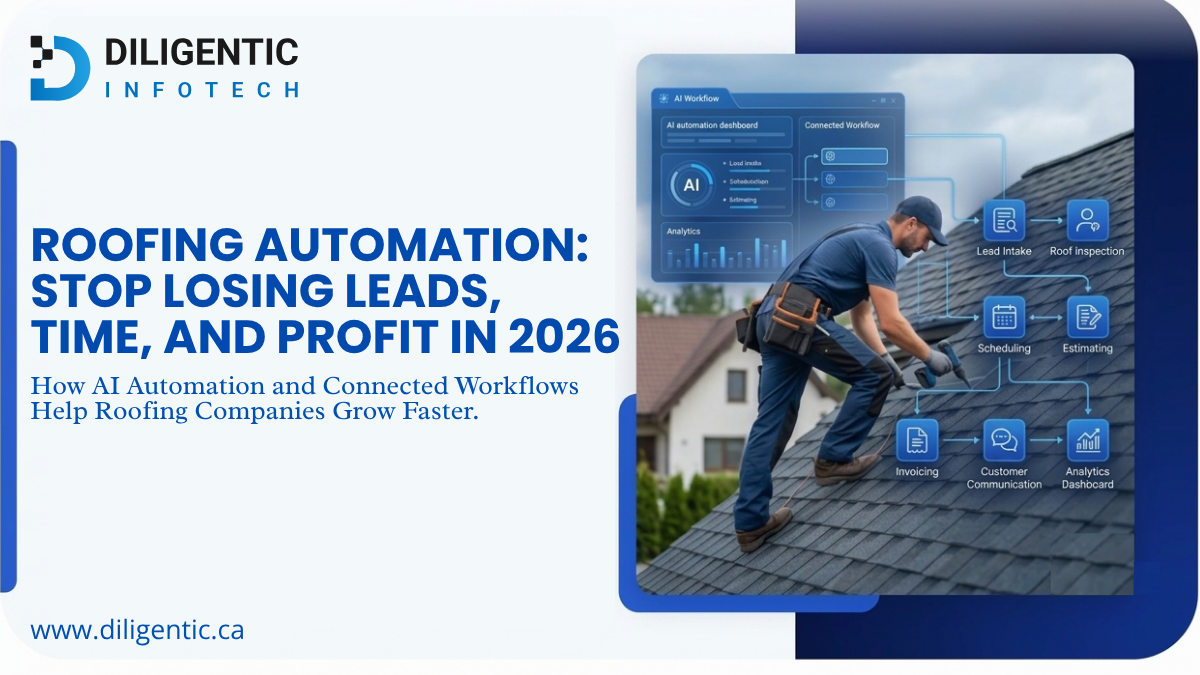
Roofing Automation: Stop Losing Leads, Time, and Profit in 2026
Roofing automation helps roofing companies stop losing leads, time, and profit by connecting lead intake, follow-ups, estimating, scheduling, invoicing, job tracking, and customer communication. Instead of relying on manual reminders and scattered workflows, AI automation can help roofers respond faster, reduce repeated admin work, and improve visibility across daily operations.
Posted on 29 Jun 2026
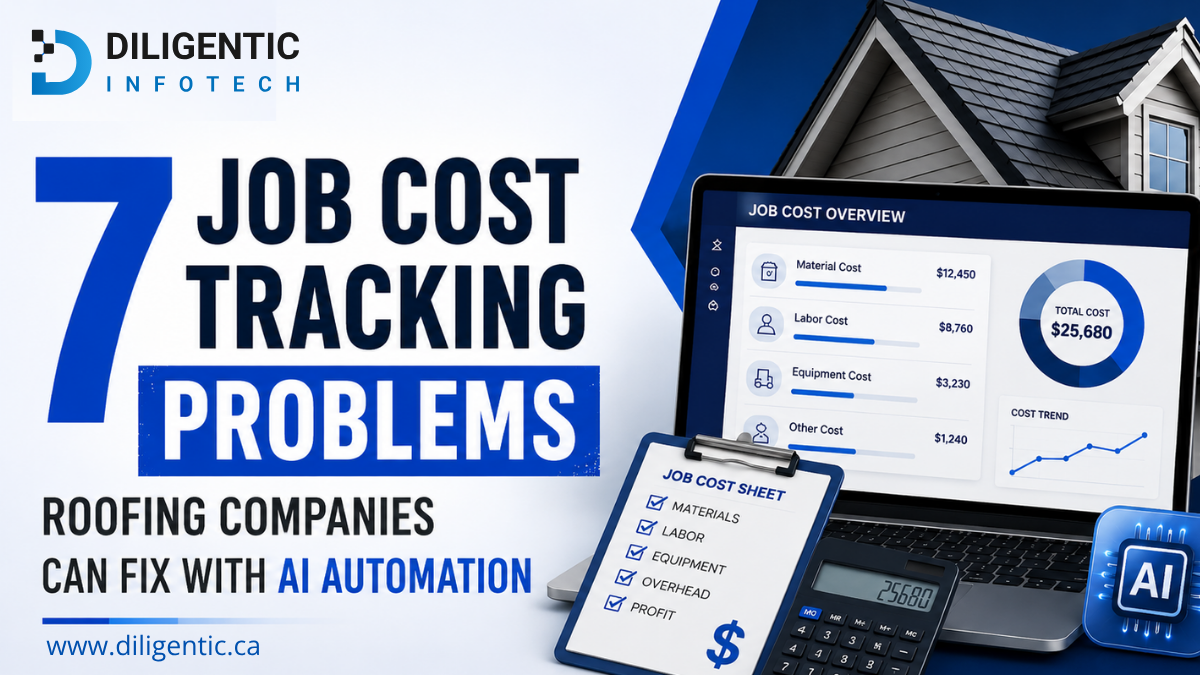
7 Job Cost Tracking Problems Roofing Companies Can Fix with AI Automation
Roofing companies often lose profit because labour hours, supplier bills, estimates, invoices, and customer updates are managed across disconnected systems. AI automation can connect these workflows, reduce repetitive administrative work, and improve visibility into job costs without replacing human decision-making.