SHARE

How Calgary Electrical Contractors Can Reduce Double Data Entry by Connecting Their Software

An electrical contractor should not have to type an approved customer address into an estimate, then again into a work order, schedule and invoice. Electrical business software integration connects those handoffs so the right record can move at the right time. It can eliminate re-entry at a defined step, provided the tools can exchange dependable data and someone handles exceptions.
For a Calgary contractor, the useful question is specific: which detail is entered twice, who approves it, and what happens when it changes? Answer that before choosing a connector or building a custom integration.
Table of Contents
Where the same electrical job gets entered twice
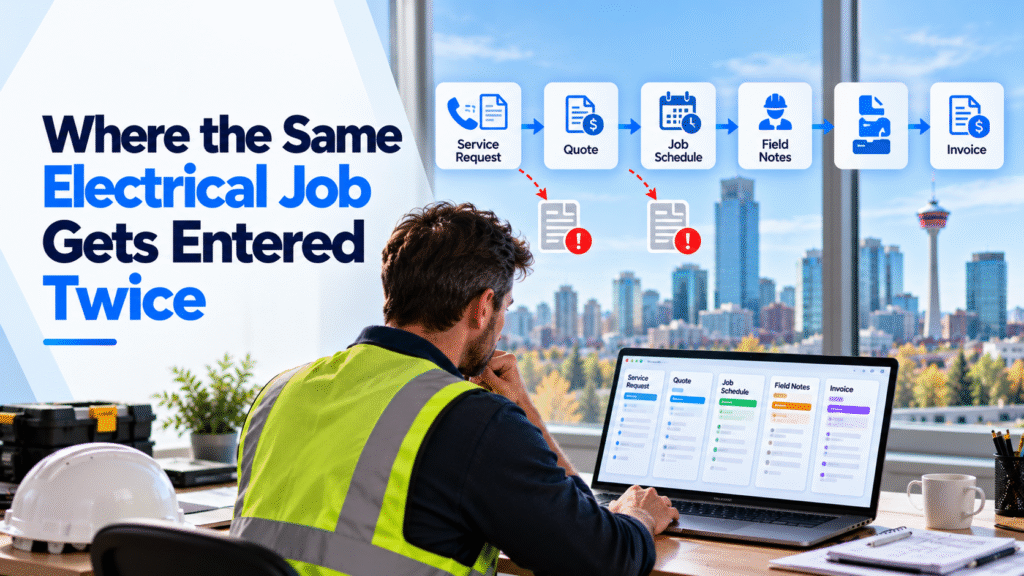
A service request may begin in a contact form or phone note. The estimator turns it into a quote. After acceptance, the dispatcher creates a job and assigns an electrician. Field notes arrive later, and the office prepares an invoice. Each person needs different information, but they should not have to rebuild the same customer and job record.
The trouble often appears when a detail changes. A corrected site address reaches the calendar but not the work order. A technician records materials in a message, while billing waits for a separate list. Copying is only part of the cost; checking which version is current takes time too.
In Calgary, the same contractor may move between service calls and commercial sites with different access contacts, purchase-order requirements and crew assignments. Those are details of the job, not claims about every local business. When one changes, the office and field crew need the same approved version before the visit or invoice moves forward.
The first improvement is to name the source of truth for each fact. A simple map might look like this:
| Information | Record that controls it | Who confirms a change? |
|---|---|---|
| Customer contact and service address | Customer record | Office or customer service |
| Accepted scope and price | Approved estimate | Estimator or authorized manager |
| Assignment and visit time | Schedule | Dispatcher |
| Hours, materials and completion notes | Job record | Electrician and office reviewer |
| Invoice number and payment status | Accounting record | Accounting team |
These are example assignments, not a universal setup. A contractor should use the records and approval roles that fit its own operation. Diligentic’s electrical contractor page describes related estimating, scheduling and field-to-office work.
From approved estimate to draft invoice: one electrical job
Hypothetical workflow, not a client result. A Calgary customer accepts an estimate for a small commercial electrical upgrade. Today, the office copies the approved address, scope and price into a job tool, adds the visit to a calendar and later re-enters the completed work in accounting.
In a connected version, accepting the estimate creates a job with the approved fields. A rule sends the address, access instructions and visit details to the schedule. The electrician sees the current work order and records hours, materials and completion notes against that job. The office reviews the record, then approved billing details prepare a draft invoice. Accounting assigns the invoice number and remains the source for payment status.
An added circuit shows why approval matters. The electrician can record the customer’s request, but that note does not change the agreed price. An authorized person quotes the extra work and records the customer’s decision. Only an approved change moves to the job total and invoice draft. If the change is declined or unclear, the record stays with a named employee for review.
This process removes routine retyping while preserving decisions about price, safety, contract terms and final billing. It also gives the office a clear place to see why a job is waiting.
Match the connection to the task and the tools
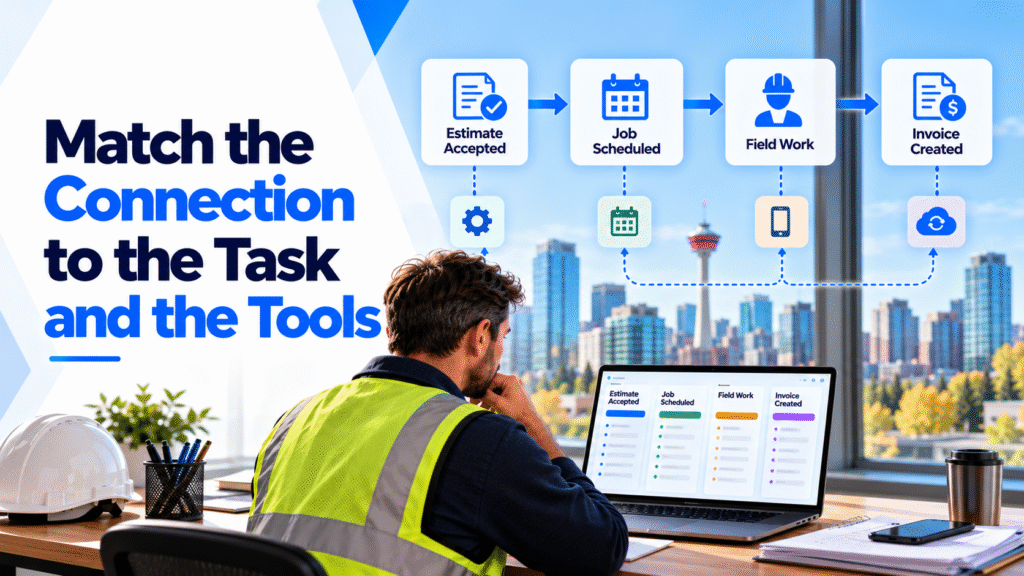
An integration does not need to copy every field between every tool. Start with one event, such as an accepted estimate, and define what should happen next. Then check whether the current tools can support that action.
| Situation | Sensible starting point |
|---|---|
| Two tools already offer a reliable built-in connection | Test that connection with real jobs and exceptions |
| A predictable event needs to update a few fields | Use a connector or a defined system rule |
| Several tools require validation, approvals or two-way updates | Design a more tailored integration |
| Customer and job records contain duplicates or conflicting values | Clean and assign ownership before syncing |
An application programming interface, or API, can let two systems exchange specific records. A webhook can announce that an event occurred; a scheduled transfer can move updates at set times. Which method works depends on the tools’ available access, field limits and reliability. The contractor also needs to know how a failed update will be detected and corrected.
Diligentic’s system integration service covers connecting existing tools, testing unusual cases and making failed updates visible. The best first connection is usually the one with a clear owner and a measurable amount of repeated work.
Use AI to read variable notes and rules to move approved data
Fixed rules are well suited to known facts: an accepted estimate creates a job, an approved change updates the price, and a reviewed completion record prepares an invoice draft. Those actions have defined triggers and fields.
AI is more useful when the incoming information varies. It could read an emailed work order or a technician’s free-form note and suggest a customer, job or missing detail. A person should check the suggestion against the original message before it changes a record. A possible duplicate contact is a review item, not an instruction to merge customer histories automatically.
The distinction matters for testing. The team can verify whether a rule moved the correct approved price. An AI suggestion also needs a review path when the wording is ambiguous or the wrong job is selected. Neither approach removes responsibility for electrical safety, pricing or customer commitments.
Protect records and make failures visible
Customer addresses, contact details, employee information and invoices should move only to people and systems that need them. Alberta’s Personal Information Protection Act governs personal information handled by provincially regulated private-sector organizations. Access permissions, retention and the use of outside service providers should be considered when designing a connection.
Operational controls matter as much as the transfer itself. If a schedule update fails, the dispatcher needs an alert and the original job details must remain available. If a customer record cannot be matched confidently, hold it for review instead of silently creating another contact. Record important changes so employees can see what was sent, when and by whom.
Before launch, test an ordinary job, a corrected address, a declined change, an incomplete field record and a failed transfer. Give each exception an owner and a way to retry without creating duplicates.
Start with one repeated entry point
Ask the office team to name the information they type more than once in a normal week. Pick one handoff, such as accepted estimate to active job or completed job to draft invoice. Map the source record, trigger, fields, approval, receiving record and failure response. Compare the time spent before and after the change, including time used to check exceptions.
For a broader look at dispatch and field records, Diligentic’s field-service guide explains how work moves between office and crews. A focused integration can then address the step that repeatedly slows the electrical contractor’s own process.
Frequently asked questions
Does integration mean replacing every current tool?
No. If the existing tools do their individual jobs well, connecting a specific handoff may be enough. Replacement becomes a separate decision when a tool cannot support the required work or share dependable data.
Can an integration send invoices automatically?
It can prepare a draft from approved job information. A person should review pricing, customer terms, changes and unusual tax treatment before the invoice is issued.
What should happen when an update fails?
The original information should stay available, the failure should be visible to a named employee, and the team should have a controlled way to correct and retry it. A silent failure can leave the office working from conflicting records.
How can a contractor tell whether the connection is worthwhile?
Measure how often the handoff occurs and how much time employees spend entering, checking and correcting the same information. Compare realistically recoverable time and fewer avoidable errors with setup and ongoing support costs; do not count staff capacity as cash savings unless a real cost falls.
Discuss the handoff worth connecting
Electrical business software integration works best when the contractor can name the repeated entry, the record that controls each fact and the person who handles exceptions. Start with that process, then decide whether a built-in connection, a simple rule or a tailored build fits.
Diligentic can review where your office repeats customer, job or billing entries and identify a first handoff worth fixing. Book a qualifying call to discuss your electrical workflow. If there is a fit, Ajay can arrange an in-person workflow audit in Calgary after the call.
About the author
Ajay Kumar
Founder and Director
About the author
Ajay Kumar is the founder and director of Diligentic Infotech, a Calgary AI automation company. He has 9+ years of hands-on technical experience and now focuses on helping small and medium businesses connect their existing tools and cut down manual work through practical AI automation. He leads with a clear focus on real, working solutions over one-time demos.

Posted on 21 May 2026
How Field Service Management Software Improves HVAC, Plumbing, and Electrical Operations
Field service management software connects the work that happens in the office with the work technicians complete in the field. It gives HVAC, plumbing, and electrical businesses one reliable process for receiving a service request, assigning the right person, recording job details, invoicing the customer, and reviewing performance.

Posted on 22 Jul 2026
Why Electrical Companies Calgary Are Struggling to Scale Without Connected Business Systems in 2026
Many electrical companies Calgary struggle to scale not because they lack software, but because the software they already use operates separately. Scheduling, dispatch, CRM, accounting, invoicing, estimating, GPS tracking, and field operations often sit in different systems with weak information flow between them.